I’m looking into capturing the sender’s email address when a user submits a request via the “Create records via email” functionality.
The objective is to use that incoming email address to:
Match against our existing Contacts and Companies in TAPE
Automatically populate the relevant fields on the issue/ticket (e.g. contact name, company, email)
Could you confirm whether this is currently supported, or if there are plans to enable this?
In addition, I’d like to understand how email communication can be handled from within the issue itself. Ideally:
Replies sent from the issue/ticket should go back to the original sender
Any responses from the client should append to the same issue as a conversation thread
No new issues should be created from reply emails
The end goal is to build a fully functional helpdesk system within TAPE, tightly integrated with our CRM, with proper bidirectional communication contained within each issue.
The simple answer is yes you can totally build a helpdesk system within Tape and I am sure many people have. Exactly how you do that may change depending on your technical ability and external tools however if we look at your first part were you want to capture incoming emails and create support tickets that are related to contacts held in a separate app then you can see a quick demo I have just made here:
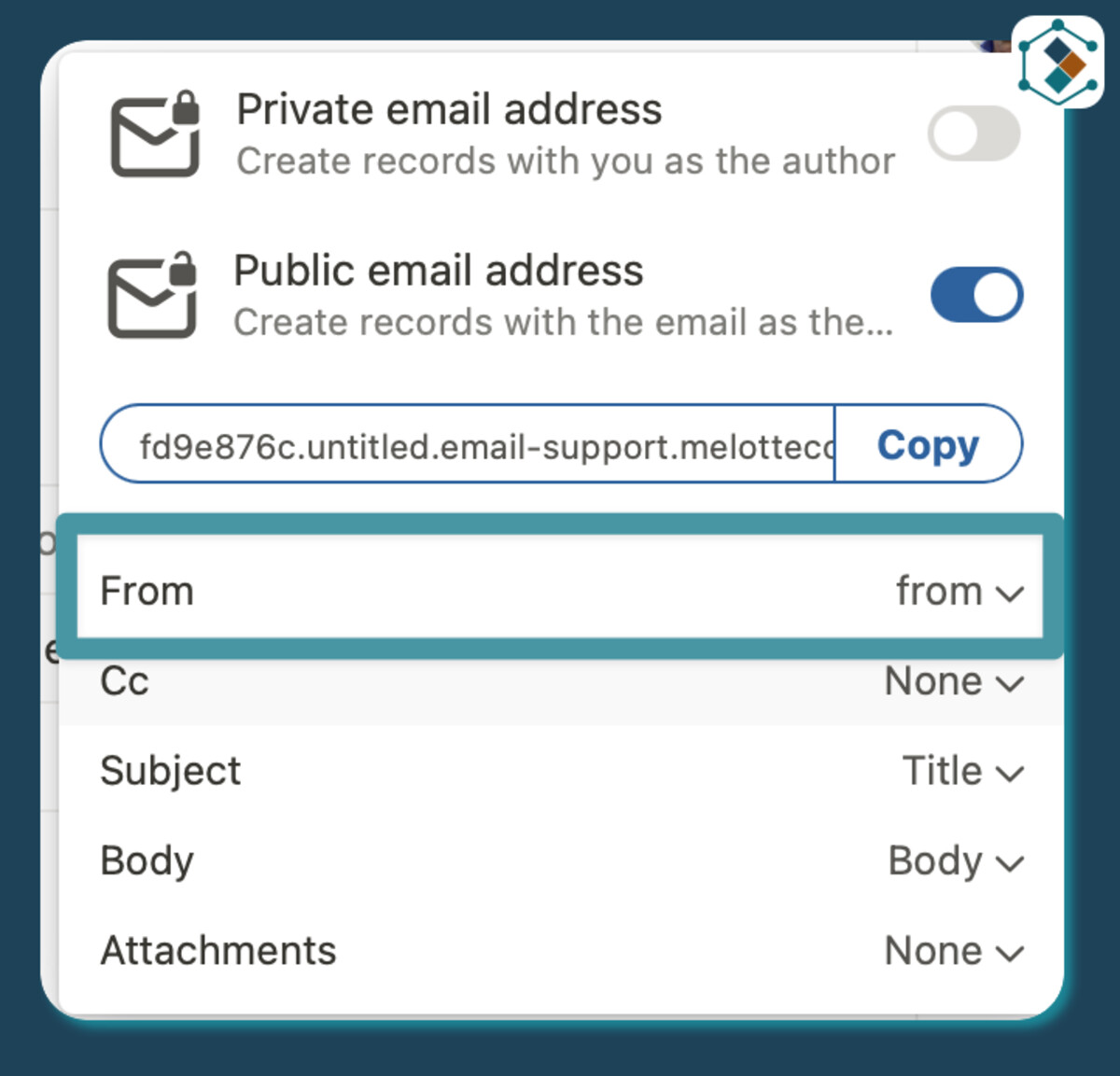
If we break it down, first you need to capture the from address:
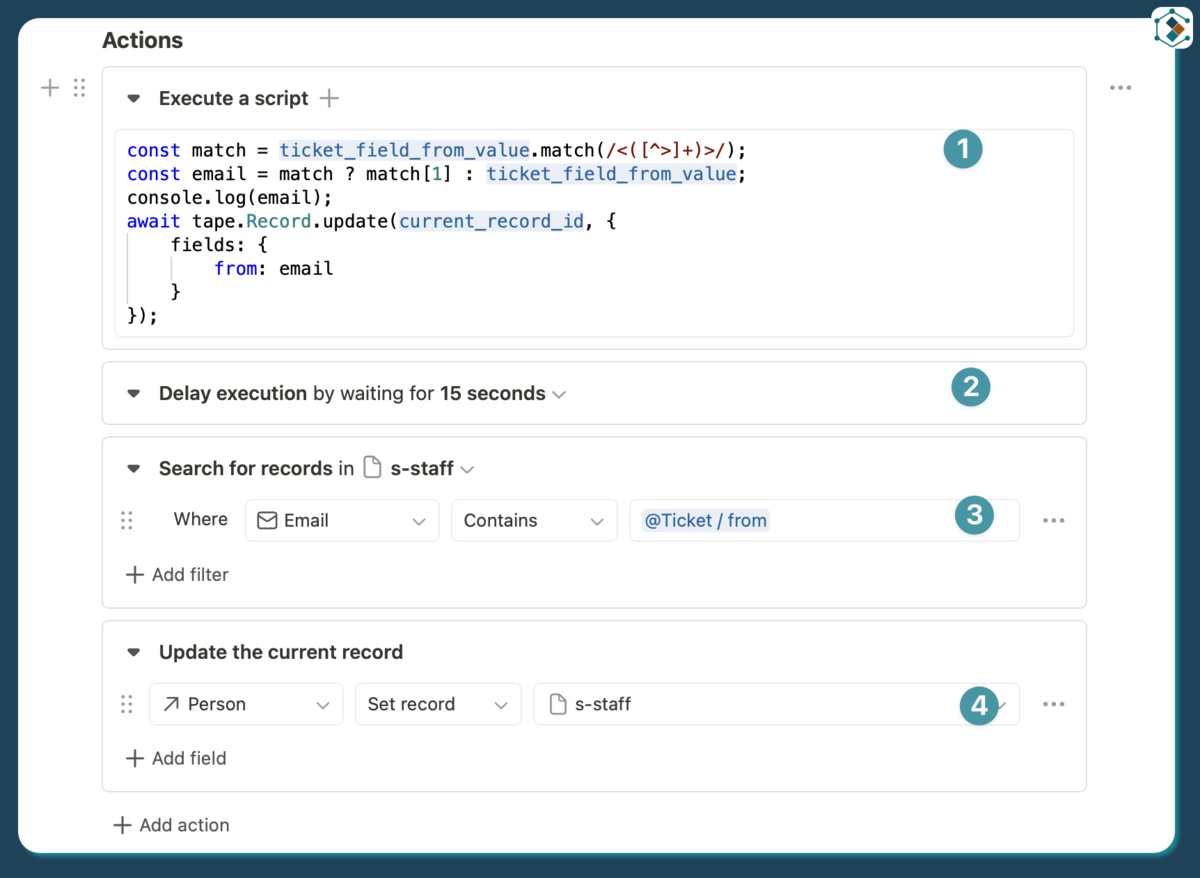
A quick script that cleans the email and adds it back into the record.
Because I am doing this in one automation and quickly I have just added a pause to make sure the email has updated before the automation moves on.
Search for the contact with the new clean email address
Add the contact record to the support tickets relation field.
And that is the first part of your solution built.
Now I have not this morning built the next step but you could build it with a seperate comms app send the contact an email from the comments on the ticket add the ticket ref to the subject, reply address of the ‘Comms’ app then replies from them go into that then a automation extracts the ticket ref finds the correct ticket and either relates to the new inbound comms ticket or puts the new inbound body as a comment on the ticket record. - This will give you the full bidirectional communication within Tape and the issue. It is a bit of a quick and dirty solution but it is a solution and then from there depending on skill sets and external tools there are loads of ways to clean it and make it better.