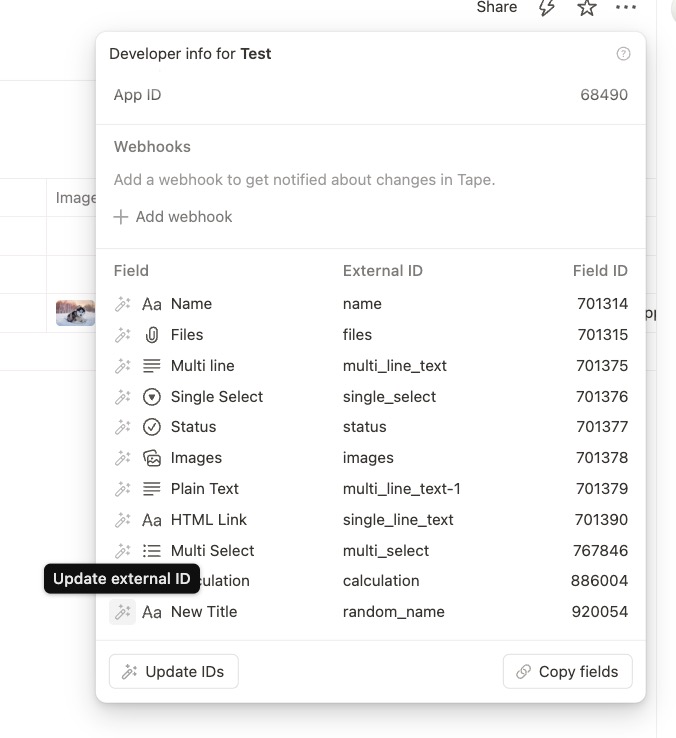
It happens to me sometimes: creating a new field, and entering the field name too late. Or by copying a field, it gets a default slug like single_line_text-2. As slugs are used in code in automations, it is better to have slugs that really show what the field is about.
I haven’t found a way to correct a slug, other than deleting the field and creating a new one. It would be nice if it were possible to change the slug somehow.
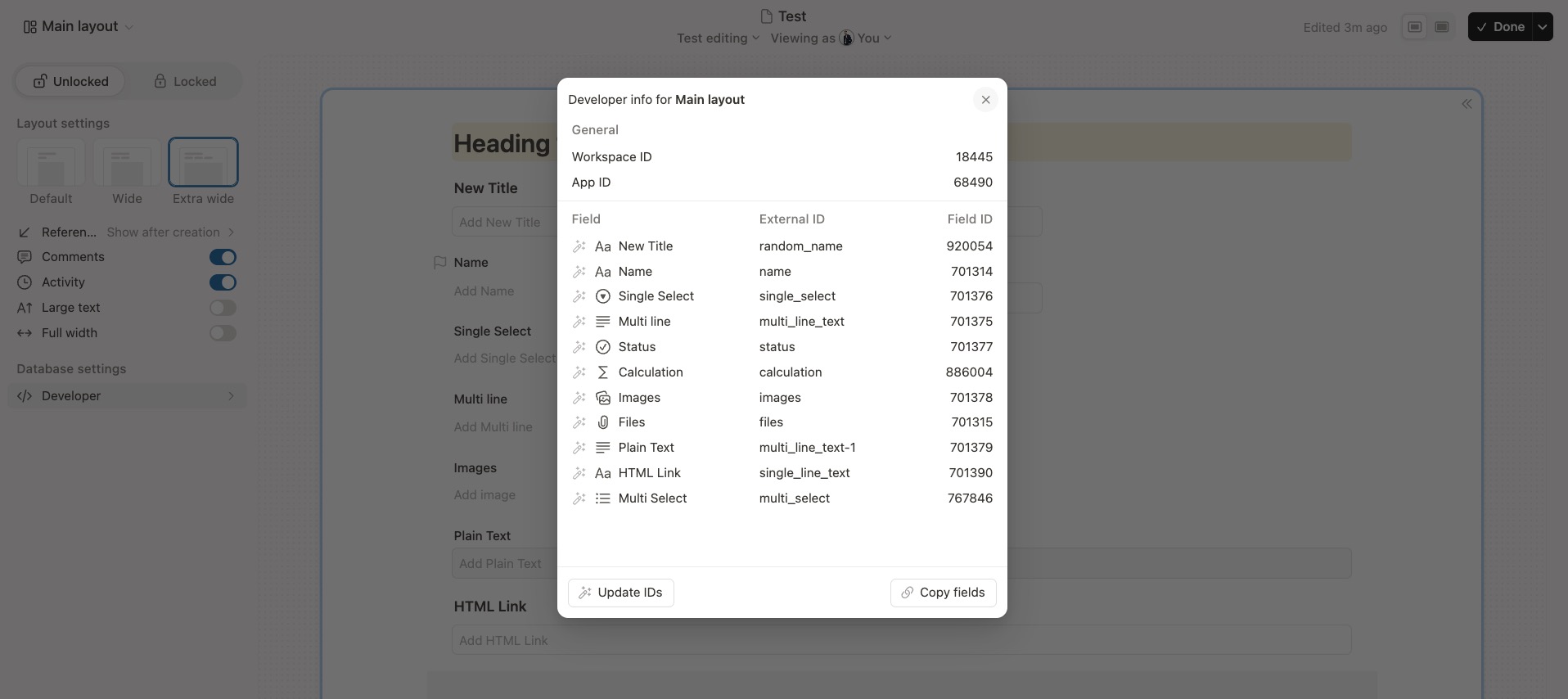
If you click “Update IDs,” it will change all the external id’s to the current field name. You can also update external IDs individually by clicking the pencil icon on each field.
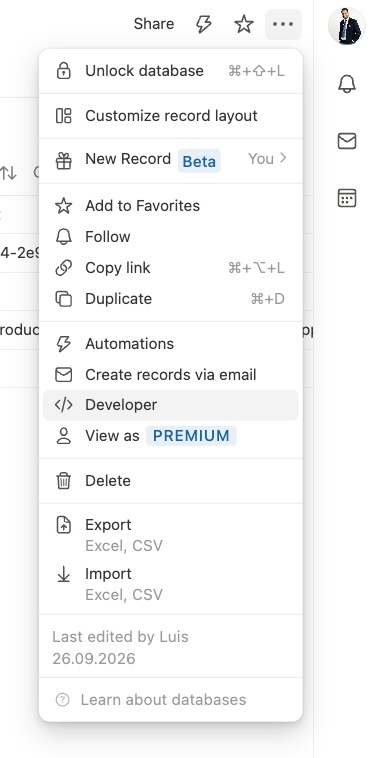
There is another place you can edit this in “Customize record layout” > “Developer”
As @Luis thankfully already explained, this feature is actually already available! You can update the field slugs in the Developer options under “Update IDs”.
And thanks again to Louis for jumping in and helping out so quickly! Really appreciate it!