It would be really helpful if the screen showing all the Scheduled Automations (or any sub filter of automation Run status for that matter) showed a Count at the top.
Extra bonus points if it also displayed an estimated time to ‘catch up’ before we have the automations run more instantaneously.
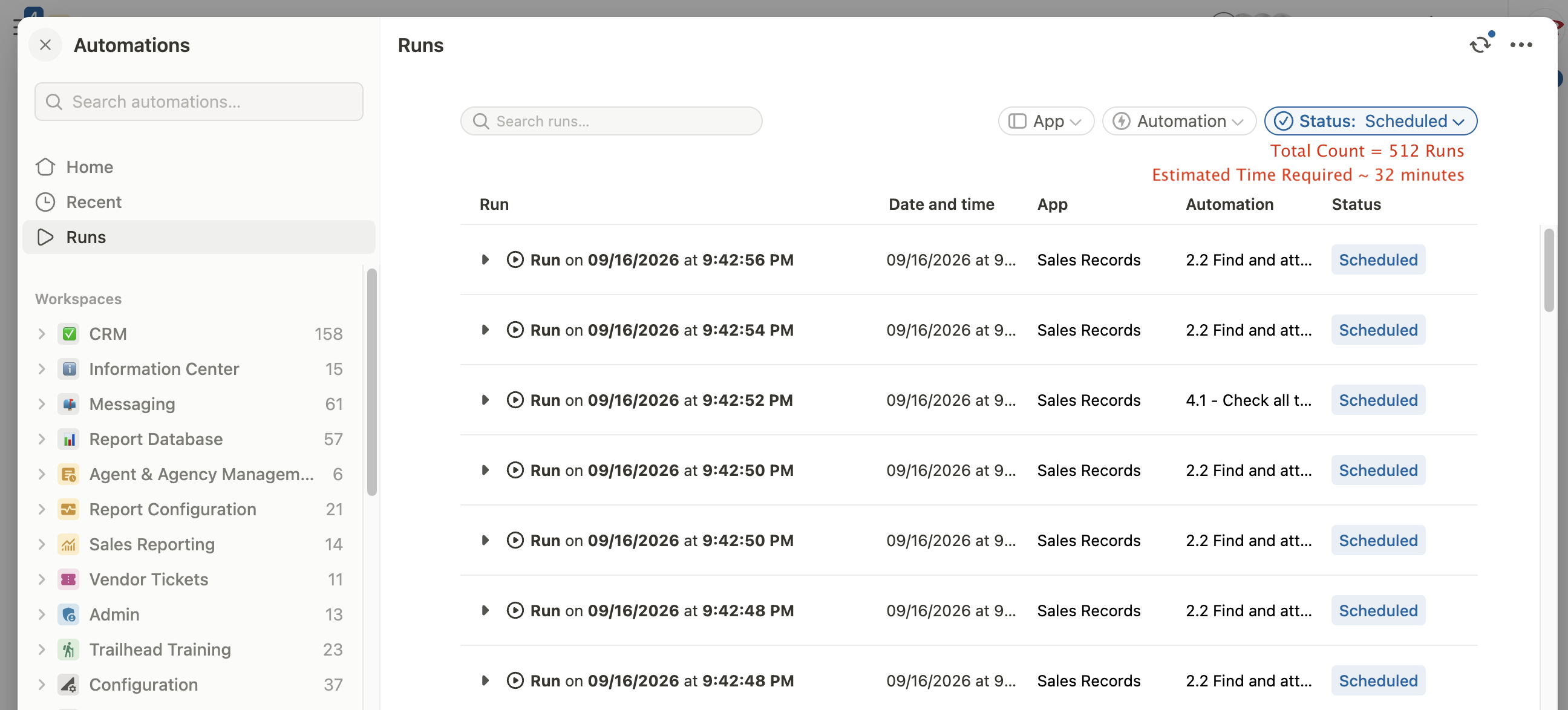
We regularly do excel imports of report data provided from a vendor. Usually they contain between 500-2,500 lines of data. Each of those lines trigger a sequence of roughly 15 chained automations with as many as 40+ actions per automation.
While this volume isn’t massive, it’s enough to cause some delays with scheduled automations whenever the import is processing.
It is totally understandable to have automation actions throttled for a bit or scheduled out to ease the resource demand as all of these datapoints get worked through. But it would be really nice to be able to glance at the report and understand how many requests are in that queue. Right now it’s just a matter of scrolling and scrolling to see if it’s a long list or short list of scheduled runs.
