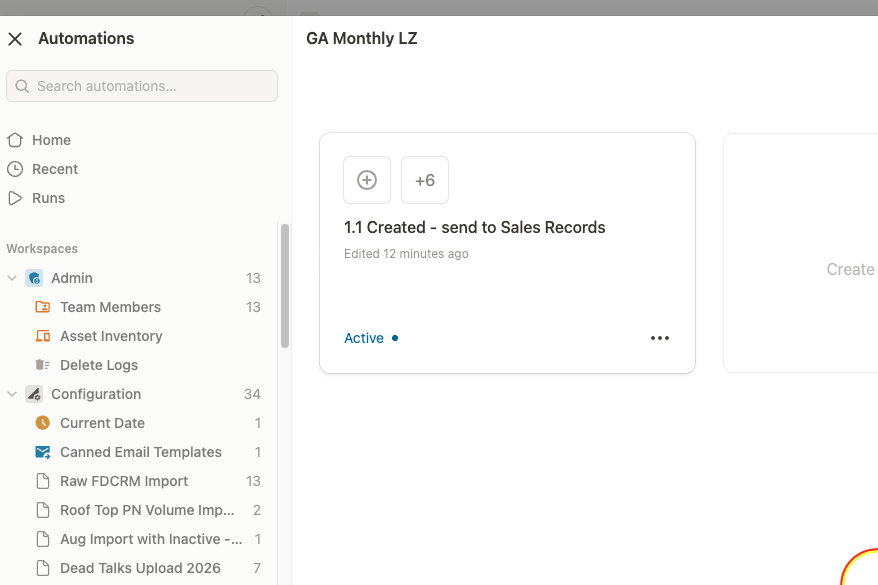
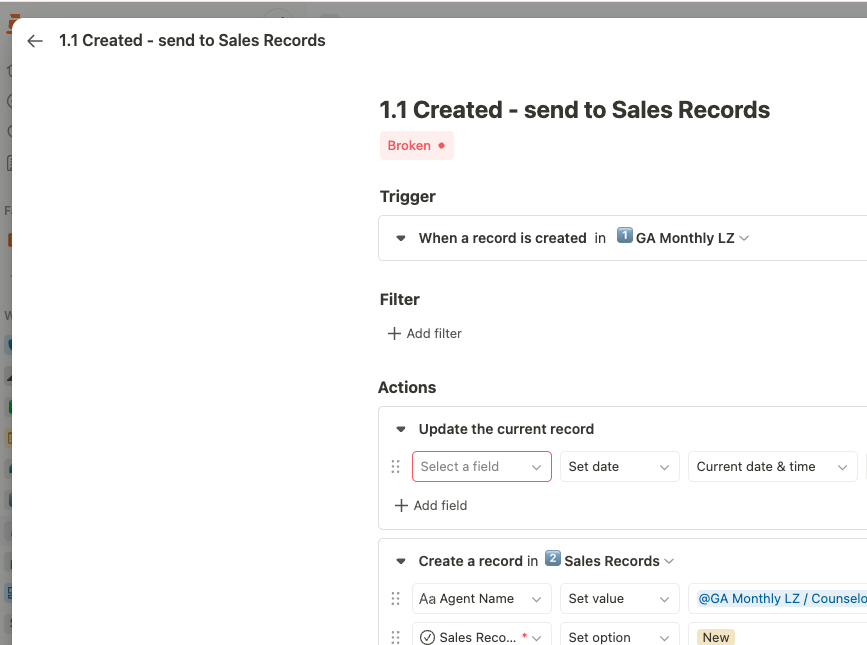
When viewing automations in the automation list view, broken automations sometimes appear with an “Active” status indicator. However, when you click to open the automation details, the system correctly identifies and displays the automation as “Broken.” This creates a misleading first impression and makes it difficult to quickly identify which automations need attention without opening each one individually.
1 Like
Hi @ViveSiveXozwa,
thank you very much for the report and the insights, really appreciate it 100%
You’re right, this is definitely something we can improve. In some cases, we can only detect errors after opening the editor. For example, if someone without the required permissions opens an automation, it will show as broken because of missing access. But as long as it is not saved, it will remain active. This is currently intended behavior.
However, in cases like a deleted field, the automation is truly no longer functional, and we should surface that more clearly in the list view.
Thanks again for pointing this out, we will include this in our optimization loop.
Best,
Leo
That makes sense. Thank you.
1 Like