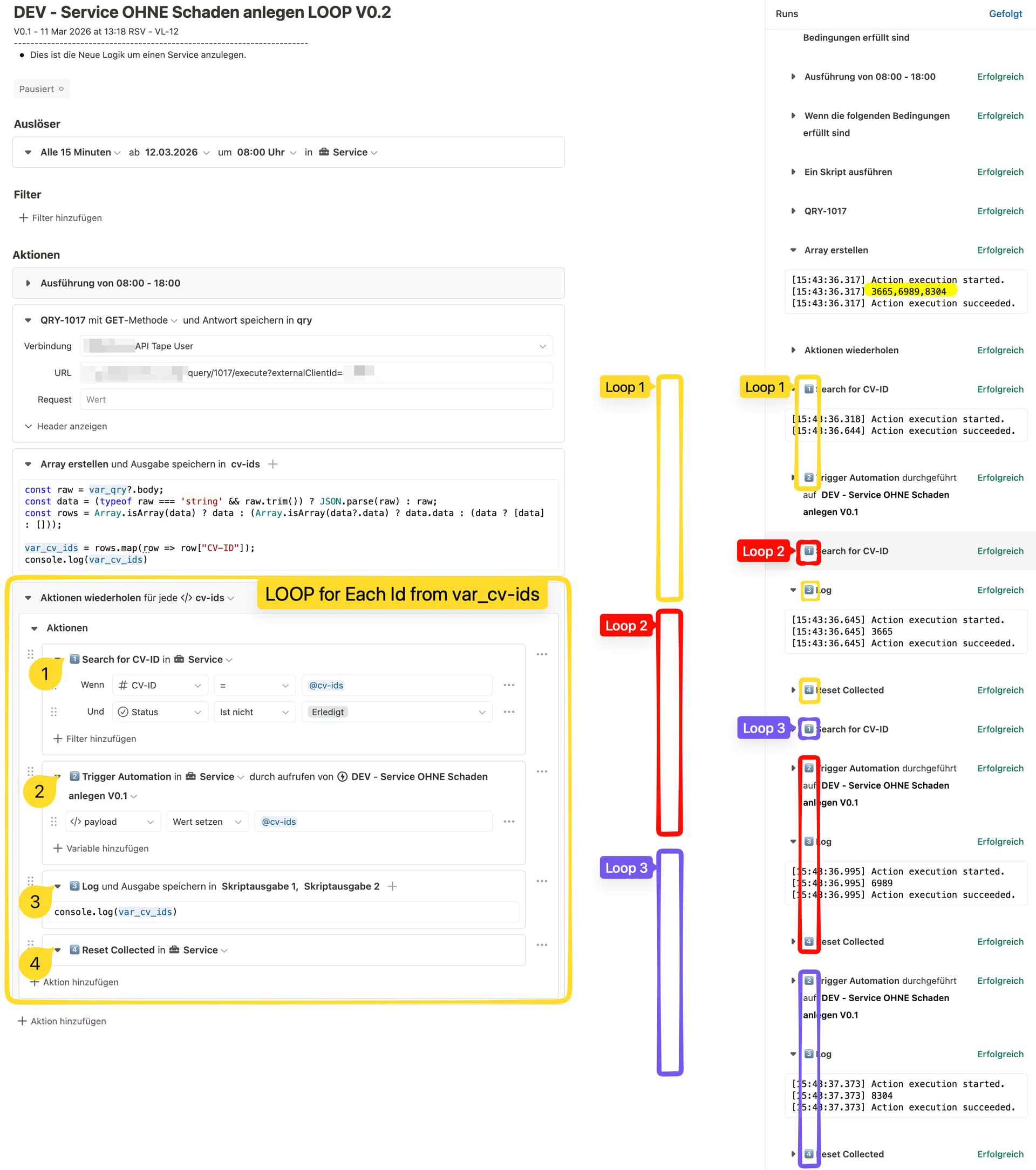
I’ve been trying for 4 hours to create a simple loop over an array. But the automation isn’t behaving as expected; it iterates through the loop faster than a loop needs to complete. How can I solve this simple problem in Tape?
I have an array with three IDs [3665, 6989, 8304]. Now I want to check each of these IDs for existence. If an ID doesn’t exist, I will create a corresponding entry.
The problem is that the actions in the loop aren’t starting one after another. It almost seems like all three loops start at the same time and mess everything up.
Many thanks for the report, we really appreciate you taking the time to describe the issue so clearly.
We are currently looking into this in more detail to understand what the best solution for your case is. We’ll get back to you soon with feedback and ideally also a fix for the problem.
Thanks again for reporting this and helping us improve Tape
We were able to reproduce your scenario, and discovered a display bug that would sometimes mess up the order of executed actions inside the workflow logs when actions quickly follow each other.
This seems to be exactly the scenario that led to the confusion. Luckily, we were able to resolve this now, and the update is live. Newly created and also past workflow runs should now display the action logs in proper order, without any “overtaking” going on. In our scenario this is working as expected now, would be great if you’d confirm on your end.
This screenshot also demonstrates a simplified scenario with logs (now correct):
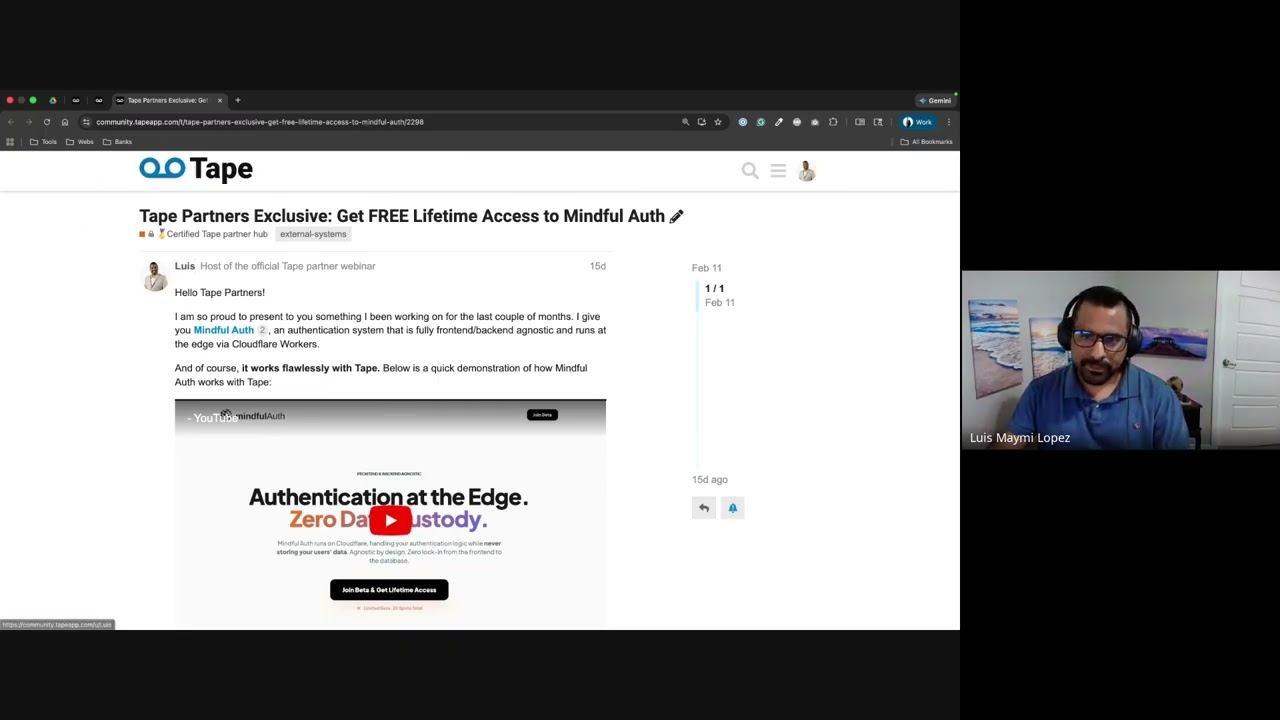
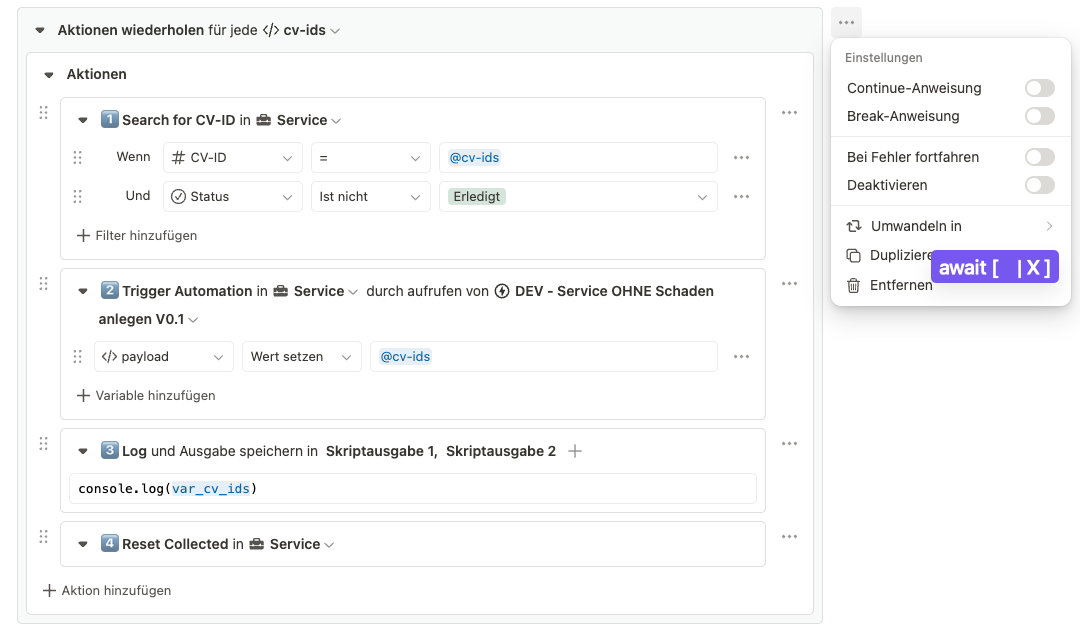
… Which brings us to the next issue raised here (also by @dirk_s): Loops in Tape are indeed fully sequential. As long as users do not leverage custom code to explicitly work around that behavior (also worth noting that the video @Luis regarding await is a great watch for advanced users), all actions will execute consecutively after each other.
Important caveat: Your screenshot shows a “Trigger automation” action. Note that your run cannot and will not wait for the triggered execution to run; it will basically trigger the run using fire and forget. Once that other run is triggered, it will run in parallel (of course respecting your organization capacity).
Hopefully this can clarify things a bit, and will help finalizing your use case. If you still run into issues, be sure to share them here in the thread so the Tape community is fully enabled to help



 Newly created and also past workflow runs should now display the action logs in proper order, without any “overtaking” going on. In our scenario this is working as expected now, would be great if you’d confirm on your end.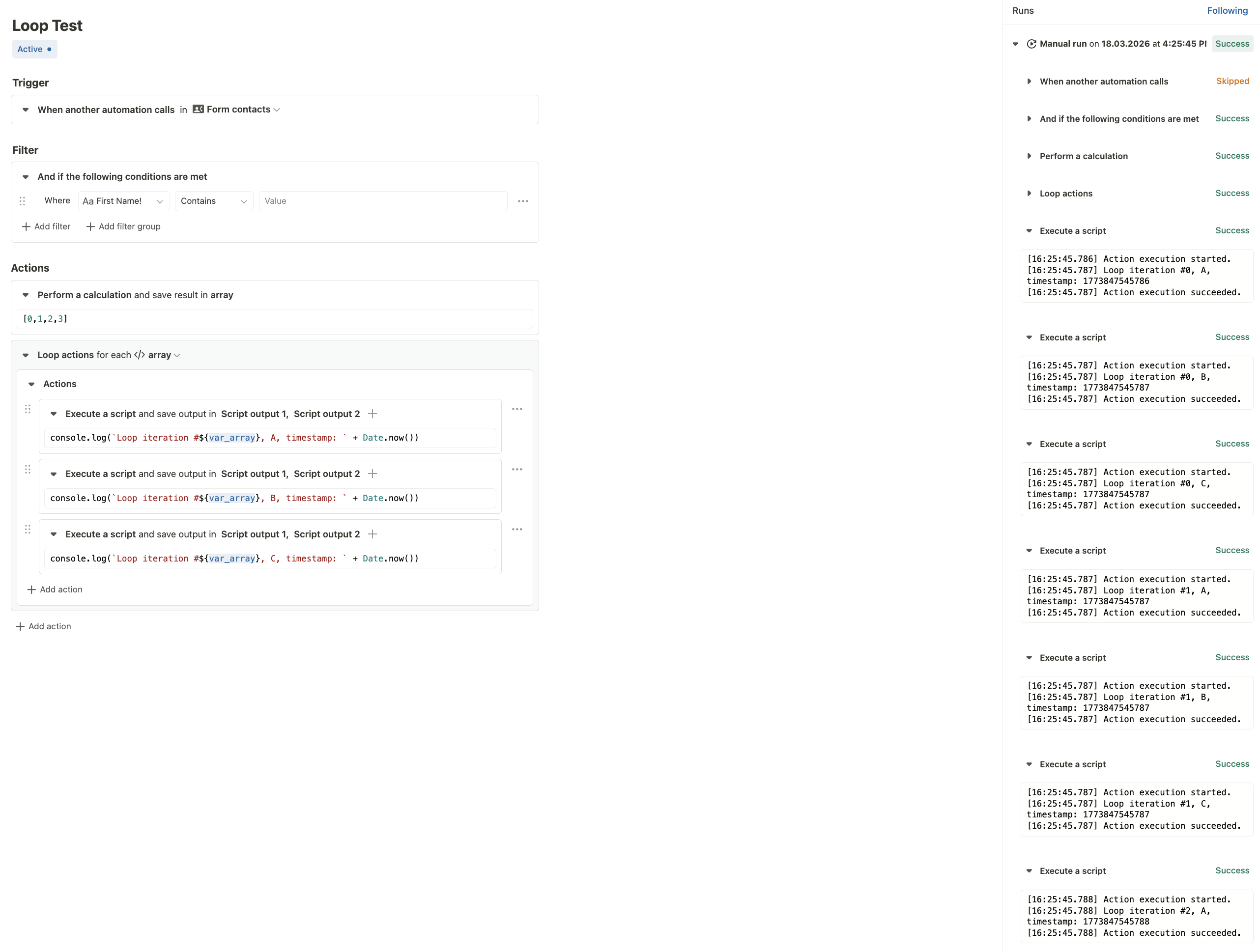

 Important caveat: Your screenshot shows a “Trigger automation” action. Note that your run cannot and will not wait for the triggered execution to run; it will basically trigger the run using fire and forget. Once that other run is triggered, it will run in parallel (of course respecting your
