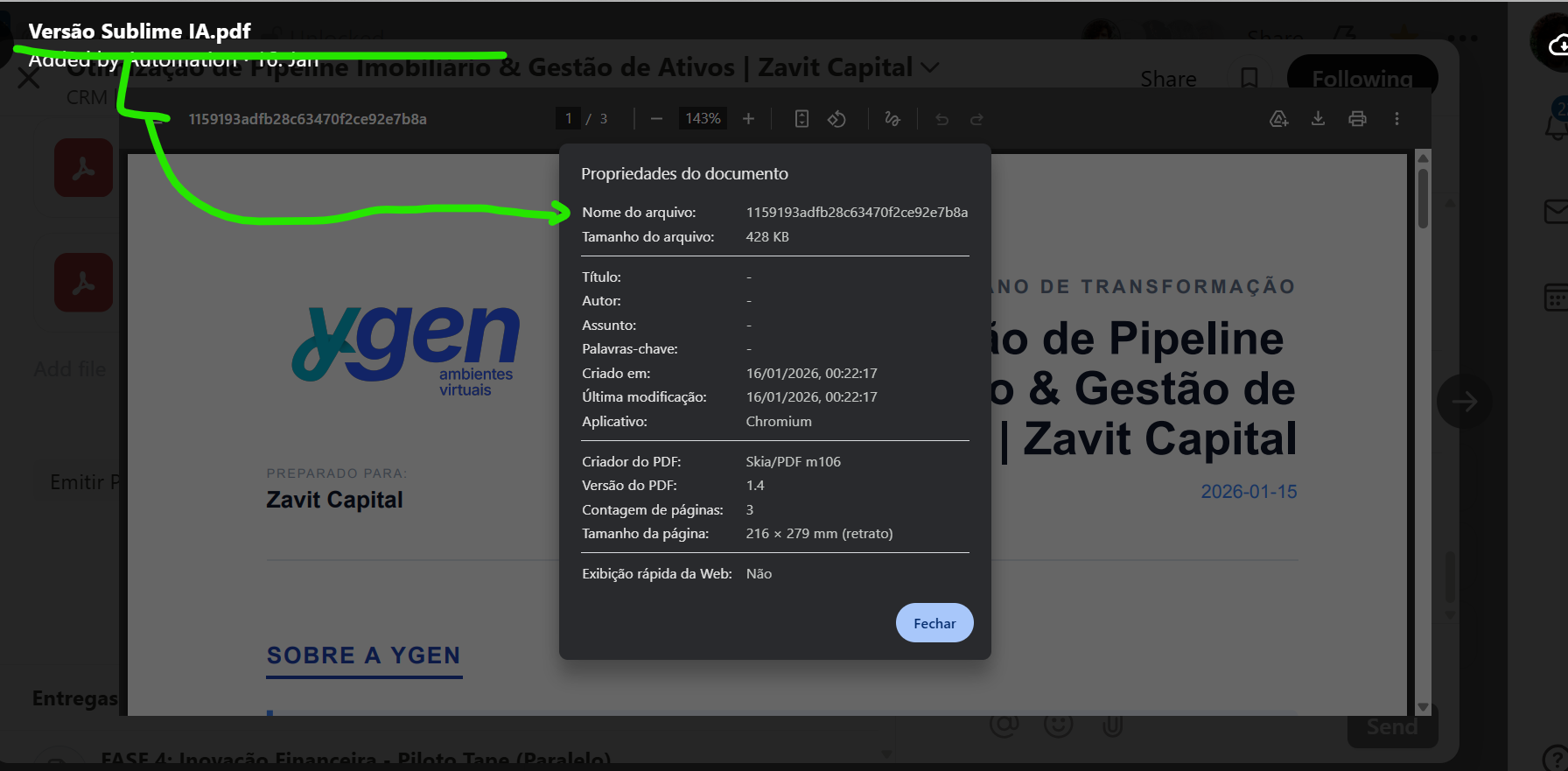
I’m experiencing an odd issue with Tape. When I upload a file via the Buffer, the file name displays correctly in the file field. However, once I download the file, the name turns into a cryptic string of letters and numbers (as shown in the attached image).
I’d like the downloaded file to retain the original name that I set and that appears in the field. Has anyone encountered this issue or found a way to fix it? Any insights or solutions would be greatly appreciated!
thanks a lot for bringing this up and for taking the time to share your findings💯
We really appreciate the detailed report.
We have not made any changes to this feature recently, so this is not a regression. What you are seeing is a default behavior of the browser’s PDF reader. When a PDF is opened in the browser, the reader uses an internal embedding URL. If the download is triggered from inside the PDF viewer, this internal URL is used, which can result in a random looking file name.
To make sure the original file name is preserved, please use the download button directly in Tape. This is the cloud download icon in the top right of the file view, as visible in Toni’s screenshot. When downloading the file this way, the file name stored in Tape is applied correctly.
This is a very valuable insight for us. As part of the upcoming new record file field, we will take another close look at whether it is possible to have the embedded PDF reader also use the stored file name and pass it through so it can be used consistently for downloads as well.
In my experience, when I switch to new layout, the cloud icon does not appear… do you notice the same? So we have no way to donwload the file preserving the name…
Could you elucidate how to download the file preserving the name on new record experience?
Thanks a lot for bringing this up and for your feedback!
Normally, in our new fullscreen preview, there is a download button in the bottom bar that allows you to download images and PDFs with their original filenames. For other file types, clicking on the file should download it directly with its original name.
The download arrow replaces the cloud icon from the classic Record Experience.
But I’ll double-check this to make sure everything works as expected!
In parallel, we’re also planning to roll out a new context menu for files in the coming weeks, which will allow you to download multiple files with their original filenames at once using multi-select.