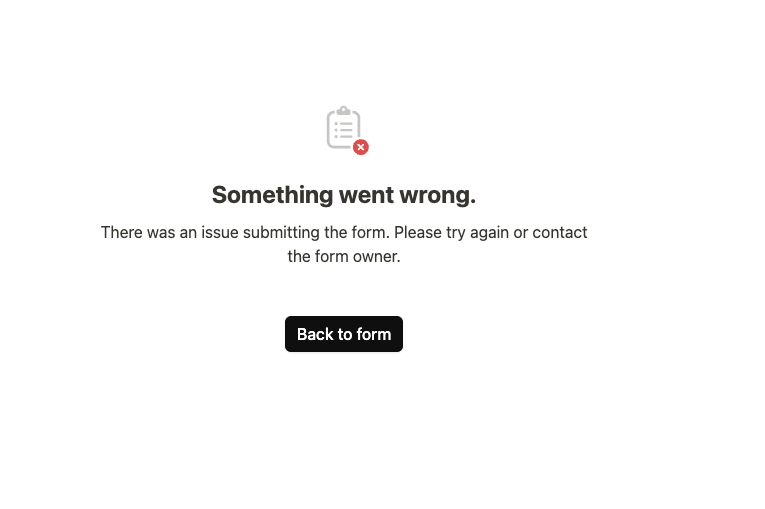
We have a Ticket Submission form app which usually works great, but experiences a failure saying “Something went wrong” far more than we’d like to see.
This form does have a large number of conditional fields. With 11 different request types in a single select drop down, the relevant fields for that choice appear for further entry.
It seemed to be repeatable based on one single answer value being selected…but then other team members tested and they could submit successfully with the exact same field selections.
I now have a video recording I’ll share with the team of the form working for one person, then failing for another even with the same exact fields selected.
Also - it’s worth noting that when the submission fails, the button offers a ‘back to form’ choice, but unfortunately it hasn’t cached any of the entered data so it’s just going back to a blank form.
Team members have been frustrated multiple times when they were submitting tickets and after 3-5 minutes of entry, everything was lost.
It would be great if we could see a cache so that going ‘back to form’ at least keeps the info they had typed out the first time.
With people starting to not trust that their form submission will work properly, they are either A) not taking time to enter sufficient details for the request, or B) reverting back to an email request rather than a ticket submission.
Both workarounds create significantly more manual work for the IT team to then reach back out and chase down the details they need.
We really need these forms to work reliably.
If it was something in the structure (like a conditionally hidden but required field…which we’ve accidentally done before!) then it would be justified. But when it works sometimes and fails on other occasions, it’s quite frustrating.
thank you very much for the report, and thanks @1F2Ns as well for confirming that you’ve seen this too.
You are absolutely right. Reliability is the most important thing for forms, and the worst experience is when users have to enter data again that they already typed. I completely agree with you. Forms must be fully reliable, especially for something as important as ticket submissions.
We already started investigating and were able to identify and fix two issues. In the background our forms create a draft record while the user is filling out the form. This allows us to safely store intermediate data and also enables automations to run on forms in the future. Because of this, we run a consistency check before submission.
This check verifies that the template has not changed in the meantime, for example if an admin modified fields or requirements. In your case this check was triggered even though there was no real template inconsistency. We identified that this could happen when the same form template was open in multiple browser tabs. We also found a few smaller robustness issues which we have now fixed.
Most importantly, we added an error code to the error page that appears if a submission fails. This will allow us to immediately identify the exact cause if something like this happens again. If it does happen again, which we hope it will not, it would be very helpful if you could simply post a screenshot with the error code. With that we will be able to identify and fix the issue right away.
Thanks again for reporting this and helping us improve the reliability of forms. Sorry again for the trouble.
I’m struggling with this issue for the past three months. I only have a better success rate when using a proxy server, but that is not acceptable for this process and only works internally. My project is currently stopped, and I need to find another solution.