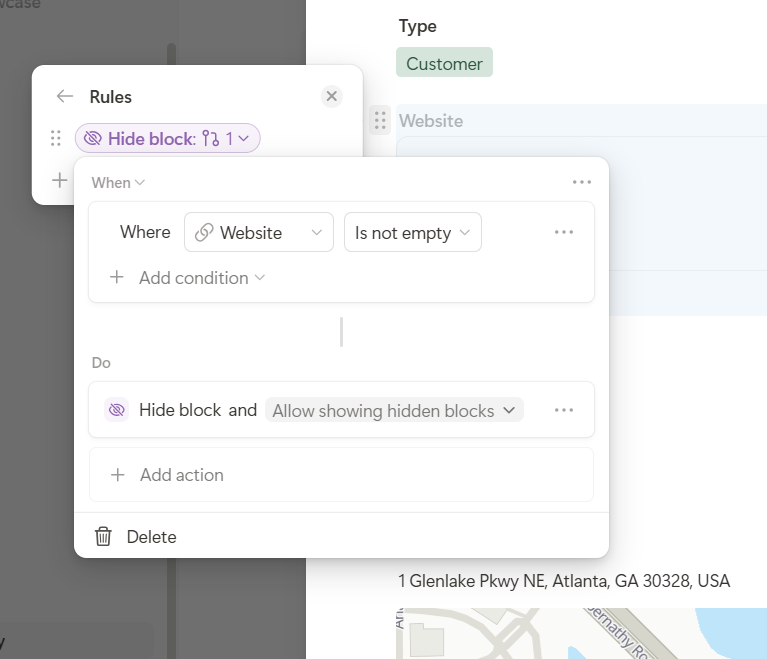
Would be a great improvement to UX to set a field to “Hide, if not empty”. Example:
Hi @dirk_s,
Great news! We’ve now released this with our new rules features
You can create a rule with the condition “Is not empty” and the action “Hide block”. With “Allow showing hidden blocks”, you can also manually reveal hidden fields whenever needed.
This should cover your use case perfectly! Thanks again for the great suggestion and for helping us improve Tape!
Best, Leo