I needed a way to prefill my Tape forms and found the solution here. But for future reference, I am creating a separate guide.
If you are using Tape Forms and need to prefill a field, this is how you do it:
- Publish the form to get the public URL
https://share.tapeapp.com/abcde12345
-
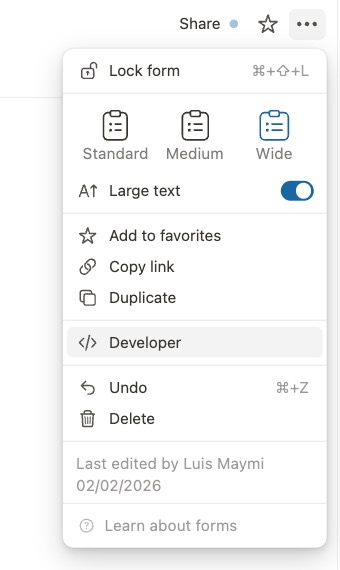
Go to the developer tab to get the external id of the field you want to prefill
-
Add the following to the form URL:
?prefill.External_Id_1=Hello World&prefill.External_Id_2=Another Value
The full URL will look like:
https://share.tapeapp.com/abcde12345?prefill.External_Id_1=Hello World&prefill.External_Id_2=Another Value
Single/Multi Select
This works with a single/multi-select if you type a matching value. For the multi-select, you can prefill multiple values as follows:
&prefill.multi_select=Sample 1&prefill.multi_select=Sample 2
Tape Calculation Field
This also works with the Tape Calculation field, but you may need to use encodeURI. Here is a sample calculation:
const name = encodeURI(@Name);
const multi = encodeURI(@Multiple line text);

`https://share.tapeapp.com/abcde12345?prefill.name=${name}&prefill.multi_line_text=${multi}`