I’ve run into an issue—or perhaps a knowledge gap on my end.
I built an automation that is supposed to trigger when a specific field entry is inserted or updated via a webhook. Unfortunately, the automation does not get triggered by these webhook updates.
However, when I manually change the field in question, everything works perfectly. Manual test runs work fine as well.
Can someone enlighten me as to why this is happening and what I need to change to make it work?
Thank you all so much in advance!
I did that and connected the webhooks with the automation in question.
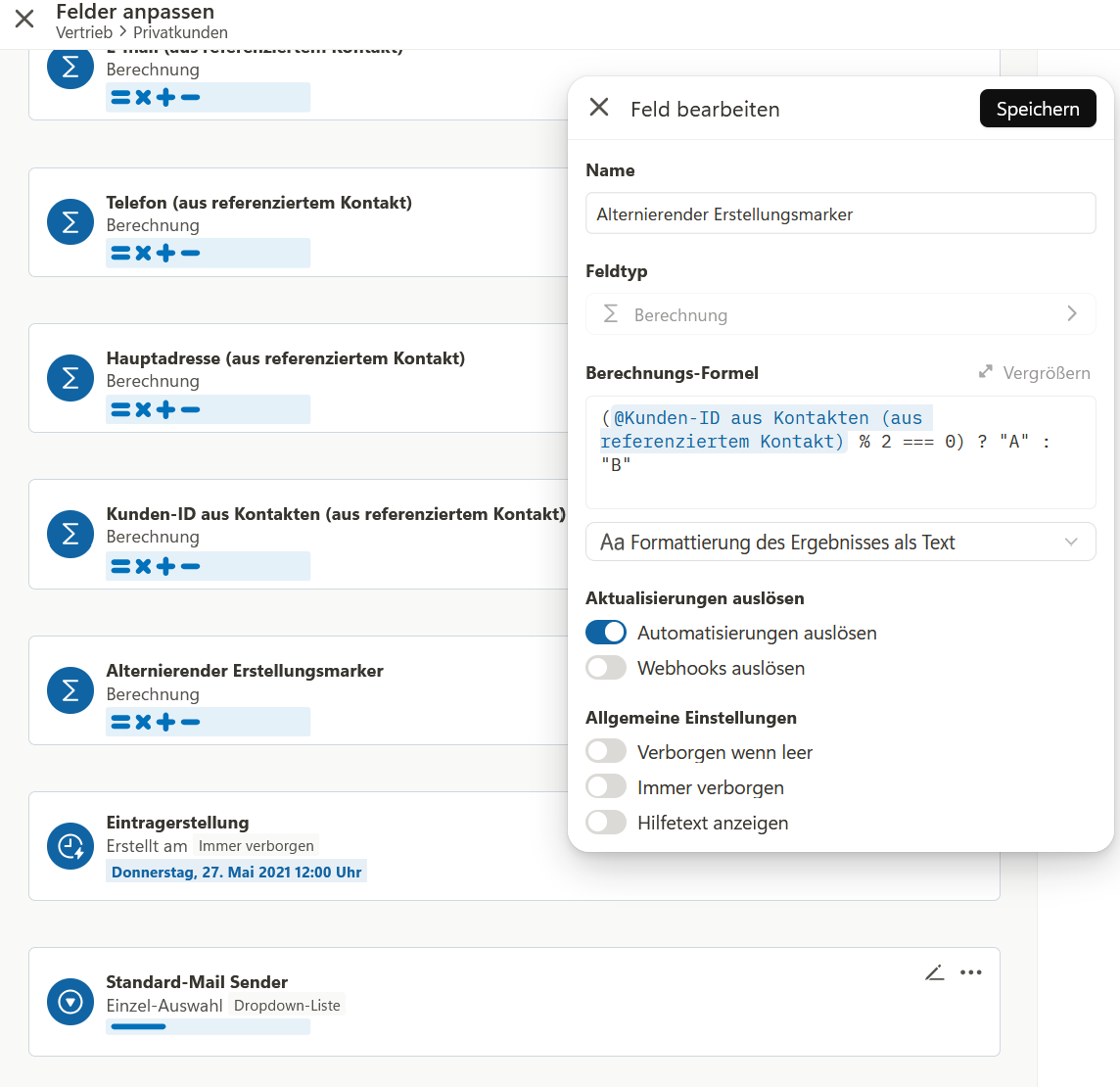
The problem is that a calculation field is putting out “A” or “B” based on the ongoing ID of the data entry, after the webhook creates the entry.
Thus, it is not information that is imported via the webhook, but a resulting calculation based on the creation of the new entry.
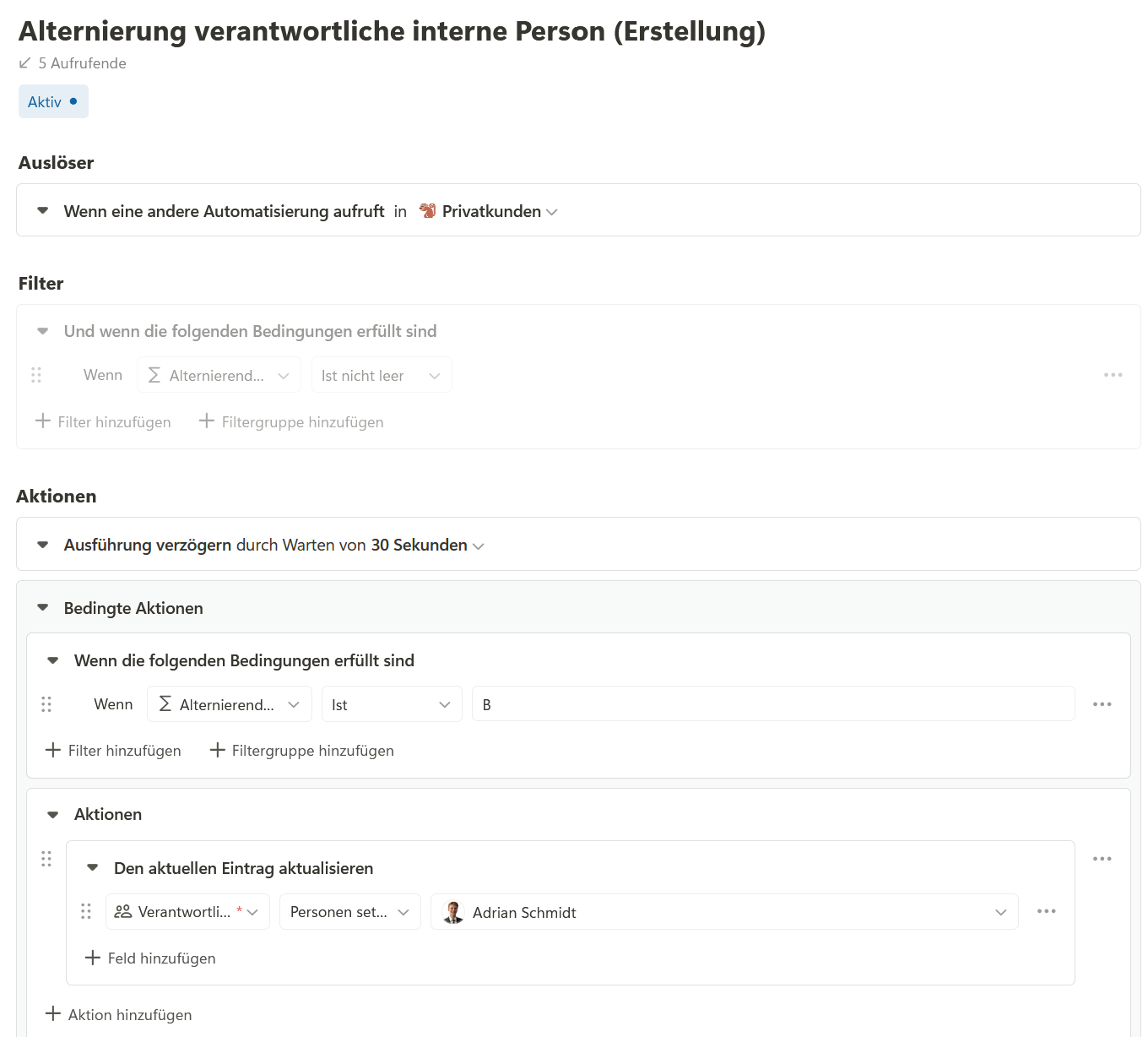
The dependent automation alternates the responsible person for this entry based on the field giving out “A” or “B”.
Until now, I tried to work with “when a field gets updated” as a trigger for the dependent automation, but it never got triggered.
Would it be possible to share a few screenshots showing your setup? I’ve built these types of flows before and it should be possible as long as you have “Trigger Automations” enabled on the action in your webhook flow that then causes the calculation update.
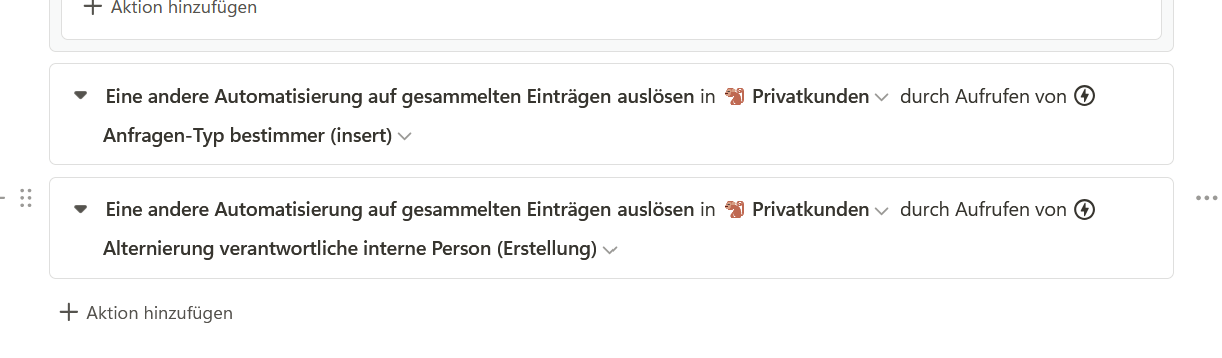
The second shows the command that triggers the two dependent automations when a webhook receives a payload. These two commands are identical for the 3 upsert webhooks and the 2 update webhooks.
The last screenshot shows the automation trigger condition for the A/B responsibility automation. The condition here is that the calculation field must not be empty (it should always have an entry) (is deactivated at the moment, becaus it is not really needed). If it is A, then assign Adrian as the responsible person. If it is B, assign me. I added a 30-second delay so that the calculation of A or B precedes the automation.
Where does the workflow fall apart - do you see that the manual automation gets triggered? If so, what do you see in the logs - is the filter condition not passing?
You might consider doing your calculation within the automation itself, that way you aren’t relying on the calculation to complete on time, and then you can remove your 30 second delay as well.
the main issue is that the automations do not get triggered by either an entry being created or via the trigger by the webhook. When test running the automations or setting them to “entry gets updated” and performing a manual change in any field, the automations get triggered and perform accordingly.
The only issue is really their failure to trigger based on the creation of an entry or an update by the webhooks.
I also thought about implementing the calculation in the webhooks. But of course, it is less elegant because then 5 webhooks must be altered instead of 1 calculation field. But still would be a good fix.
What I really don’t understand is that the automation that looks at two fields and checks for a certain standardized text/ or its absence (which is always put in by any of the webhooks as payload) does not react either. So even when the fields that the dependent automation looks at is part of the webhook-payload it does not get triggered.
Still thank you very much for your patients and help!
I think you need to add some debugging to your flow to see what is going on. I would recommend adding an “Execute Script” action after your 30 second wait, which logs the value of the calculation field like this:
console.log({calculation_field})
Then you can check the logs when the flow runs and see what that calculation is outputting at the time it checks the value.