While the Primary Field feature has been a huge improvement, there are ongoing issues caused by the uneditable field ordering in Tape 2.0 record layouts.
I almost submitted this as a feature request, but honestly for the amount of user feedback and frustration we are having on the issues below, I do feel it belongs as a Bug & Issue report more than a feature request at this time.
Issue 1 - Using Tab key to move between fields for quick entry is unpredictable/wrong.
We understand that the multi column layout makes it harder to follow a set rule here. But sometimes we hit Tab and it moves left to right across columns. Other times it jumps down through the left hand column before jumping across to the fields in the right hand column.
In a simple example like a frequently used Contact app, it is frustrating for users when the flow makes them enter First Name, then Professional Title, then Last Name etc.
We need a way to edit/control this for users.
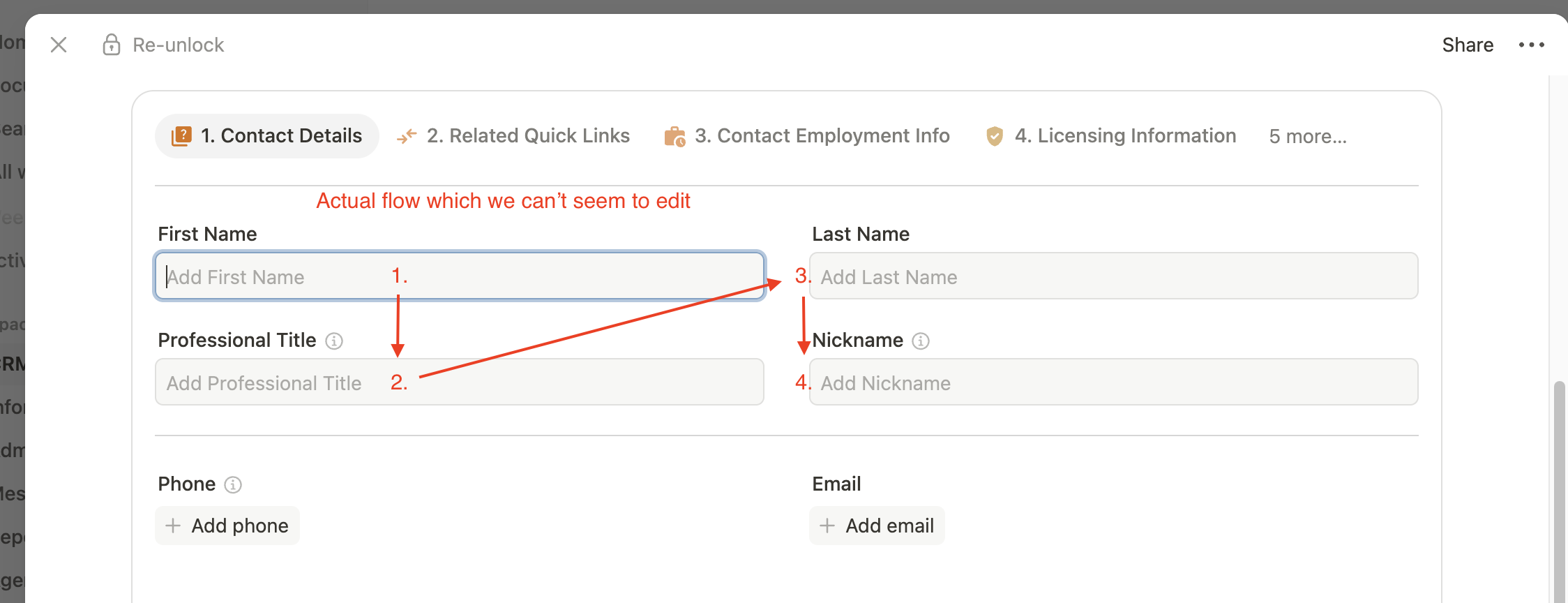
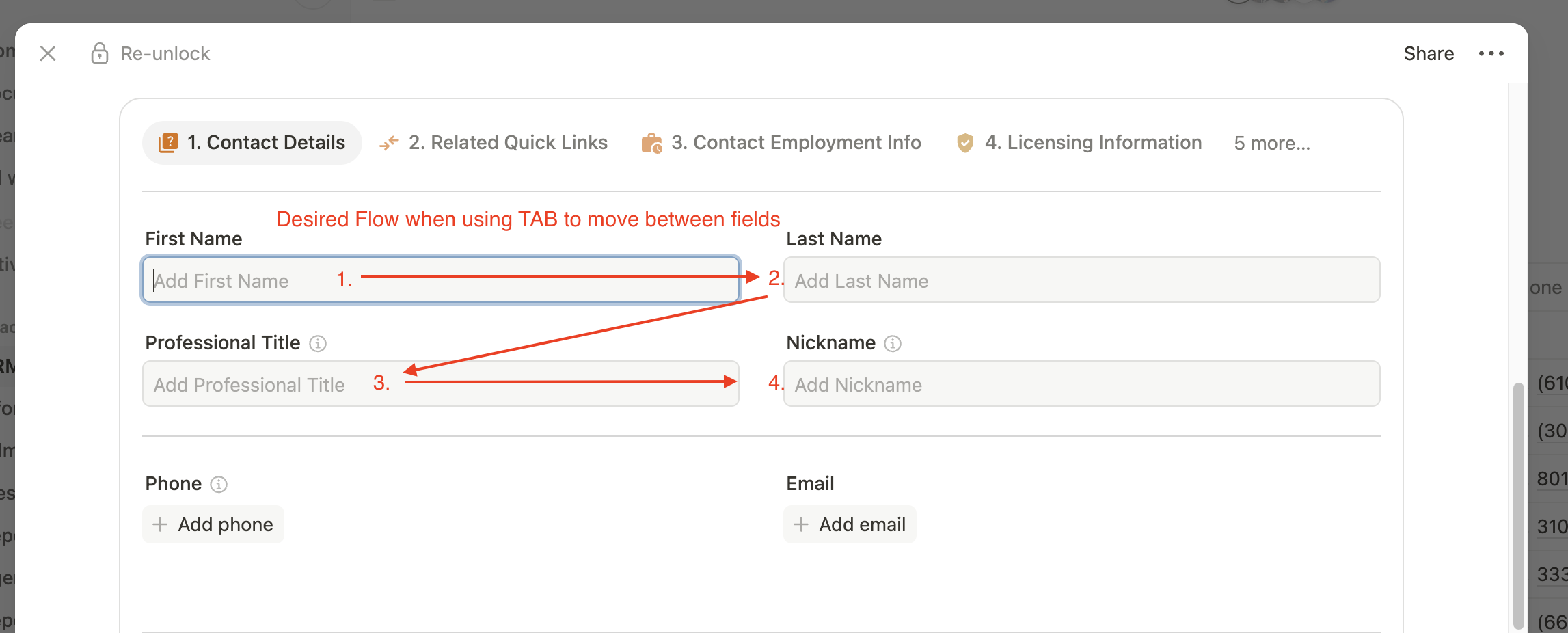
If we could control the tab key progression order by arranging the field list linearly we could avoid this frustrating problem.
_
Issue 2: - Inconvenient ordering of fields in the App Table Views.
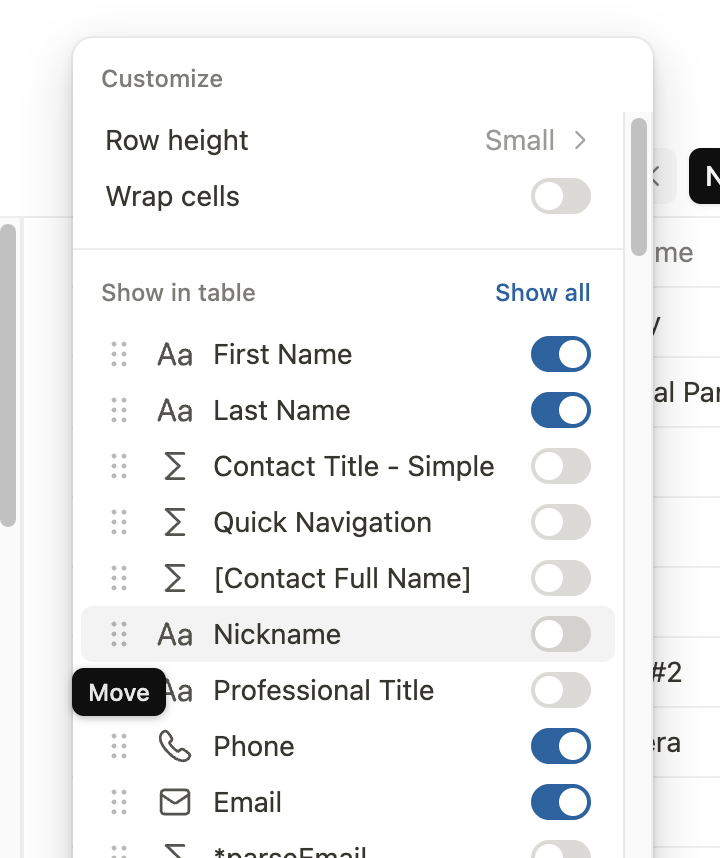
The current layout just presents fields in order of field ID # rank (order the fields were created)
We often use apps that start as a clone of another similar app because many of the structural fields are the same. But then the new fields which are critical and unique for the new app get added afterward and thus have newer field ID #'s making them appear further down the list when choosing how to customize views in the app.
Yes the field orders can be moved around in that menu. But this often feels jumbled and has to happen over and over since the field ordering doesn’t ‘stick’ for the database.
_
Issue 3: - Inconvenient/jumbled order of fields in workflow automations. Essentially the same issue and reason as #2, but noticed repeatedly in yet another area of the system.
When using a ‘create item’ action block, similar/grouped data is not presented in a coherent group even if arranged together in the default field layout. It leaves us poking around and having to cross reference back and forth from the actual app layout on the front end to ensure we didn’t miss a field to be completed via the automations in the back end.
_
Issue 4: - Limitations for AI connected interactions when field orders are not clear. (I acknowledge this one is probably a bit ‘bigger’ than the other issues noted in this post.)
The jumbled list of field values returned by the API for uses like MCP connectors to AI tools is often frustrating. We can’t tell it to ‘update all calc fields in the Contact Details Tab’ for example, because the API doesn’t have an ability to see/understand which fields have been grouped together in different tabs/boxes/or other layout components in the new Tape 2.0 record layout capabilities.
_
These issues have come up elsewhere before-
We’ve tried keeping the “Main Layout” as a linear list (similar to how fields were ordered in the old record type) and then adjusting the order there, but it still doesn’t change or fix these problems.
Our wish is to be able to drag/drop to reorder the back end database field ordering using the developer list of fields in each app.
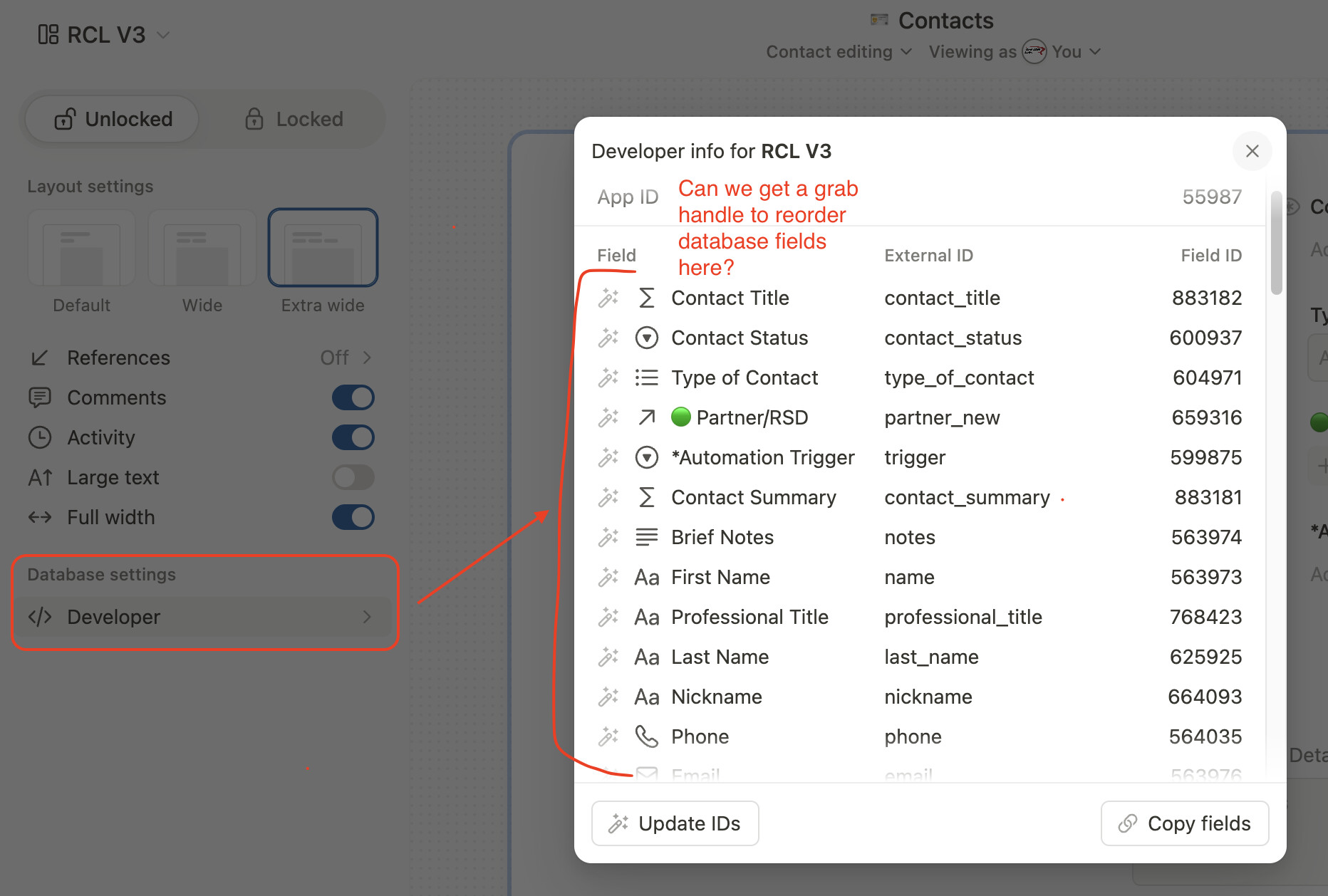
It feels like it would be ok for the initial field database list under the developer section to default to numerical order based on field ID. But being able to edit that would be a much appreciated upgrade that could resolve all the issues listed here (and potentially others not spelled out here)