A few new keyboard shortcuts to help you work faster in Tape:
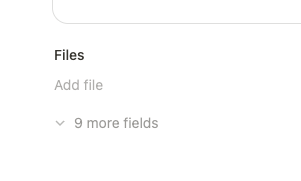
Show empty fields: Press H to show empty fields in a record.
Copy link: Press cmd/ctrl + option/alt + L to copy a link to an app, record, or block.
Duplicate: Press cmd/ctrl + D to duplicate an app, record, or selected blocks.
Over the past few weeks, we’ve added lots of new shortcuts and given our keyboard shortcuts guide a complete refresh.
Even if you’re not big on keyboard shortcuts, it’s worth a look. You might find a faster way to do something you do every day, like using cmd/ctrl + enter to create a record, or learn about features you didn’t know existed.
There are two additional shortcuts that I would love to see but I don’t believe are anywhere on the list yet from what I can find.
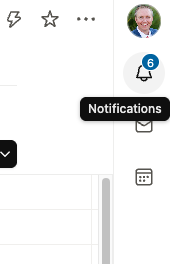
First is to show/hide the notifications pane on the far right.
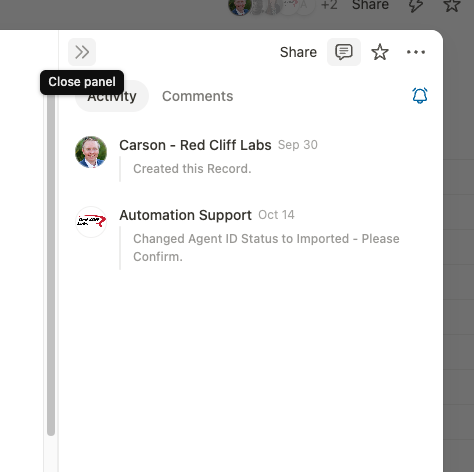
Second is to show/hide the comment/activity panel within a record.
Are those things that are appropriate to add as separate feature requests? Or just note them as a future improvement idea in context of this post here?
Lastly I have one more note or warning for others in relation to the “H” shortcut to display hidden fields…we’ve started running into some new ‘issues’ with hidden field features when utilizing tab blocks on records.
We often place the tabs at the bottom of a record layout, and therefore the indicator of how many hidden fields is appearing just below that tab block.
When toggling the display option (by clicking or using H keyboard shortcut) it can seem that nothing changes on the page. This is because the hidden fields often exist on a tab which is not the one currently selected to view for the user.
There is nothing right or wrong about this. It is simply a new situation that might cause confusion for some users if they are taking advantage of the great new layout options available within Tape.
In the past, hiding or unhiding fields that always existed on one long linear scrolling page was a bit more obvious than it is now.