What am I missing here?
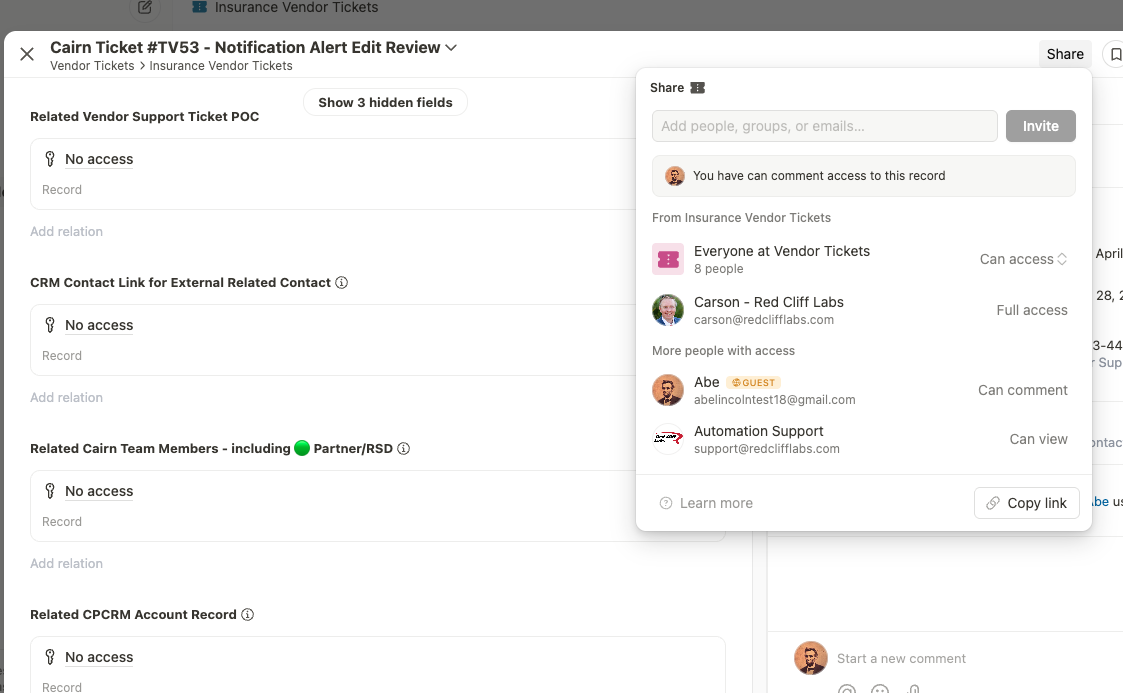
The screenshot below is from the perspective of being logged in as an external guest who had a ticket shared to them via the API. The sharing permission was set with ‘can comment’ access, which works great.
But we need the guest to be able to see the titles of the related items.
Even though they won’t be able to click through and access the full contact records, it is valuable for the guest to see the names of the other people involved on this ticket.
I’m like 95% sure I’ve seen that done before, but for some reason I’m stuck on it in this case.
I’ve tried adjusting every share/access setting I can think of in both the current shared app, and the contact app that is connected via relationship field.
Unfortunately no matter what I try, the guest only see’s a “No access” title on the related records.
Hey Carson, happy to help! I’ve run into the same thing before
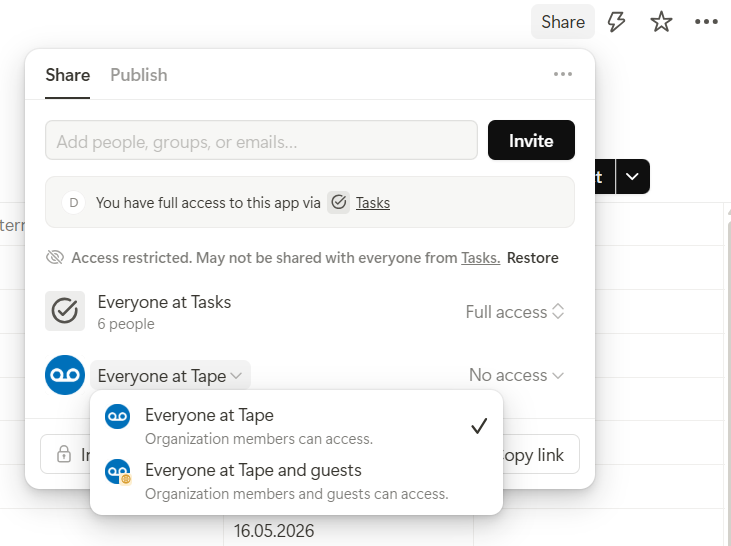
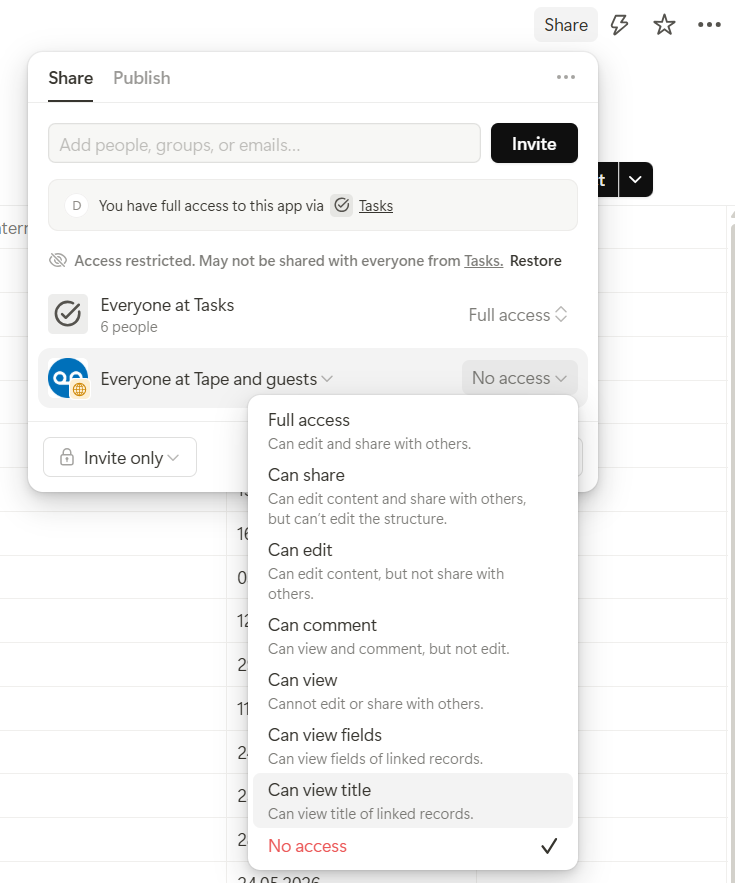
At first glance it feels a bit unintuitive, but permissions are always controlled where the data is actually owned. So you need to go into each of the related apps where you want this behavior and adjust the sharing there. In the share menu for “Everyone at organization & guests”, you can set things like “Can view title” (can view title of linked records) or even “Can view fields” (can view fields of linked records).
quick FYI for anyone else that battles this…I discovered that some of my apps did appear to have the proper setting for that visibility to shared guests, but it wasn’t working at first.
In two separate apps I had to go toggle the option that Leo shows above before it took effect.
It was seemingly set as 'Everyone and guests Can View’ but that wasn’t what was happening. Then as soon as I switched the choice to the ‘Can View Title’ option, then back to ‘Can view’ that is when it worked as expected.
Kind of odd that it forced the back/forth on that choice before it worked…but glad we got the result now.
I LOVE that Tape lets us get so granular with these access/visibility settings, even when I admit that this level of detail can make it hard to find some small settings that I don’t use very often.