"Send to Tape" extension for Chrome, Edge and Firefox browser (max. 5 min setup) - v 1.7.2

Hi there,
we developed a chrome / edge extension, which we want to share with you. Its free of charge, it only talks between your browser and your tape instance via the tape API. No third parties involved! Keys are stored locally in your secure browser environment.

Intro video can be seen here: [Sent to Tape extension Intro]

How it works
Easy like that - as soon as its setup, you can select any text on a website and send it to a tape field in any app. It creates a new record with this field prefilled.

  1. mark text
  2. open context menu
  3. send it to your app

Potential Use Cases

  • Capture data from a mail signature for your CRM
  • Do market research and capture your findings in a database

We typically use a field, which we then use as basis for AI enrichment. E.g. we automatically split data from a text into several fields via automation.

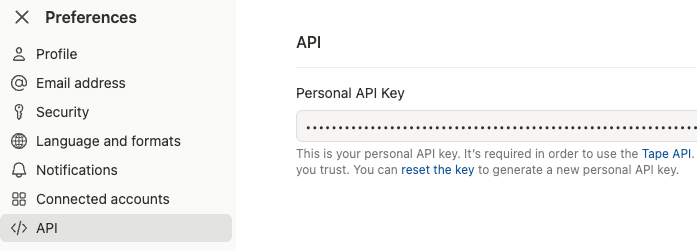
Get the API Key

  1. Go to your user preferences
  2. Last entry in the menu “API”
  3. If you never used your API Key, you start with generating / reseting it.
Get the Application ID and field names

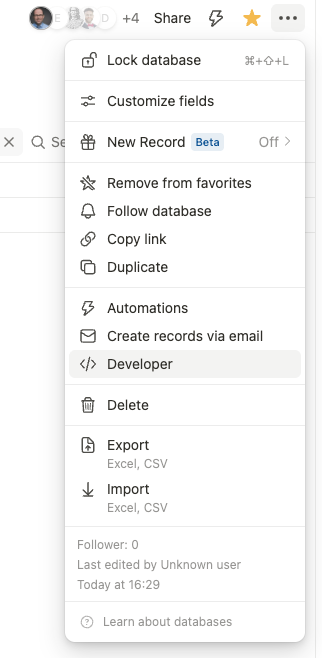
  1. Go to your application, which should receive data from your extension
  2. Klick the three dot menu and go to “Developer”:
  3. Note the app ID and the field slug, which should receive the selected text. If you want to keep track of the source you copied from, have another field and note this slug too.
Final step install and configure the extension

  1. Download the extension from Send to Tape - Microsoft Edge Add-ons (for Edge) or https://twzn.de/s2tc (for Chrome)
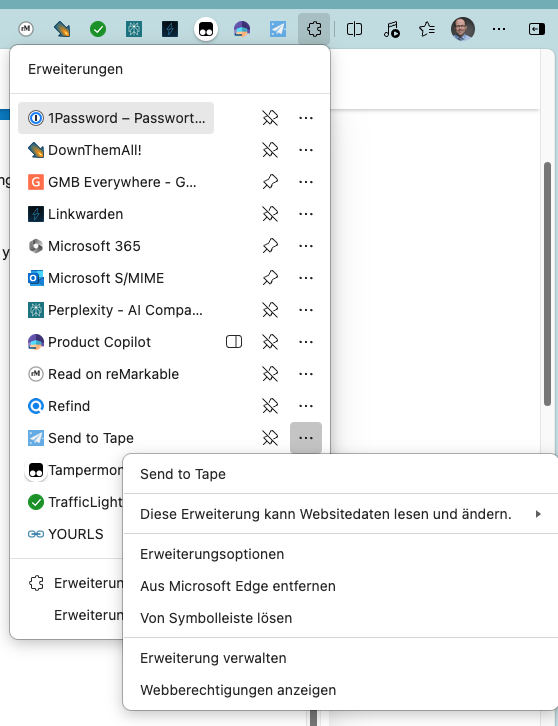
  2. Edit required options of the plugin. Click the extensions button, find “Send to tape” and select extension options from the plugin menu.
Potential issues

  1. Notifications may not show up - depending on your OS Settings. E.g. MacOS has focus modes, which may prevent the popup to show up. Then you need to allow Chrome / Edge to still show notification. It could also be required to check the general settings of notification of those apps in the system settings and allow them to show.
  2. Record will not create - if there is a mandatory field which is not set when you try to create the new record via API. It causes an error 400. In our case, we made sure that there are no other mandatory fields required to create that entry (if useful, we may add additional fields for each target, which can hold predefined data).
8 Likes

Chrome Webstore just updated, Microsoft Edge now also on 1.5.1.

2 Likes

Here are the links to the stores: 1. Download the extension from Send to Tape - Microsoft Edge or Send to Tape - Microsoft Edge

Send to Tape – Update 1.6.2 :rocket:

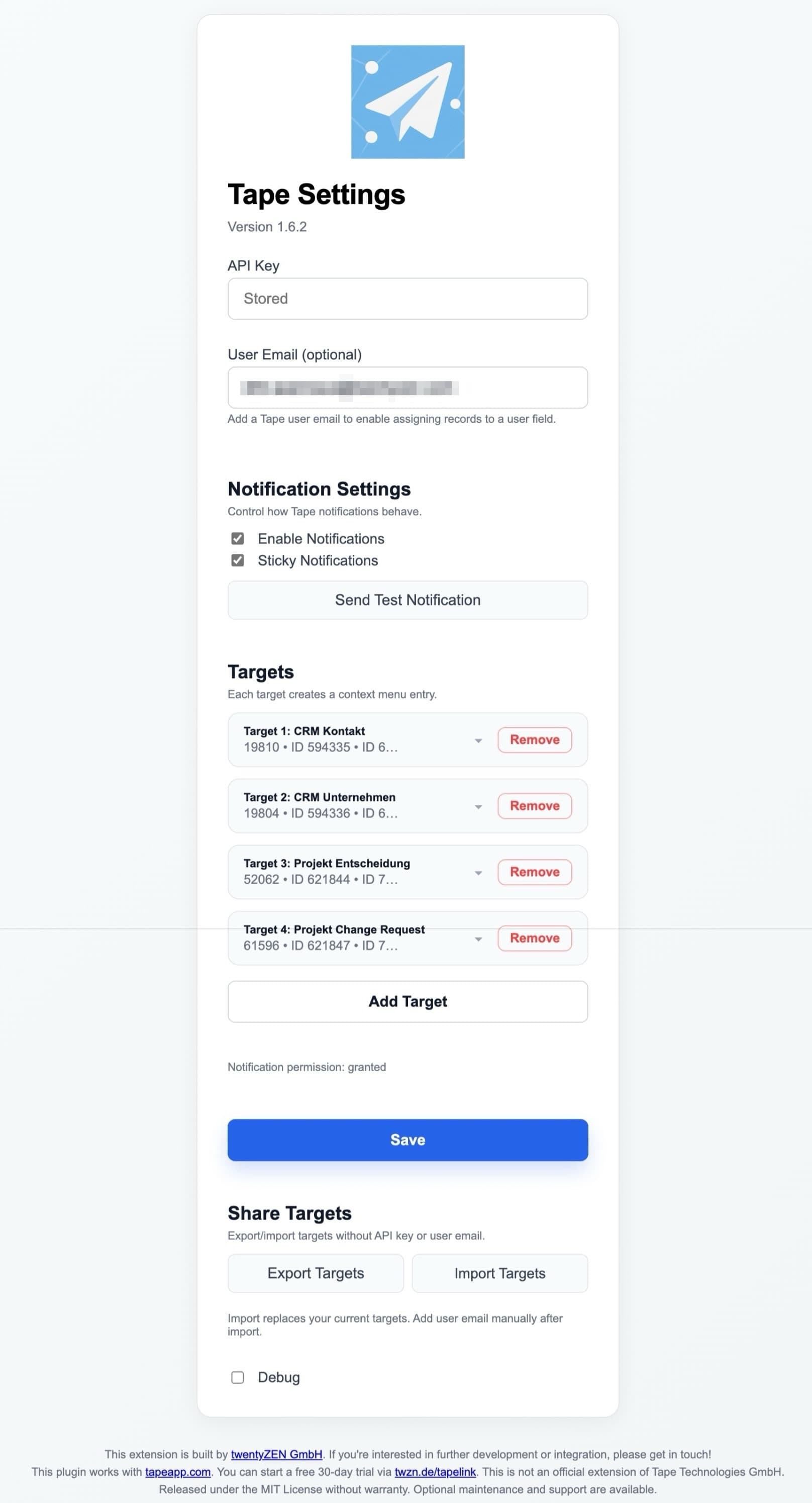
We’ve just released Send to Tape 1.6.2, focusing on better team workflows, safer handling of credentials, and a smoother overall experience when creating records from the browser.

Here’s what’s new :point_down:


:sparkles: Highlights

:white_check_mark: Optional user assignment via email

You can now set a User Email in the extension settings. Each target can additionally define a User Field (slug or numeric ID).

Result: When a record is created, the email is automatically written into that field – ideal for owner/assignee use cases and clearer responsibilities.


:repeat: Share targets with your team (Export / Import)

Targets can now be easily shared across teams:

  • Export Targets downloads a JSON file containing your targets
  • Import Targets loads targets from a JSON file and replaces the current setup

For security reasons, API keys and user emails are not included and must be added manually after import.


:jigsaw: More robust field configuration: slug or ID

All target fields now accept either a field slug or a numeric field ID.

This makes configurations more resilient if slugs change or when you prefer working with stable IDs.


:shield: Safer API key storage

The API key is now stored locally in the browser, no longer synced across devices.

This reduces the risk of unintentionally sharing credentials.


:brain: Clearer API error messages

Error feedback from the Tape API is now much easier to understand, for example:

  • Invalid API Key
  • Required fields missing

Very long error messages are automatically shortened to keep things readable.


:link: Reliable record links in success notifications

After a record is created, the success notification includes a reliable direct link to the record. If the API provides a record URL, it is used automatically.


:control_knobs: Cleaner, more structured settings UI

The options page has been refined with:

  • clearly grouped notification settings (including a test button)
  • a cleaner layout and improved empty states

Feedback, ideas, or edge cases? We’d love to hear from you in the forum :wave:

Need a branded version or help rolling this out company-wide? Get in touch with us – we’re happy to help.

Preview:

3 Likes

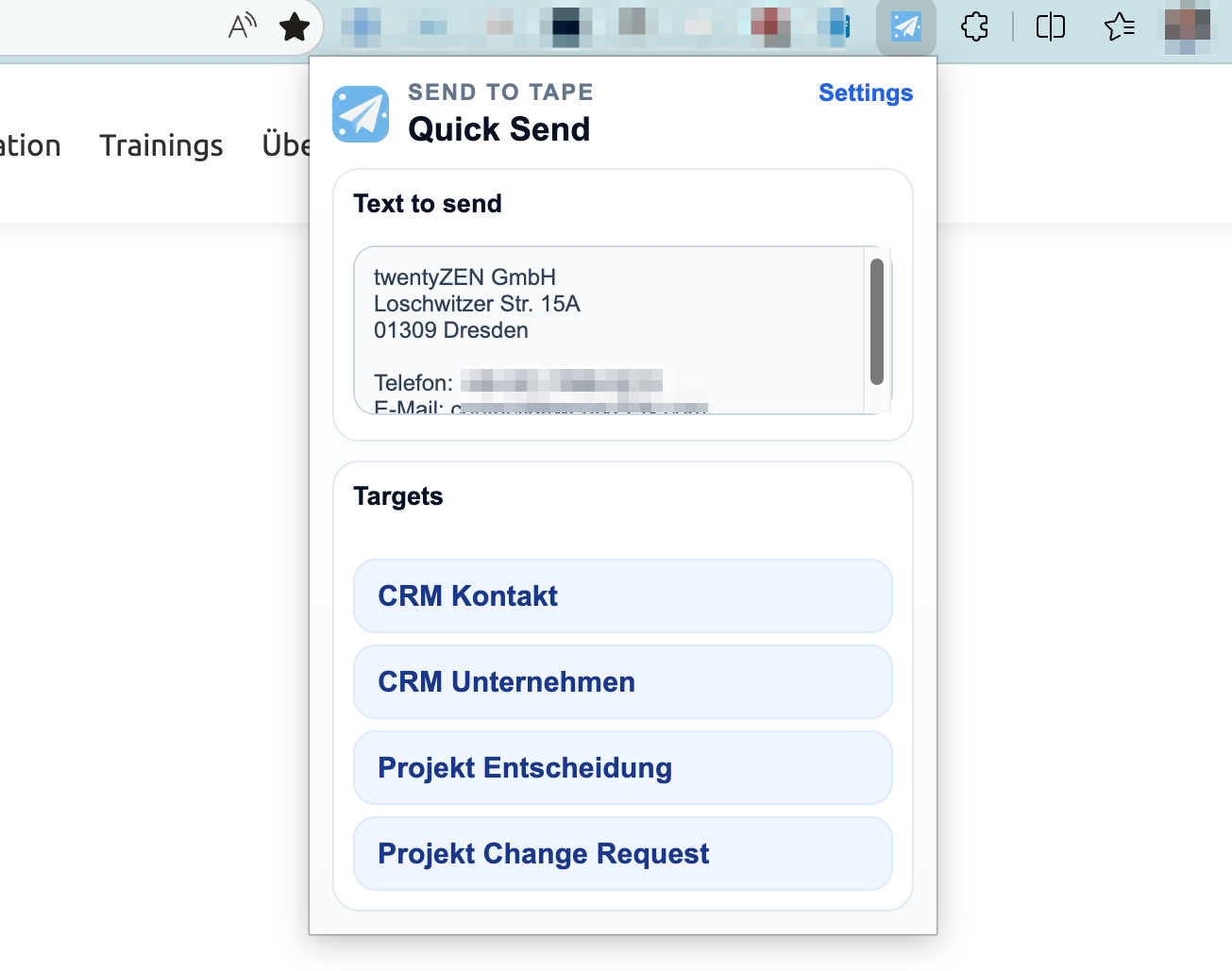
Send to Tape takes a big step forward with v1.7.2 :rocket:

The biggest news: Firefox is now supported.
So if Firefox is your daily browser, you can now use the same fast “send selected text to Tape” workflow there too.

What really improves with v1.7.2:

  • A new extension popup/menu with much better UX
  • You can edit text before sending if needed
  • You get direct feedback with the generated record URL
  • Less reliance on browser notifications for confirmation
  • Optional page URL capture for better context
  • Optional assignment of the new record to a user
  • Better import/export and validation for shared configurations

In short: it feels much more polished now :sparkles:
Especially the new extension menu makes the workflow faster, clearer, and more reliable in everyday use.


All the extensions are currently uploaded and in the review process.

Installed extensions will automatically be updated.

Here are the links in the marketplaces:

Let me know what you would add next!

1 Like