Hi there,
we developed a chrome / edge extension, which we want to share with you. Its free of charge, it only talks between your browser and your tape instance via the tape API. No third parties involved! Keys are stored locally in your secure browser environment.
Intro video can be seen here: [Sent to Tape extension Intro]
How it works
Easy like that - as soon as its setup, you can select any text on a website and send it to a tape field in any app. It creates a new record with this field prefilled.
- mark text
- open context menu
- send it to your app
Potential Use Cases
- Capture data from a mail signature for your CRM
- Do market research and capture your findings in a database
We typically use a field, which we then use as basis for AI enrichment. E.g. we automatically split data from a text into several fields via automation.
Get the API Key
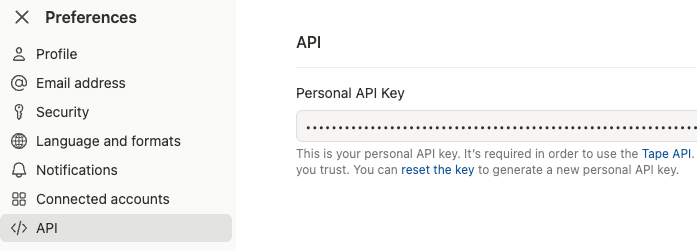
- Go to your user preferences
- Last entry in the menu “API”
- If you never used your API Key, you start with generating / reseting it.
Get the Application ID and field names
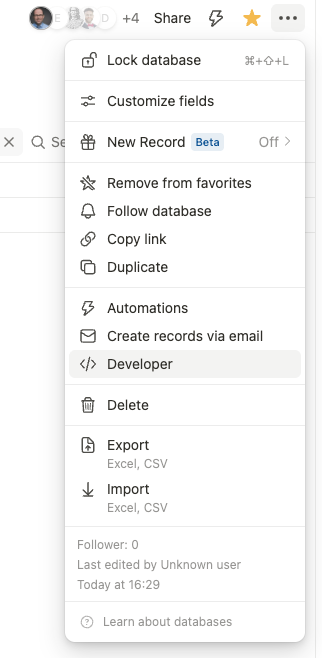
- Go to your application, which should receive data from your extension
- Klick the three dot menu and go to “Developer”:
- Note the app ID and the field slug, which should receive the selected text. If you want to keep track of the source you copied from, have another field and note this slug too.
Final step install and configure the extension
- Download the extension from Send to Tape - Microsoft Edge Addons (for Edge) or https://twzn.de/s2tc (for Chrome)
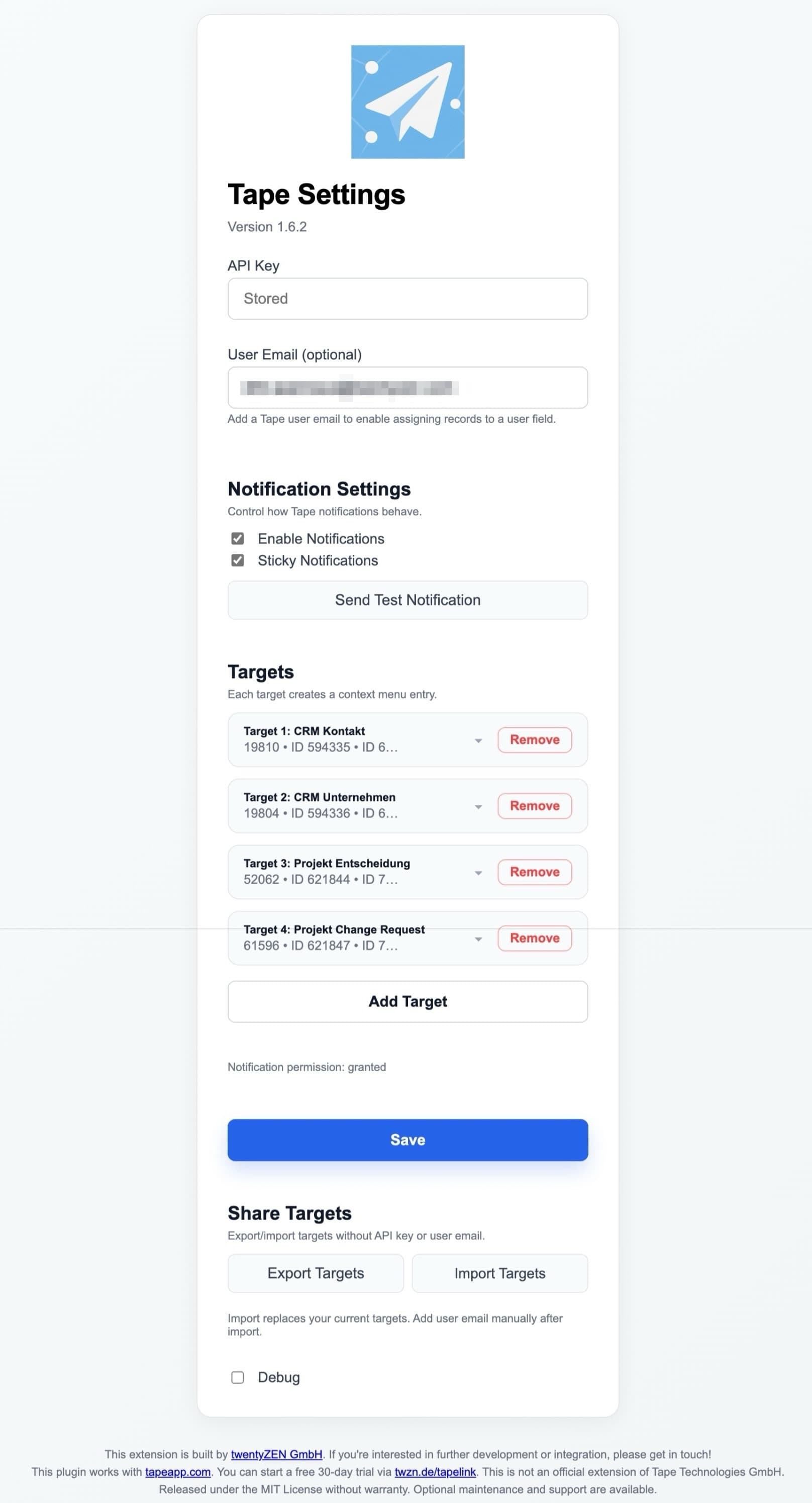
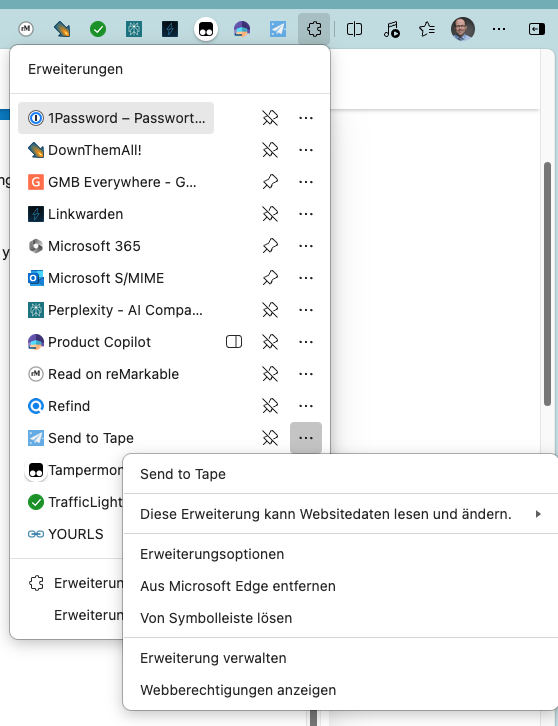
- Edit required options of the plugin. Click the extensions button, find “Send to tape” and select extension options from the plugin menu.
Potential issues
- Notifications may not show up - depending on your OS Settings. E.g. MacOS has focus modes, which may prevent the popup to show up. Then you need to allow Chrome / Edge to still show notification. It could also be required to check the general settings of notification of those apps in the system settings and allow them to show.
- Record will not create - if there is a mandatory field which is not set when you try to create the new record via API. It causes an error 400. In our case, we made sure that there are no other mandatory fields required to create that entry (if useful, we may add additional fields for each target, which can hold predefined data).


 Highlights
 Optional user assignment via email
 Share targets with your team (Export / Import)
 More robust field configuration: slug or ID
 Safer API key storage
 Clearer API error messages
 Reliable record links in success notifications
 Cleaner, more structured settings UI