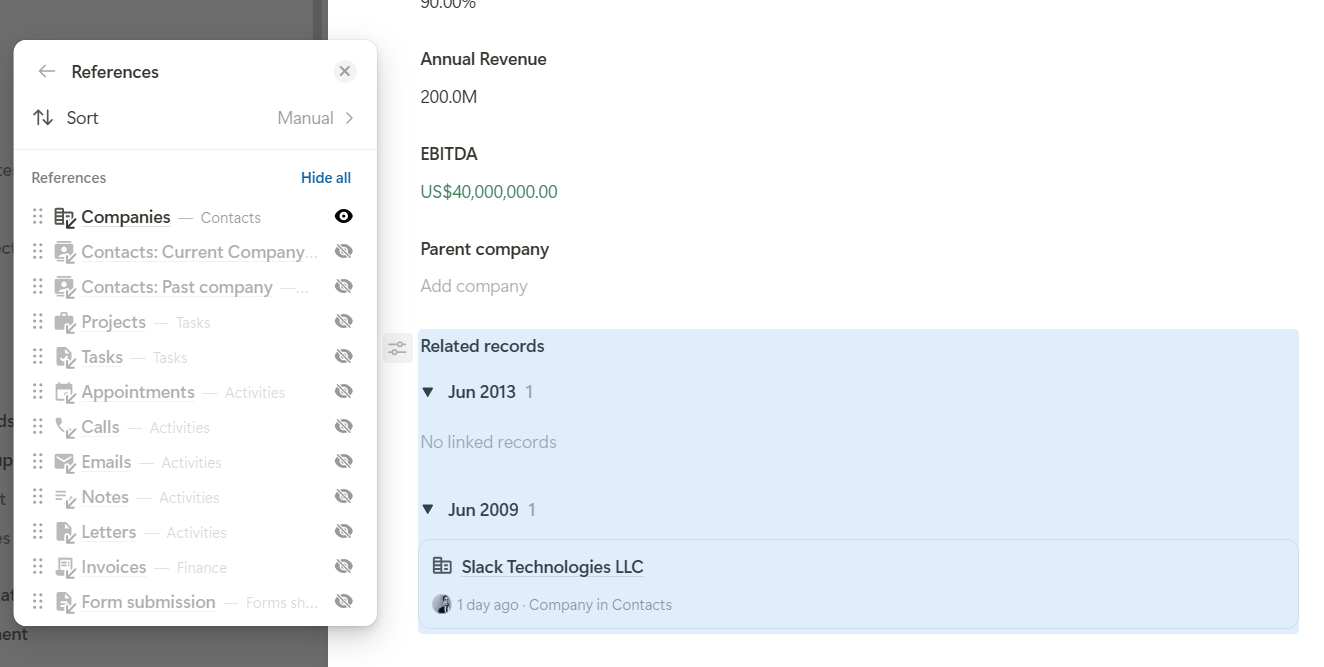
In short, I want to take my related fields, turn all of them off except for one, and then group them by date. When I go to create a new field, it prompts me to choose from a list of related apps. How do I turn that off?
I just tested this myself, and you are absolutely right. When grouping by date, the current setting for hiding individual references is not being respected.
If you turn off all references except one in this menu:
then the disabled references should of course no longer appear in the “Create new record” overlay. And if only one reference is still shown after grouping by date, the overlay should not appear at all during creation.
We already have a fix in our pipeline. I’ll let you know once the fix is live. It should go live during the day tomorrow, and then this issue should be resolved.
We ran into this same issue again on July 15th…seems like it hasn’t been fixed quite yet.
We also seemed to notice that it didn’t keep the previous setting if we toggled back and forth between the group by options. That felt like a waste of time because we weren’t trying to change the whole field. We were simply trying to say, “Wonder if it looks better this way or this way,” but we had to sit and click a bunch of options each time we switched back and forth to figure that out.