The phone rings. Who is this, which company, is there an open ticket? Until now that meant switching to Tape, searching, clicking through relations.
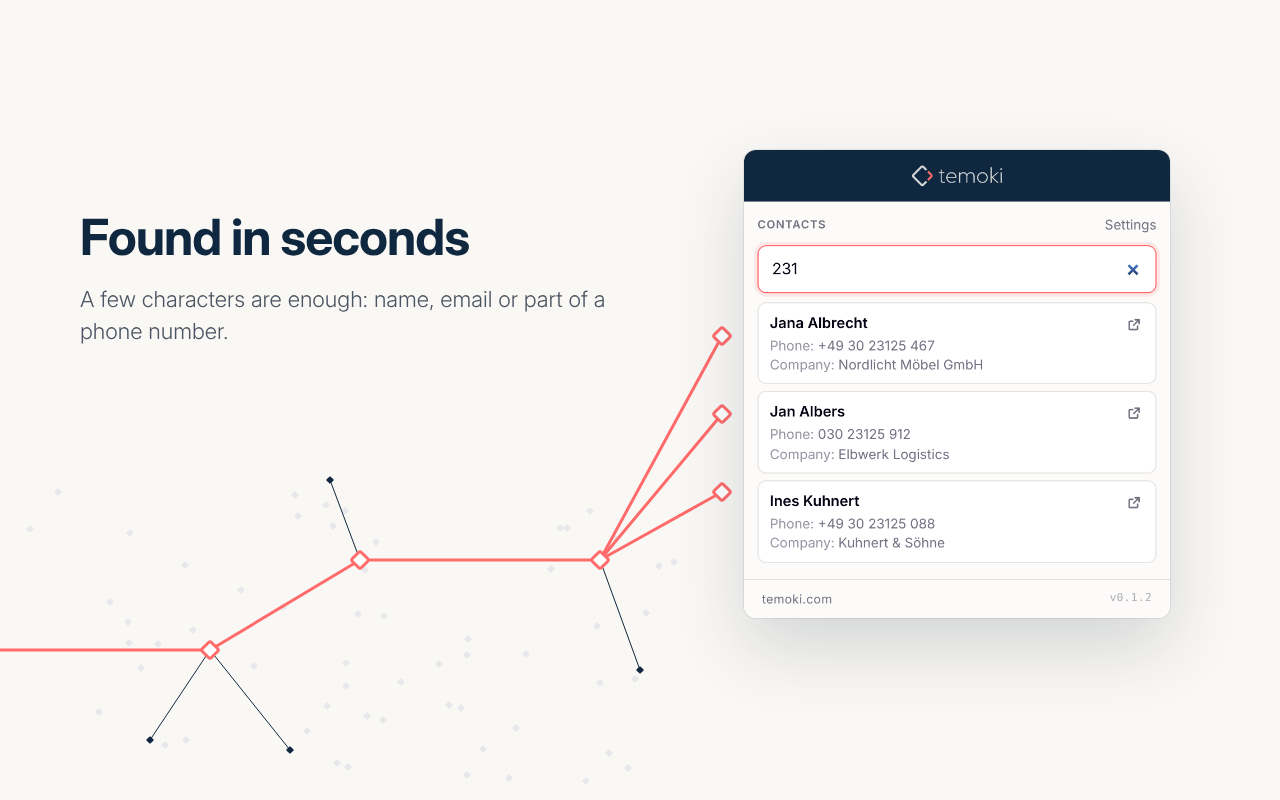
temoki - Context from Tape is the read-side sibling of Send to Tape: type a few characters of a phone number, name or email, pick the hit, and the related records appear right below it – each one a click away in Tape.
What it does
Search the fields you choose. Pick one or more fields per Tape app (or use full-text search) and get a short preview per hit.
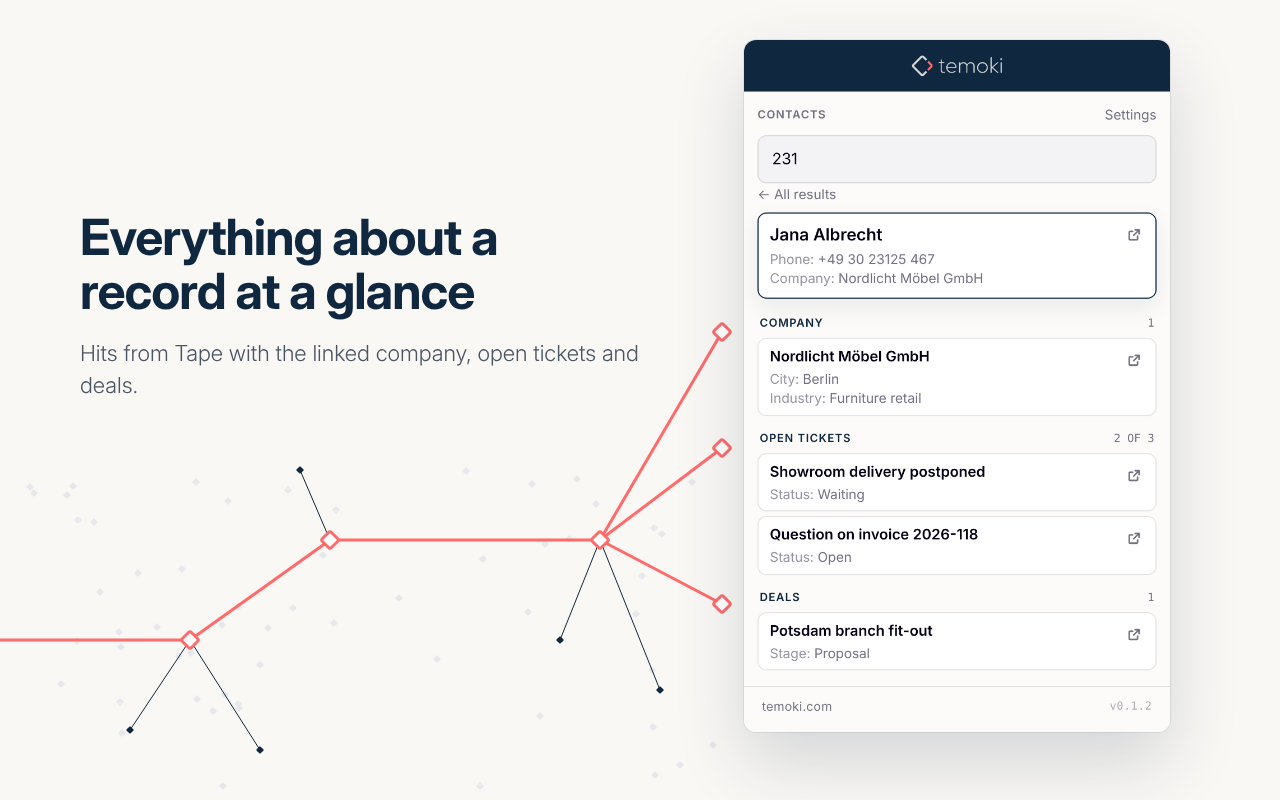
Related records, immediately. Companies, open tickets, deals … shown below the hit, no clicking through relations.
You control the volume. Per related app: “the 3 most recent”, sort by created date or any date/number field, and an optional status filter (“only Open / Waiting”). Empty groups stay visible – “no open tickets” is information too.
Right-click lookup. Select text on any page → “Look up in Tape”. A short selection is also prefilled when you open the popup.
Click opens the record in Tape. Ctrl/Cmd-click opens it in the background, so you can open several in a row without losing your results.
Hi Tape community
Update for the extension - thats new:
Bundles: one search, several sources
If you keep more than one source (say Contacts, Companies and Tickets), you no longer have to switch between them.
Bundles are named sets of sources, set up in Options. Create one for “Support” and another for “Sales”.
In the popup, a bundle sits next to All and the single sources. Pick it, type a few characters, and every source in the bundle is searched at once.
Results come back as tabs per source, not one long list. You see at a glance where the hits are.
Bundles travel with the JSON export/import and with the team configuration, so a whole team can share the same setup.
Sign in with Tape (OAuth)
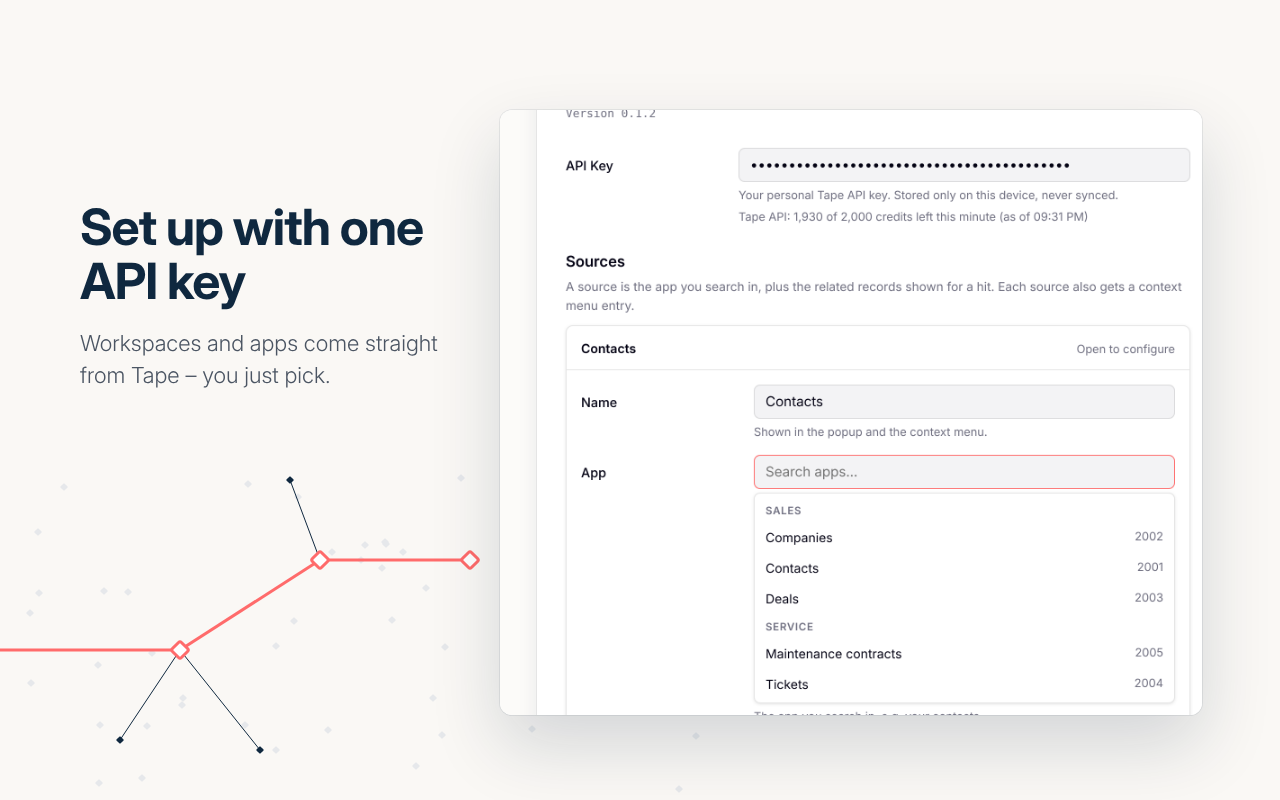
You can now connect the extension with your Tape account instead of pasting an API key.
Click Connect in Options and approve on Tape’s own consent page. No key to copy, nothing to rotate by hand.
It uses OAuth 2.1 with PKCE. Tokens stay in your browser, and requests still go directly from your browser to the Tape API. There is no server of ours in between.
Why the consent screen asks for write access: Tape’s permissions are all-or-nothing, and “edit records” is one of the five the extension requests. Searching and showing related records only reads. The write permission is needed for exactly one feature: saving the team configuration into a text field of a record you choose. The extension never creates or deletes records and never touches your business data. If you don’t use team configuration, nothing is ever written.
If your organization only allows approved apps, an admin has to approve the extension once under Settings → Connections.
The API key still works and remains the fallback. If both exist, the sign-in wins.
Sign-in is verified in Chrome. For Edge and Firefox, especially on mobile, the API key is the safe route for now. I’ll report back once I’ve tested those.
Smaller things since the first post
Team configuration in Tape: save and load the sources as JSON in a text field on a record, so the whole team uses one setup without passing files around.
Search several sources at once (“All”) with quick chips for up to three sources.
tel: and mailto: links on phone and email values, plus a copy button on every field, in the hits as well.
The popup remembers your last search and the opened hit for two hours.
Better matching: text calculation fields are searchable
Where to get it
Chrome and Firefox are both live in their stores. Edge is – as usual – lagging behind the review queue, so it will follow. Links are in the initial post.
If you try bundles or the sign-in, I’d like to hear how it went, especially if your organization restricts connections.
Dirk
temoki is a product of twentyZEN GmbH and not an official extension of Tape Technologies GmbH.


 Chrome Web Store: temoki - context from tape