Use the “Get related records” automation to have all incoming records for that client/user. Then I filter out the records that are not on selectedhostnameids.
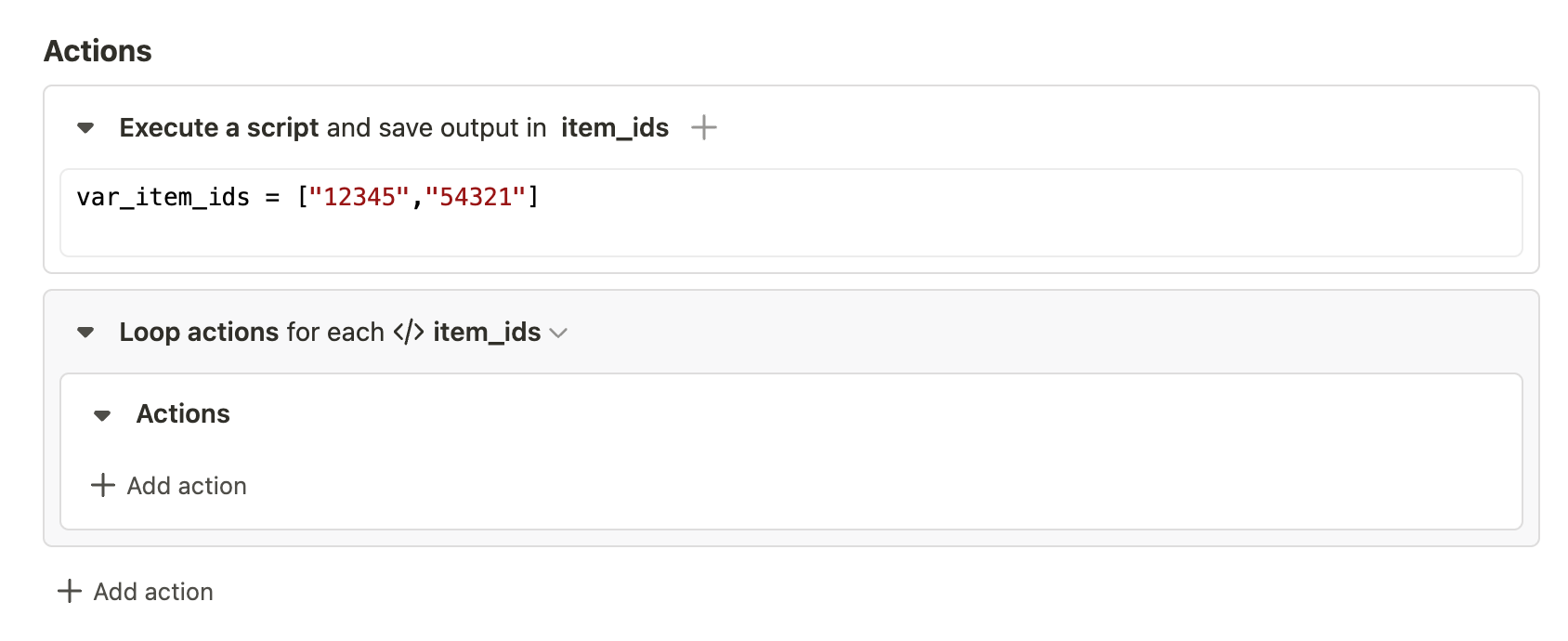
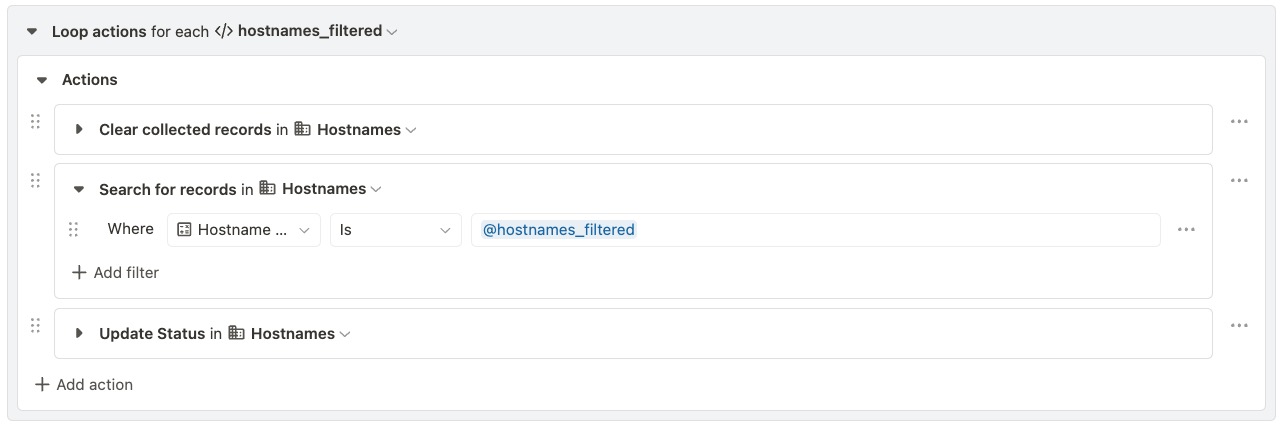
Once you have your filtered array, you can use “Loop Actions” to loop over each value in the array and execute your update action on those. So Loop → Search for record by ID you’re looping over → Update that record. The frame would look like this:
It is working as expected now. However, the automation took a little bit to finish for such few records. I wonder if it is more efficient to use the batch update API call instead of the loop?
If it was me I would use the batch update, you should also be able to filter and build the inputs within your second JSONata expression. It does depend a little on how many records we are talking about if its a couple then it may not be worth the effort if its more than 50 remember the batch update will only do 50
Also if you don’t mind taking a code route but want to keep your loop I am fairly sure you don’t need the search just do a loop with a script tape record.update(${hostnames_filtered},{fields....} (typing from memory so could be slightly different), that way you remove the slow search and you wont need the clear collection either
 . Here’s what I’m trying to do: