@Leo we have discovered that sharing ‘can create’ access on record level settings doesn’t work from all directions.
We have an app that exists in a closed workspace, we’ll call it workspace B. The settings are configured to have record level access shared via a member field in the app, and via the created by rule.
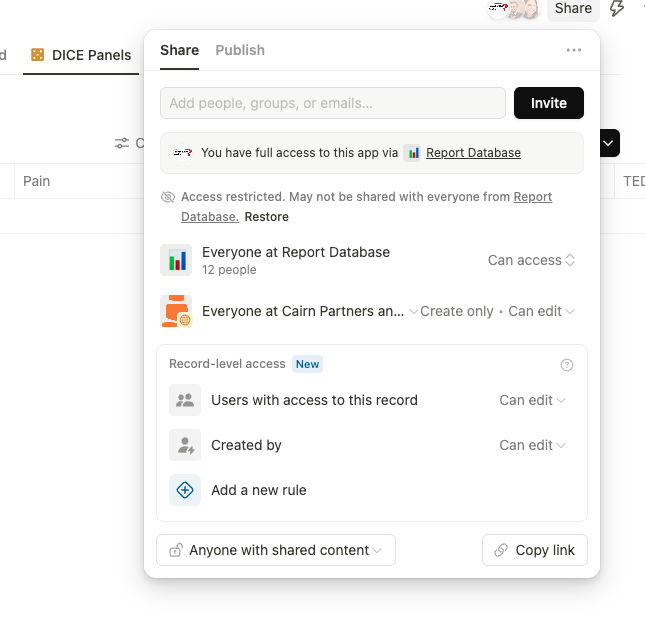
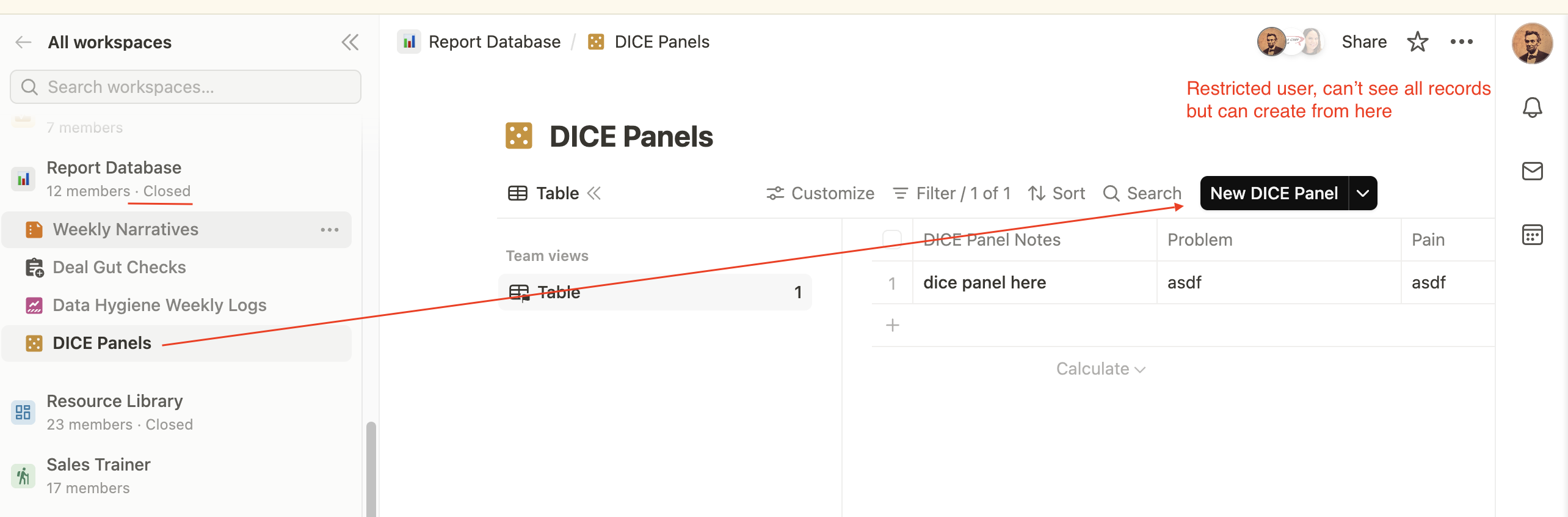
When a restricted user navigates to that app, the appropriate settings work. They can’t see other peoples records, however they can see the records shared with them and they are allowed to create new records which subsequently get shared to their user.
That all works great.
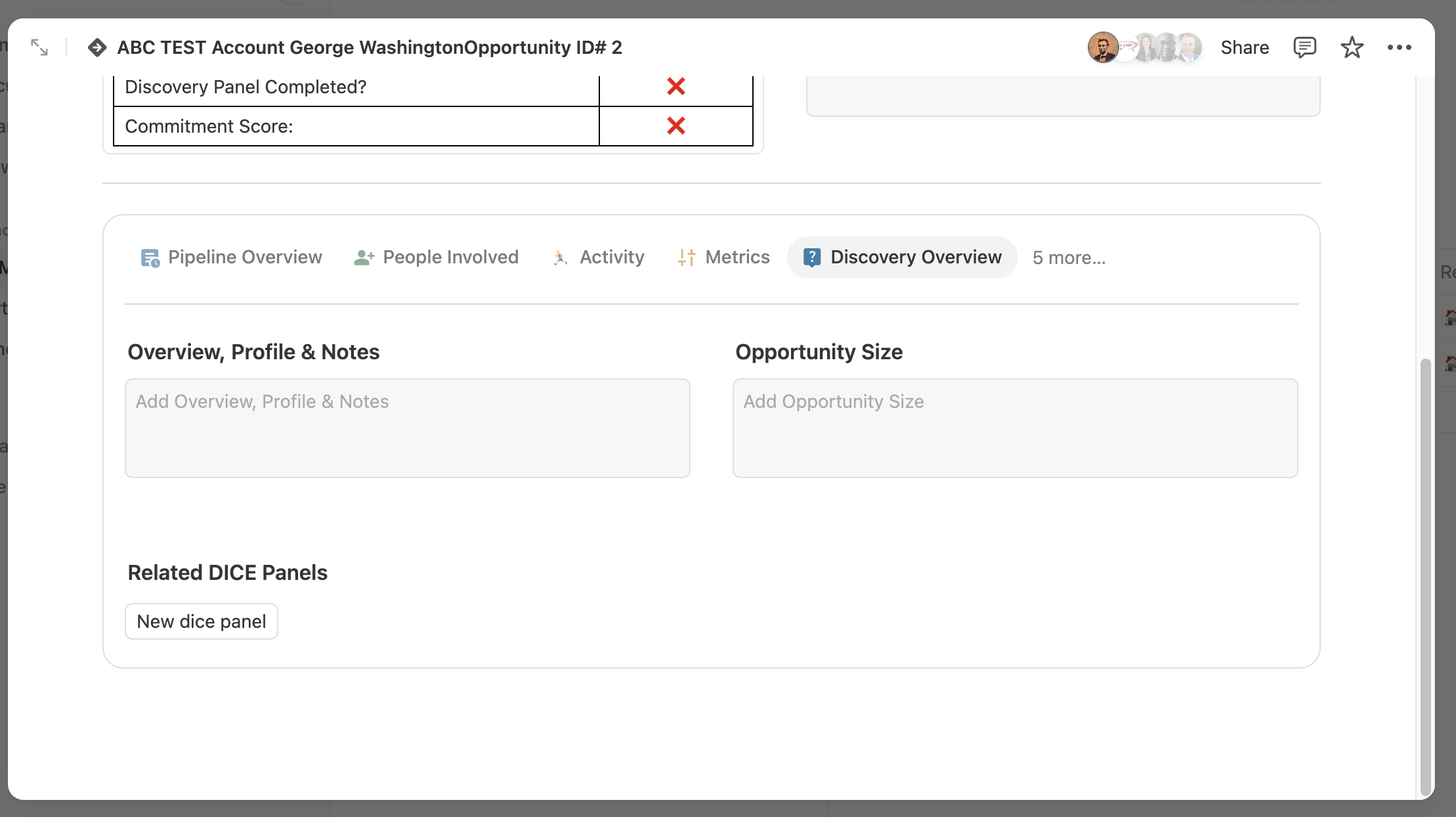
In another sales pipeline app which is in our primary ‘workspace A’ all members do have access, there’s a field where that restricted app is configured as a related item.
The desire is for users to click on the “new” button from there to create items without having to navigate away.
It works perfectly for users with full access to workspace B. But for the users with restricted access, the “new dice panel” button is not clickable from this app in workspace A
There’s a chance that I’ve just misunderstood a permissions setting somewhere and applied it wrong. But I’ve tried hard to experiment with every possible configuration option and I can’t seem to get it to work as expected.
I can share an example video or further notes if necessary demonstrate the problem.
