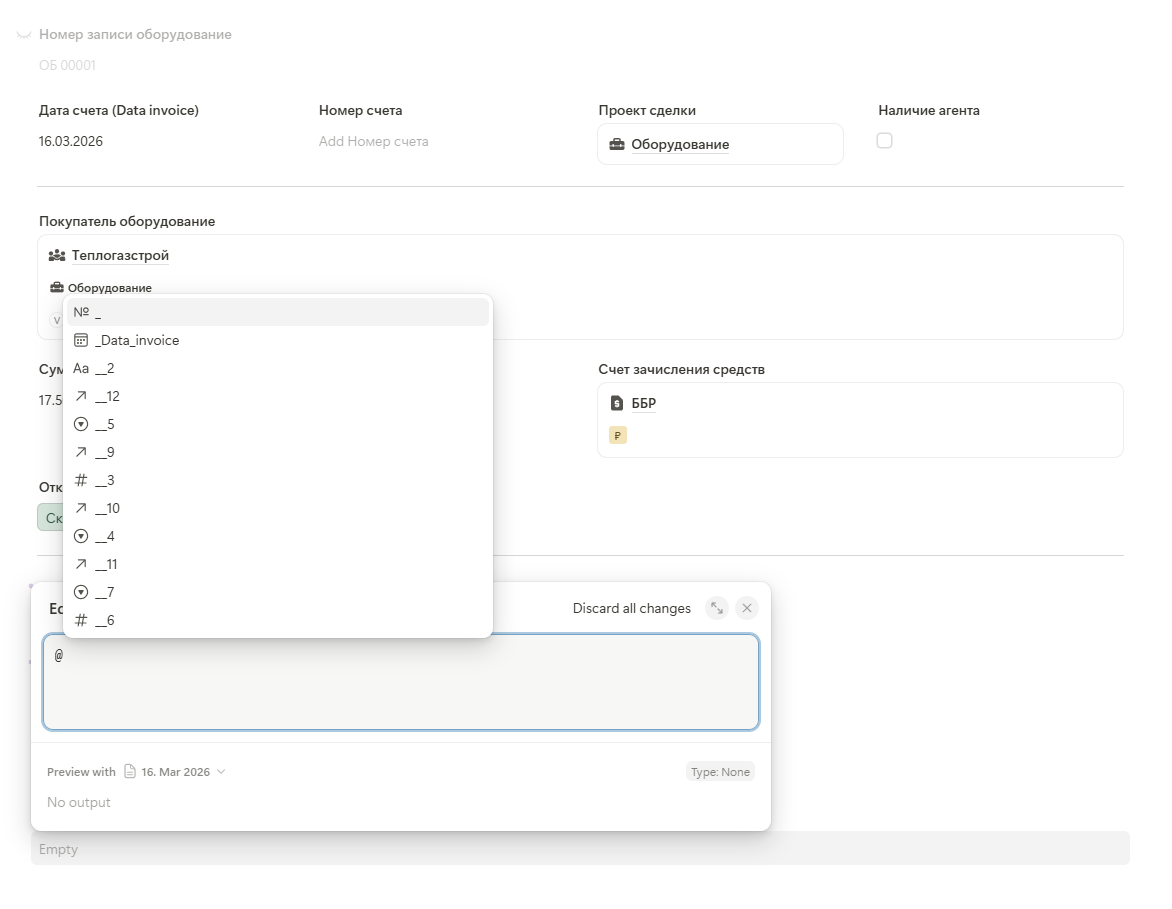
In the new editor, when searching for fields using the @ mention feature, if a field name is written in Cyrillic, it is displayed as _7 (i.e., the field number instead of the actual name).
Thank you as well for this report and for bringing it to our attention
At the moment, we do not officially support Cyrillic field names, so this is not yet covered by our standard QA, implementation, and regression testing processes.
However, since we already implemented similar handling for the previous calculation field and the required adjustment is relatively small, we’re happy to add the same support to the new calculation field as well. This will ensure that Cyrillic field names are represented properly when using variables via @ mentioning, instead of falling back to technical IDs such as _7 .
Good news! I just wanted to let you know that we’ve fixed this issue and the fix is already live.
Cyrillic field names are now handled correctly in the new calculation field when using variables via @ mentioning, so the proper field name is displayed instead of the technical ID.
Thanks again for bringing this to our attention and helping us improve this!