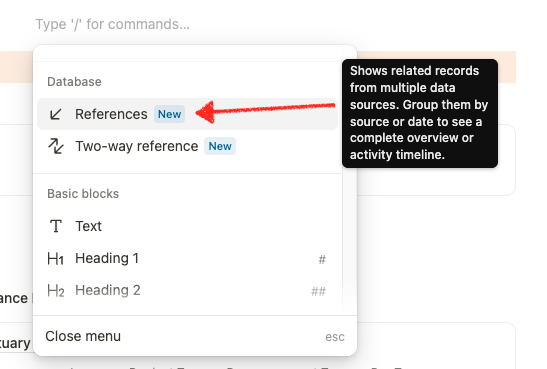
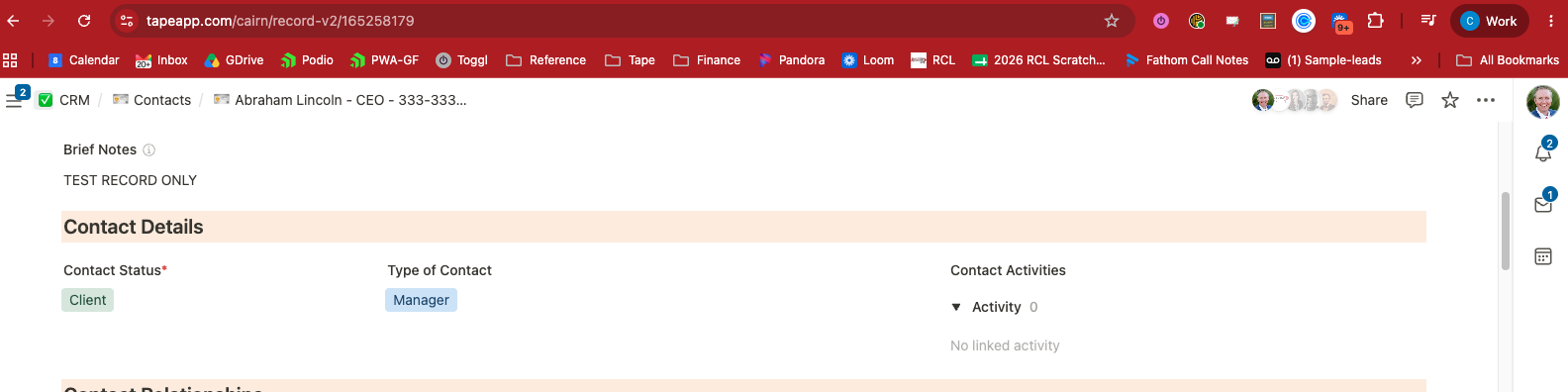
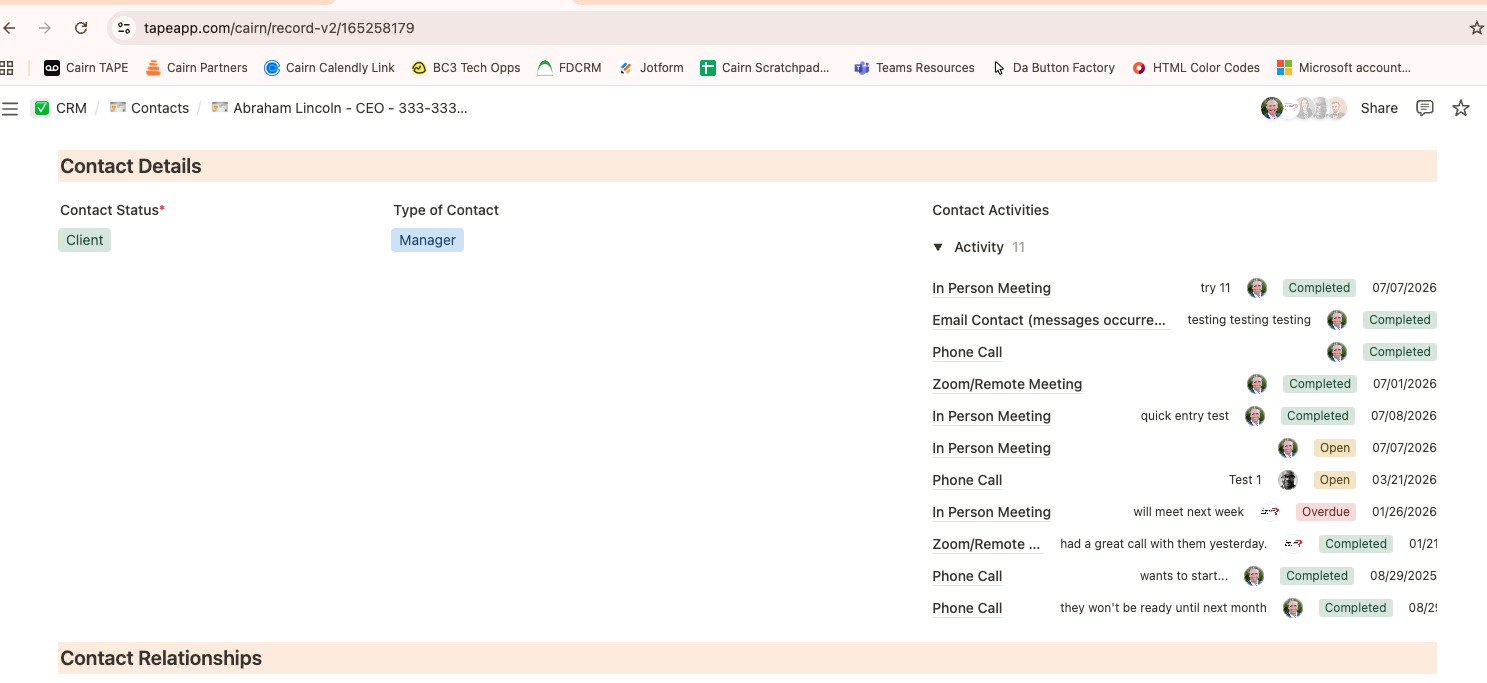
Using the new references option we are getting inconsistent/wrong results.
Screenshots below are the SAME user logged into the SAME URL, just in two different browsers.
One shows that the contact has 0 contact activities, but the other shows 11.
We have already identified and fixed the problem. It was indeed related to sorting by a calculation field. In a specific calculation field setup, this caused the referenced items to return inconsistent results, which is why we apparently did not catch it during testing.
The good news is that we were able to reproduce, identify, and fix it.
After refreshing Tape and making sure you are on the latest version, this should no longer happen.
Thanks again for catching and reporting this. Really appreciated.
@Leo - thank you!
That makes sense, we were definitely using (or trying to use) a calc field on our sorting rule.
That spurs a separate question however, because the sorting is still causing some issues.
An activity has a Due Date field and a Completed On Date field.
Ultimately we want to see a list of references showing us all activities sorted with the most recent completed dates at top. Of course for unfinished tasks, there is no Completed Date value available yet.
So we tried setting up a ‘Display Date’ calculation field that displays Completed Date when possible, or Due Date if no completed date is available. Then we could sort by that.
It isn’t working however.
Does your note here mean that sorting by calculated fields is not actually possible? Or is there another piece to the puzzle that I’m missing?
thank you for the additional details and for the further report
It sounds like there may still be an issue with sorting by a calculation field. We will check this, because this should of course work. There is no intentional limitation here.
Have you also tried using “Group by date” for this kind of activity timeline? In that setup, you can define the date field for each database in the grouping fields, because we need to map the incoming references from different databases to the correct date field first. After that, it should mainly be a question of whether the grouped timeline is sorted ascending or descending.
So I just want to make sure I fully understand the exact setup here. And could you let me know what exactly is not working when you sort by the calculated “Display Date” field?
Thanks again for looking into this so deeply. Really appreciated!
Hey @Leo
In our use case, the Group By Date option didn’t really solve the right problem. In the event that there was a past due activity, grouping by due date actually made it more likely that the missed task gets placed in a collapsed date section of a previous month. Out of sight, out of mind.
Also, you stated the ability to
but unfortunately this still doesn’t fix our situation of having to choose a completed on vs due date field difference as that is two date choices in a single referenced app.
That’s why the ‘display date’ calculation that I explained was our hoped for answer. But alas that ‘sort by’ a calculated field is unfortunately still not working for us.
One way to avoid this calc field date sorting need would be resolved if we could use filters in the reference field. I have a separate feature request open that describes why/how that is the solution we’d really prefer to see in this case. See that note here: Ability to add Filters in the new Reference Fields