Following on from this thread and a few others. Last night, I wanted a quick, simple project to try out a couple of new things (to me): Hono (not used it in ages) and Svelte (never used it). This is what I ended up building.
IMPORTANT: Luis has said he will try to provide a link to a repo for his tool. If he does, and you are happy setting it up yourself, I would strongly recommend using his solution rather than mine. He will have spent far more time on it, and his is self hosted which gives you more control and options.
With that out of the way, here is the tool I built.
What does it do?
The idea is simple:
You define a field order for an existing Tape app. You then call a Lattice Gear endpoint for a specific record.
Lattice Gear:
- Calls the Tape API
- Fetches the record
- Strips out a lot of the fluff
- Returns the key data in the exact field order you defined, even if fields are empty
This makes it much easier to consume record data in external tools where consistent structure matters.
Design choices (pros and cons)
I deliberately kept this as light as possible, which comes with some trade offs:
- We never store any Tape record data
- Your Tape API key is encrypted
- We do not ask for any contact details
- App configuration data is stored in plain text
- Rate limiting is applied per Tape organisation, not per app (more on that below)
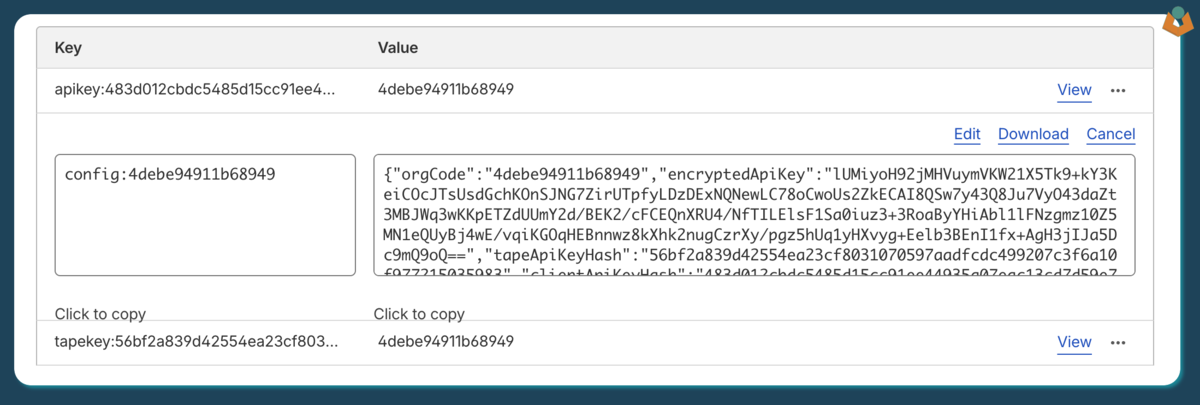
Example of stored data
{
  "orgCode": "4debe94911b68949",
  "encryptedApiKey": "lUMiyoH92jMHVuymVKW21X5Tk9+kY3KeiCOcJTsUsdGchKOnSJNG7ZirUTpfyLDzDExNQNewLC78oCwoUs2ZkECAI8QSw7y43Q8Ju7VyO43daZt3MBJWq3wKKpETZdUUmY2d/BEK2/cFCEQnXRU4/NfTILElsF1Sa0iuz3+3RoaByYHiAbl1lFNzgmz10Z5MN1eQUyBj4wE/vqiKGOqHEBnnwz8kXhk2nugCzrXy/pgz5hUq1yHXvyg+Eelb3BEnI1fx+AgH3jIJa5Dc9mQ9oQ==",
  "tapeApiKeyHash": "56bf2a839d42554ea23cf8031070597aadfcdc499207c3f6a10f977215035983",
  "clientApiKeyHash": "483d012cbdc5485d15cc91ee44935a07eac13cd7d59e758ff253ac849f85633b",
  "apps": [
    {
      "appId": 61003,
      "appName": "ALDERFOX - Products",
      "workspaceId": 16908,
      "workspaceName": "DEMO - ALDERFOX",
      "fields": [
        {
          "fieldId": 616341,
          "externalId": "name",
          "label": "Name",
          "fieldType": "single_text",
          "order": 1
        },
        {
          "fieldId": 616349,
          "externalId": "description",
          "label": "Description",
          "fieldType": "multi_text",
          "order": 2
        },
        {
          "fieldId": 616346,
          "externalId": "product_code",
          "label": "Product Code",
          "fieldType": "single_text",
          "order": 3
        },
        {
          "fieldId": 616347,
          "externalId": "level",
          "label": "Level",
          "fieldType": "number",
          "order": 4
        },
        {
          "fieldId": 616348,
          "externalId": "price",
          "label": "Price",
          "fieldType": "number",
          "order": 5
        }
      ]
    }
  ]
}
How does it work?
- Visit https://lattice-gear.jmc.tools
You will see a simple screen asking for your Tape API key.
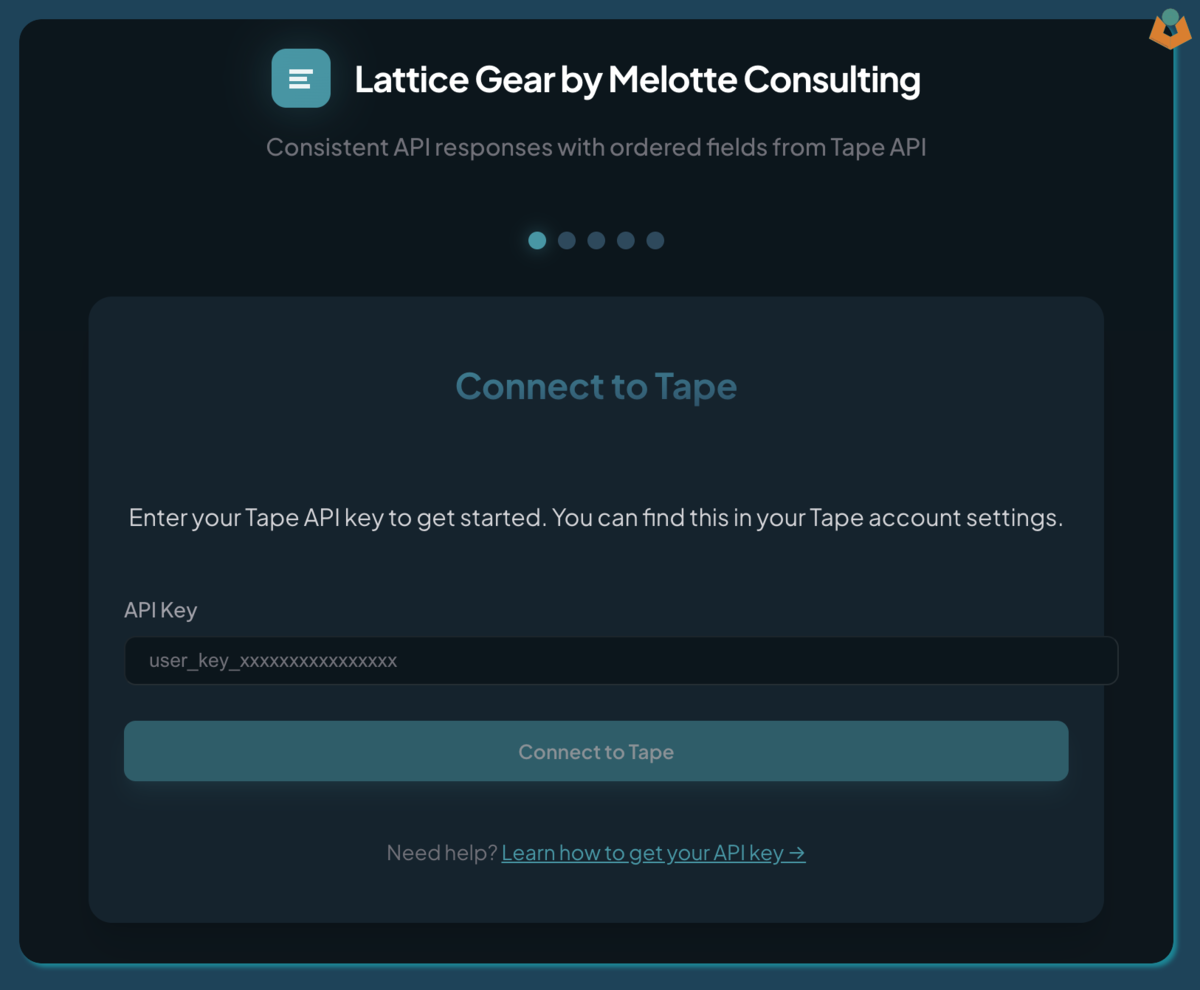
- Enter a valid API key and select a workspace.
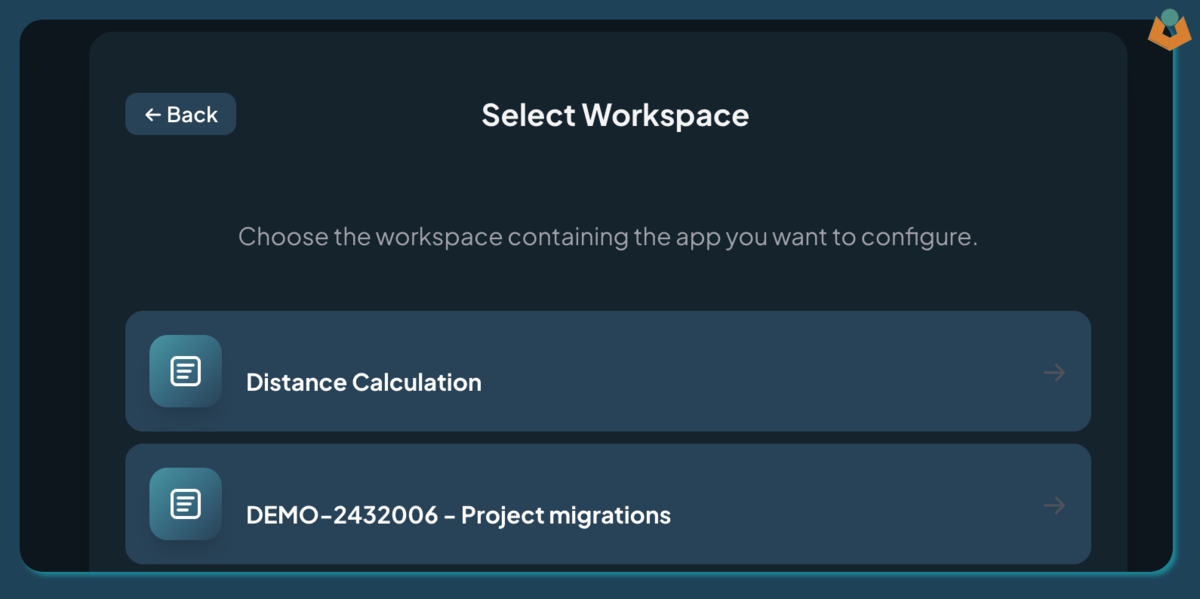
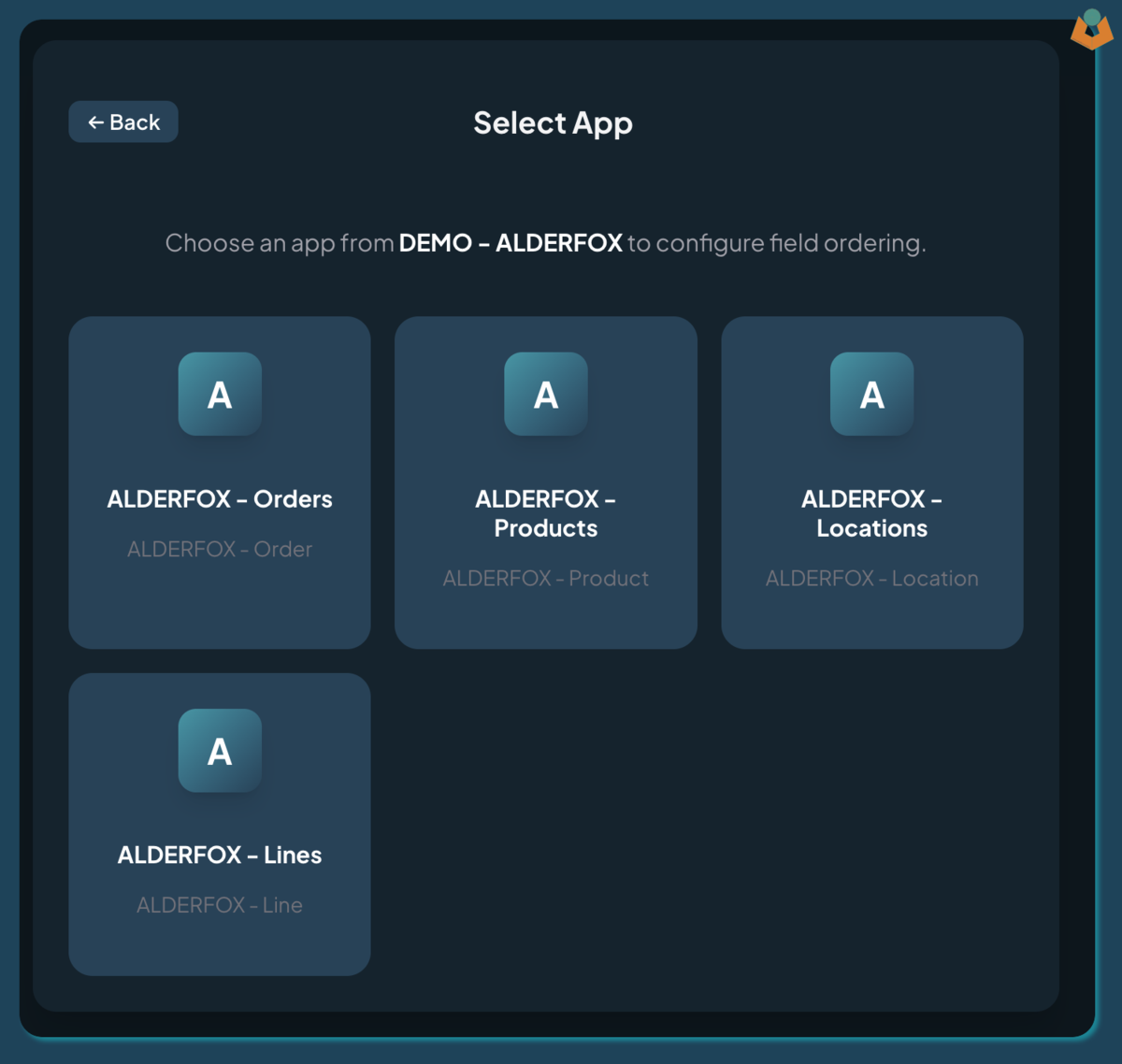
- Select an app.
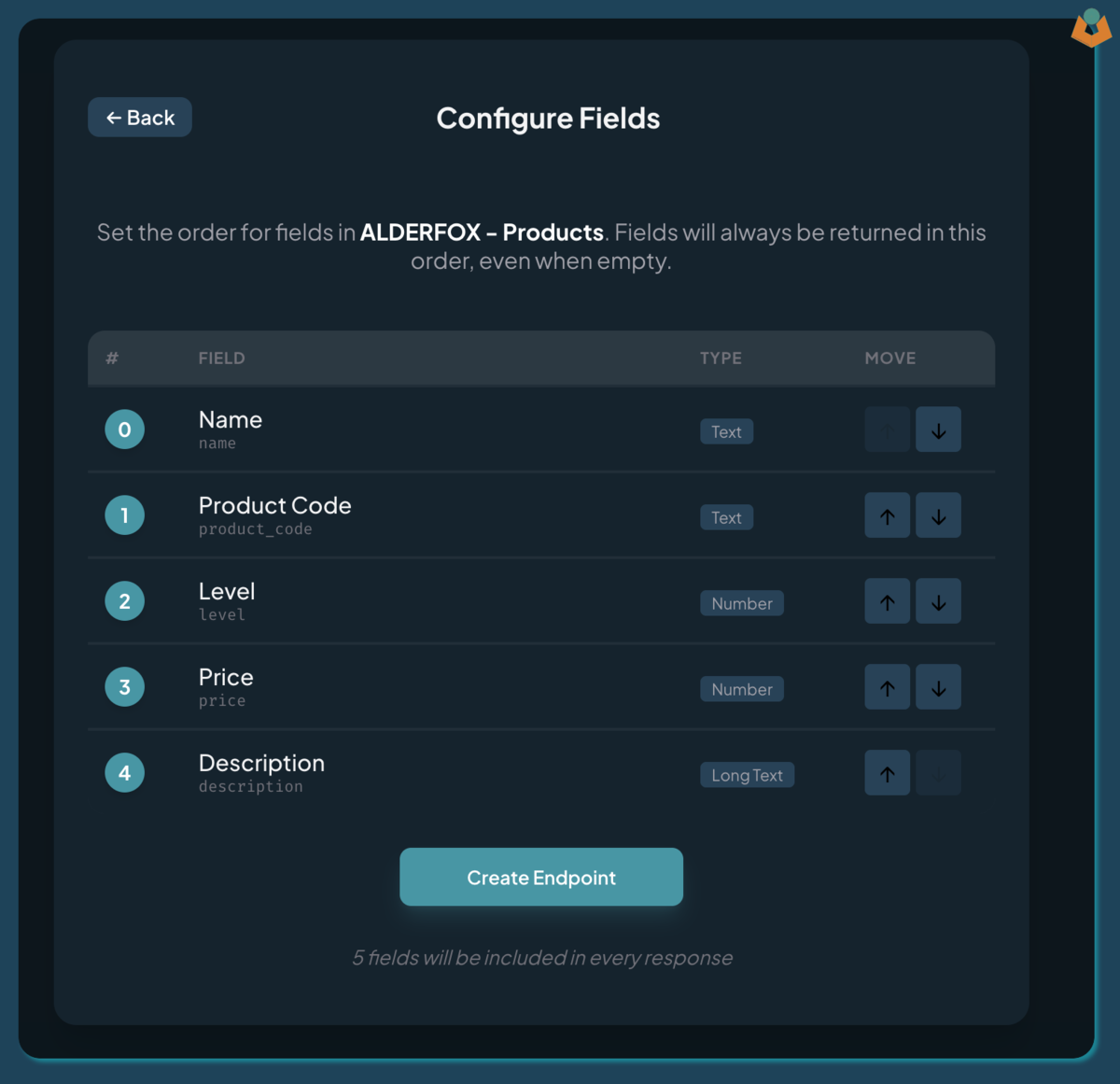
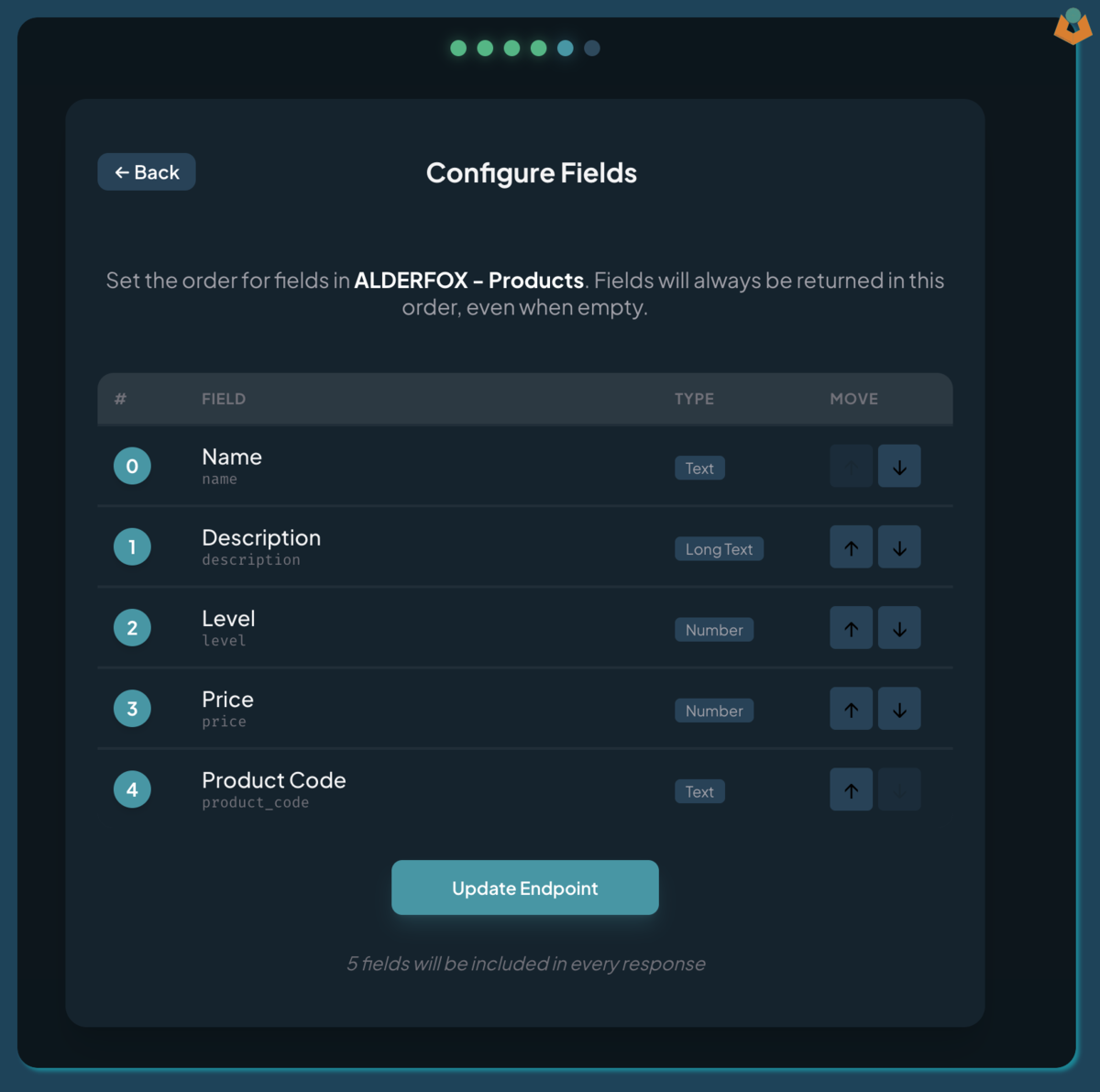
- Configure the field layout using the up and down arrows.
(Note the numbering starts at 0 to make consumption easier later.)
- Click Create Endpoint and you will be taken to the endpoint details page.
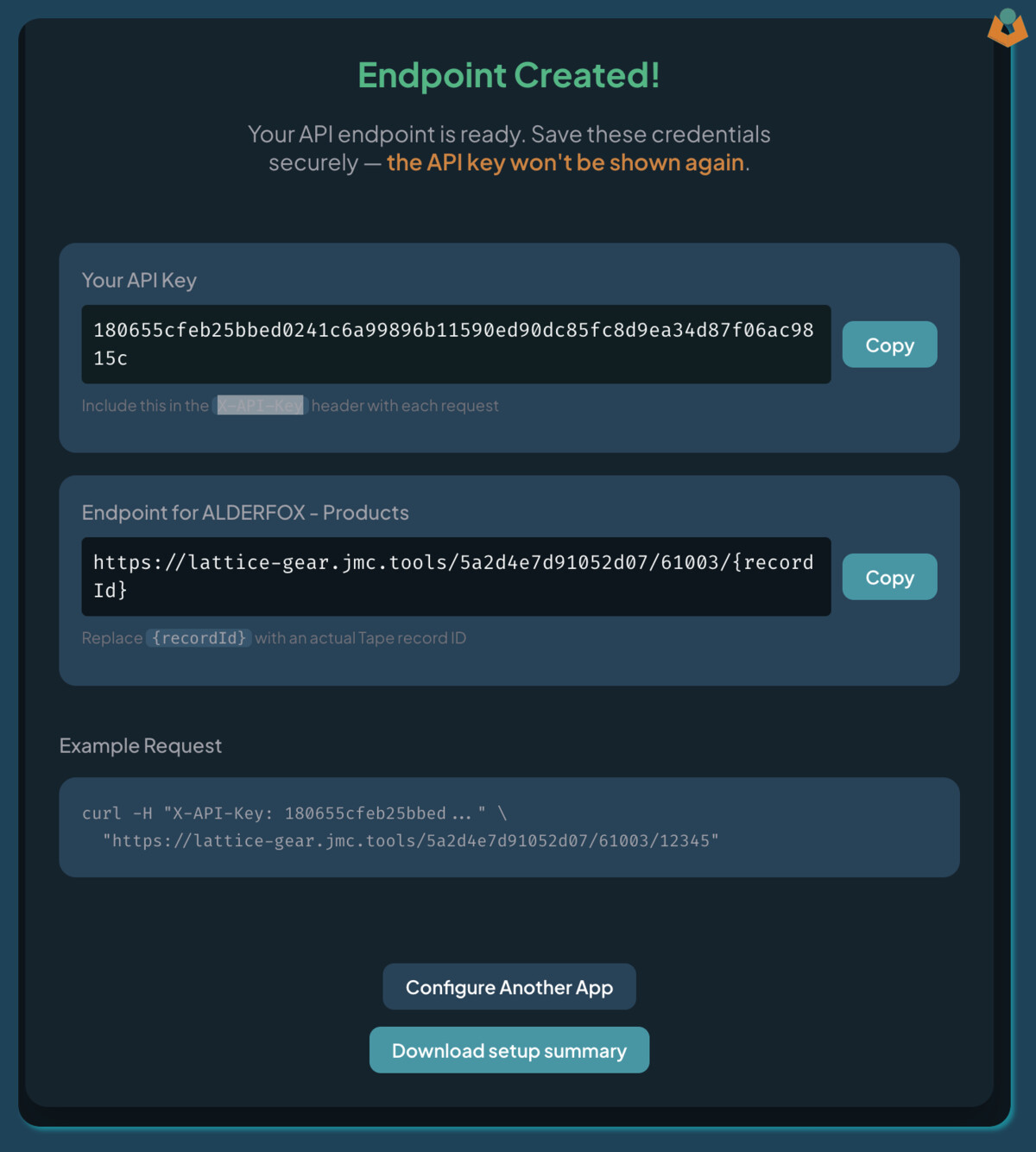
Here you will get:
- Your endpoint URL
- A unique API key
Please keep both safe. At the bottom you can also download a JSON file containing this information.
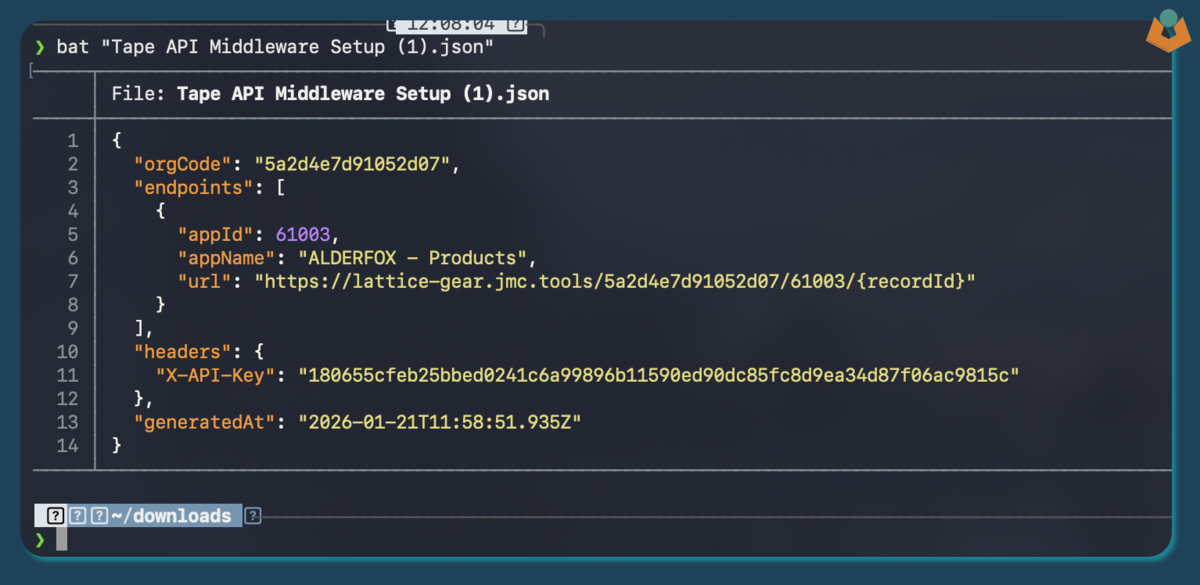
Using the endpoint
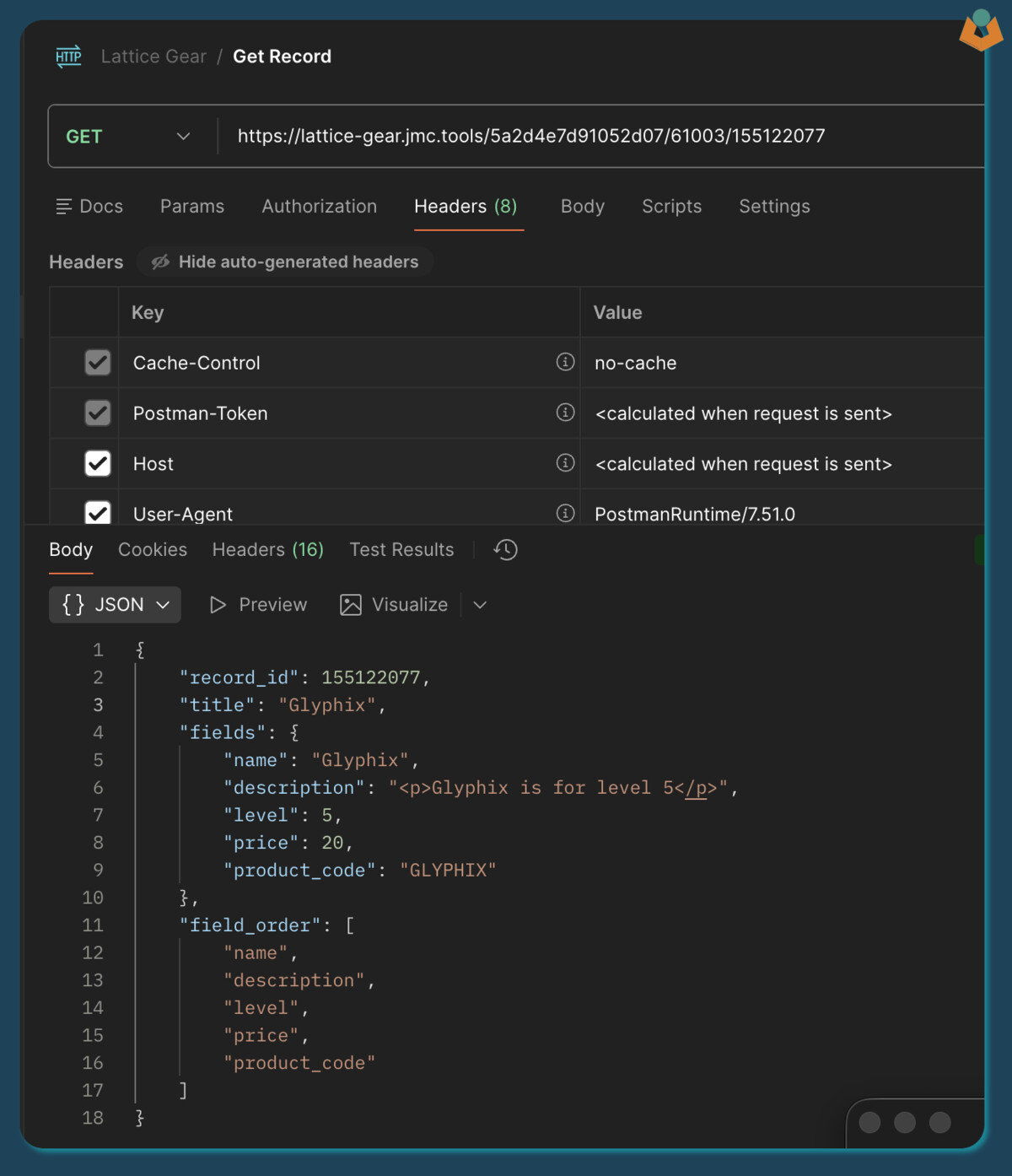
Make a GET request to your endpoint with:
record_idappended to the URL- Your API key in the
X-API-Keyheader
The response will contain:
- Fields in the order you defined
- Null values included
- A simplified, predictable structure
Example shown below using Postman:
If a field is empty the response will look like:
{
    "record_id": 155122077,
    "title": "Glyphix",
    "fields": {
        "name": "Glyphix",
        "description": "<p>Glyphix is for level 5</p>",
        "level": null,
        "price": 20,
        "product_code": "GLYPHIX"
    },
    "field_order": [
        "name",
        "description",
        "level",
        "price",
        "product_code"
    ]
}
Rate limiting
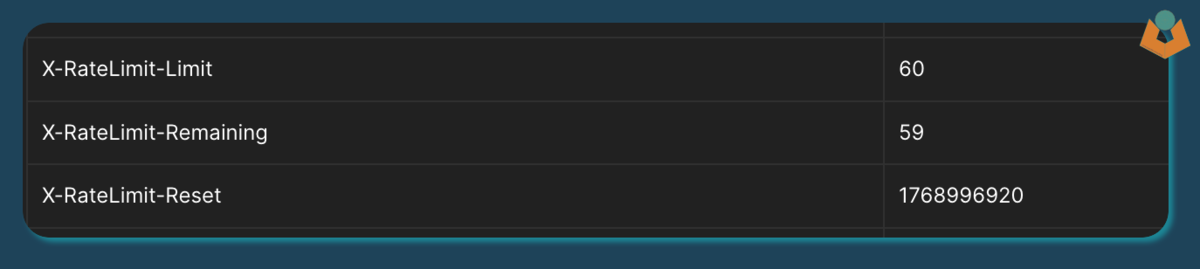
Responses include rate limit headers so you can see exactly where you stand:
Updating or adding apps
If you revisit https://lattice-gear.jmc.tools and enter your Tape API key again, the tool will detect your existing setup and let you:
- Add another app
- Edit an existing one

That is it.
FAQs
What does it cost?
Nothing. It costs me a bit to run.
Why did you build it?
I wanted something to build, and it might help a few people.
Rate limits
Limits are set to what seems reasonable to protect costs and the API. I may adjust them over time. If they are too restrictive for your use case, get in touch and we can talk.
Is my data secure?
I have done the best I reasonably can. I do not store Tape record data. I do store your Tape API key in encrypted form, but I do hold the encryption key, which means I technically could decrypt it. That would give full access to your organisation, but that would be against everything I stand for. If you do not trust that, then you should not use the tool. Any alternative solution would still require handing your API key to something.
What guarantees are there?
None. I will try to keep it running if people use it. If I need to shut it down, I will try to give notice in this thread.
Can I give you money?
Yes. I am not going to turn money down. That said, it is free to use. If you want heavier usage, higher limits, or stronger guarantees, just reach out and we can discuss options.