Hi community members, found this link New Layout Capabilities for the capabilities of new record layout and installed the layout given by the @Leo . I was trying this layout and figured out we can only set the Single/Multiple Select fields and use them in rules…And the best fit seems to show them as tabs on top and all the sections below with the hide/show rules…
My question is, can we set this type of functionality to the Headings in some way and when selected it gets underlined like the actual Tab functionality works
Any possibilites
1: If it supports the Horizontal Scroll
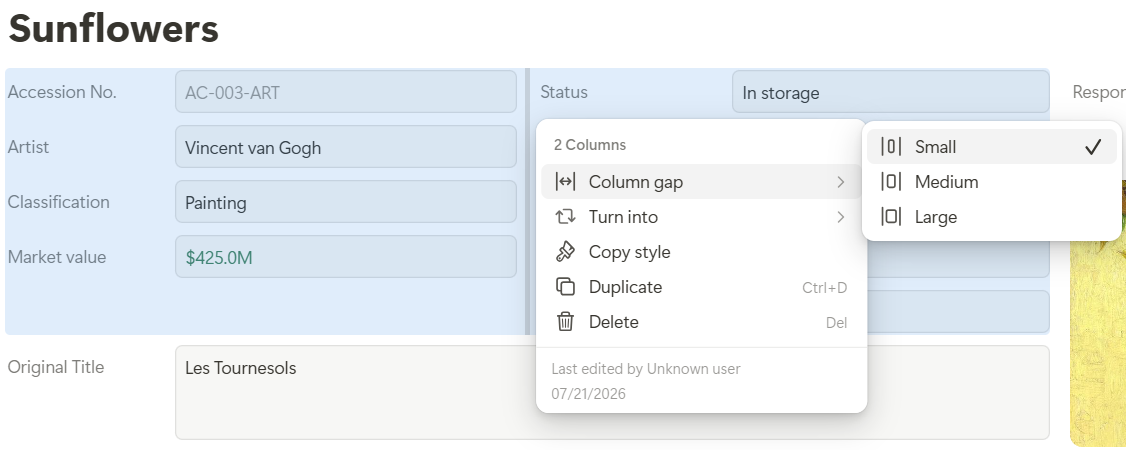
2: The custom spacing bewteen multiple columns
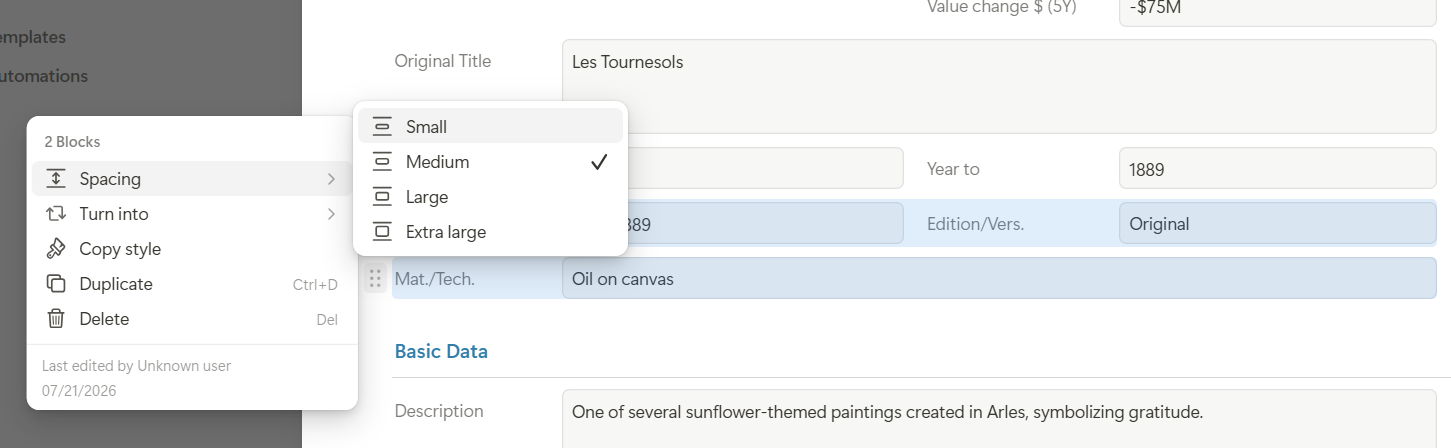
3: I could not find how the spaces can be managed in a column i.e. between the fields
I’m really happy to see that you’re using the new record experience and have already created your first clean and well-organized layouts!
Regarding your main question, we will add a dedicated Tabs block in the coming weeks. It will provide the complete tab functionality, including responsive behavior, horizontal scrolling on mobile, and a dropdown similar to the one you already know from app tabs. It will also allow you to manage the individual tabs, for example by rearranging, hiding, or showing them. So you will not need to recreate this behavior with headings and visibility rules.
Regarding your other questions:
You can adjust the spacing between columns by right-clicking the divider line between them or by using Alt-click.
You can now create exactly the kind of sections you described, with built-in tabs and Rules for showing or hiding individual tabs.
Thanks again for the great suggestion!