"temoki - Send to Tape" - totally renewed extension for Chrome, Edge and Firefox browser (max. 3 min setup) - v3

Hi there,
see the latest announcement here: "temoki - Send to Tape" - totally renewed extension for Chrome, Edge and Firefox browser (max. 3 min setup) - v3 - #6 by dirk_s

How it works
Easy like that - as soon as its setup, you can select any text on a website and send it to a tape field in any app. It creates a new record with this field prefilled.

  1. mark text
  2. open context menu
  3. send it to your app

Potential Use Cases

  • Capture data from a mail signature for your CRM
  • Do market research and capture your findings in a database

We typically use a field, which we then use as basis for AI enrichment. E.g. we automatically split data from a text into several fields via automation.

Get the API Key

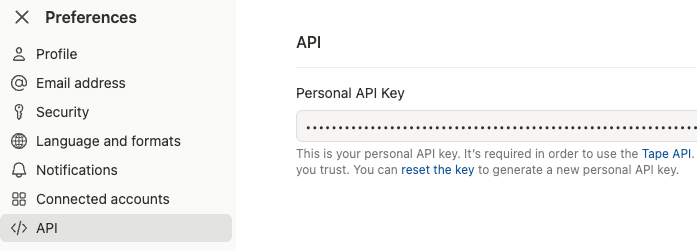
  1. Go to your user preferences
  2. Last entry in the menu “API”
  3. If you never used your API Key, you start with generating / reseting it.
8 Likes

Chrome Webstore just updated, Microsoft Edge now also on 1.5.1.

2 Likes

Here are the links to the stores: 1. Download the extension from Send to Tape - Microsoft Edge or Send to Tape - Microsoft Edge

Send to Tape – Update 1.6.2 :rocket:

We’ve just released Send to Tape 1.6.2, focusing on better team workflows, safer handling of credentials, and a smoother overall experience when creating records from the browser.

Here’s what’s new :point_down:


:sparkles: Highlights

:white_check_mark: Optional user assignment via email

You can now set a User Email in the extension settings. Each target can additionally define a User Field (slug or numeric ID).

Result: When a record is created, the email is automatically written into that field – ideal for owner/assignee use cases and clearer responsibilities.


:repeat: Share targets with your team (Export / Import)

Targets can now be easily shared across teams:

  • Export Targets downloads a JSON file containing your targets
  • Import Targets loads targets from a JSON file and replaces the current setup

For security reasons, API keys and user emails are not included and must be added manually after import.


:jigsaw: More robust field configuration: slug or ID

All target fields now accept either a field slug or a numeric field ID.

This makes configurations more resilient if slugs change or when you prefer working with stable IDs.


:shield: Safer API key storage

The API key is now stored locally in the browser, no longer synced across devices.

This reduces the risk of unintentionally sharing credentials.


:brain: Clearer API error messages

Error feedback from the Tape API is now much easier to understand, for example:

  • Invalid API Key
  • Required fields missing

Very long error messages are automatically shortened to keep things readable.


:link: Reliable record links in success notifications

After a record is created, the success notification includes a reliable direct link to the record. If the API provides a record URL, it is used automatically.


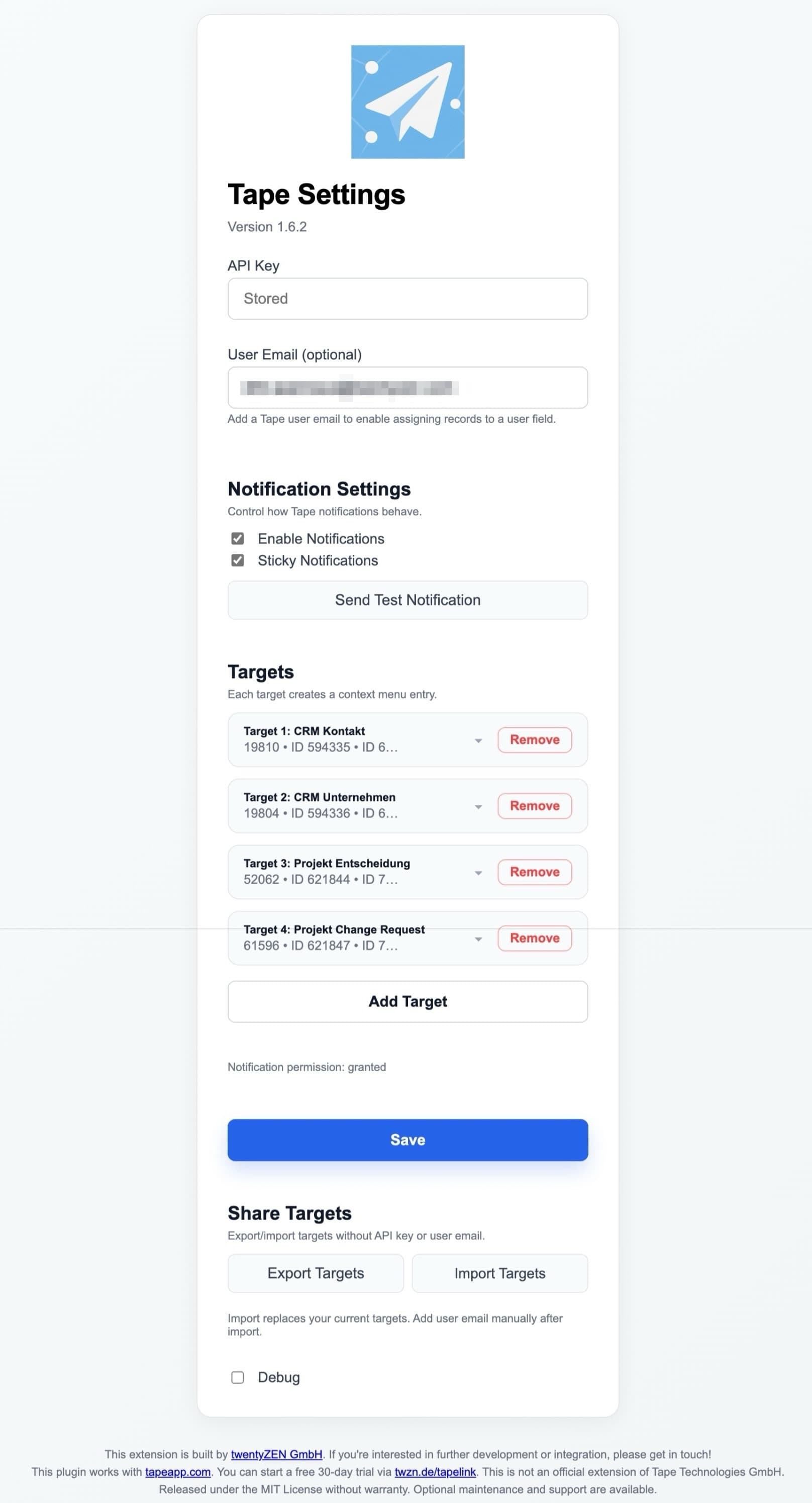
:control_knobs: Cleaner, more structured settings UI

The options page has been refined with:

  • clearly grouped notification settings (including a test button)
  • a cleaner layout and improved empty states

Feedback, ideas, or edge cases? We’d love to hear from you in the forum :wave:

Need a branded version or help rolling this out company-wide? Get in touch with us – we’re happy to help.

Preview:
3 Likes

Send to Tape takes a big step forward with v1.7.2 :rocket:

The biggest news: Firefox is now supported.
So if Firefox is your daily browser, you can now use the same fast “send selected text to Tape” workflow there too.

What really improves with v1.7.2:

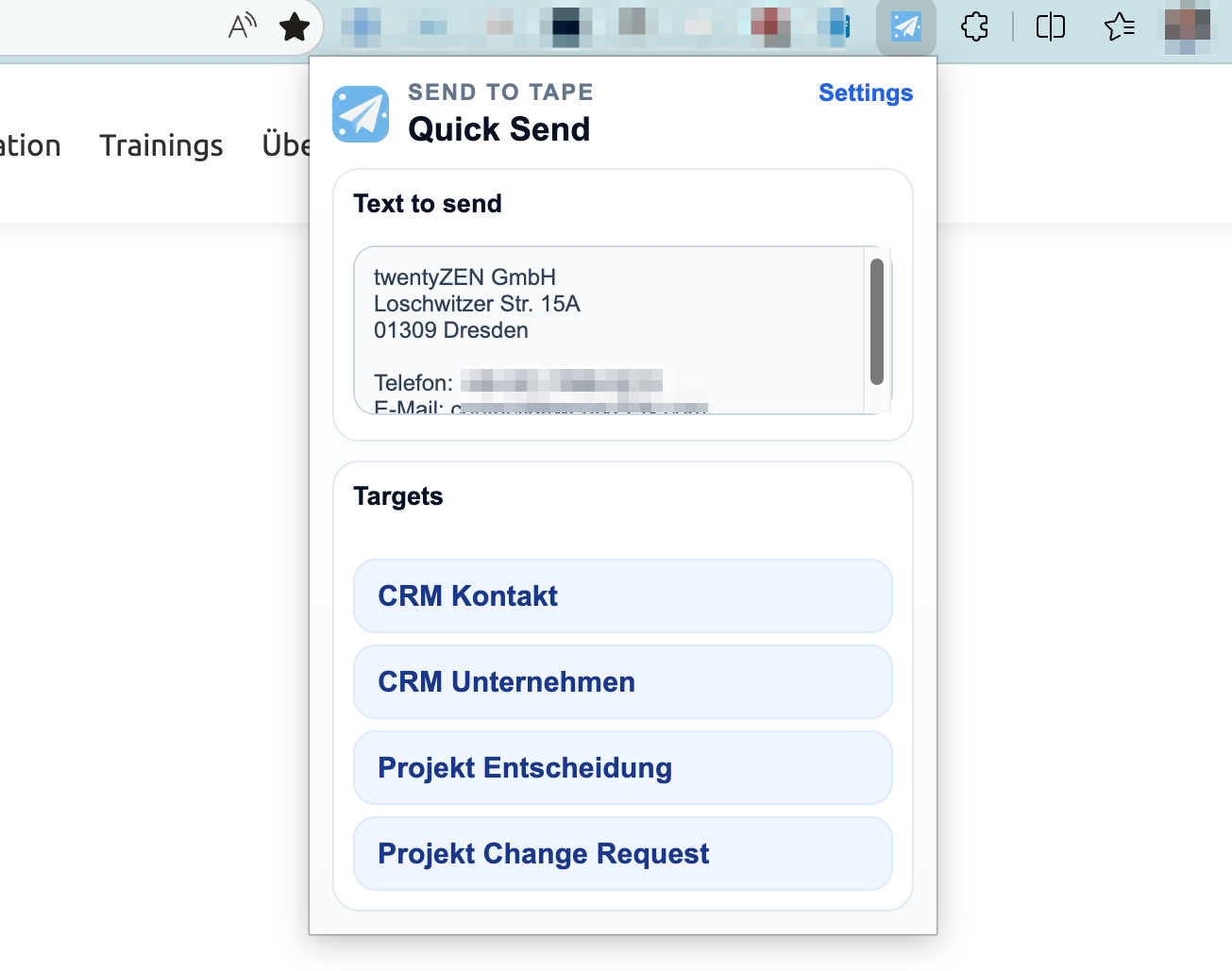
  • A new extension popup/menu with much better UX
  • You can edit text before sending if needed
  • You get direct feedback with the generated record URL
  • Less reliance on browser notifications for confirmation
  • Optional page URL capture for better context
  • Optional assignment of the new record to a user
  • Better import/export and validation for shared configurations

In short: it feels much more polished now :sparkles:
Especially the new extension menu makes the workflow faster, clearer, and more reliable in everyday use.


All the extensions are currently uploaded and in the review process.

Installed extensions will automatically be updated.

Here are the links in the marketplaces:

Let me know what you would add next!

3 Likes

Its now further improved v.1.7.4.4 … available already for Firefox and Chrome, Edge still taking its time.

2 Likes

Hi Tape community :wave:

Some of you know and use our little extension Send to Tape. It has had a big update. Version 3.0 is largely rebuilt, and it now carries a new name: temoki – send to Tape.

Why temoki?
We’re branding all our knowledge-management tools under one name. This is one example - a small, free browser extensions that capture knowledge, so it can feed your processes, automation and AI. Same extension, same Tape focus, new name.

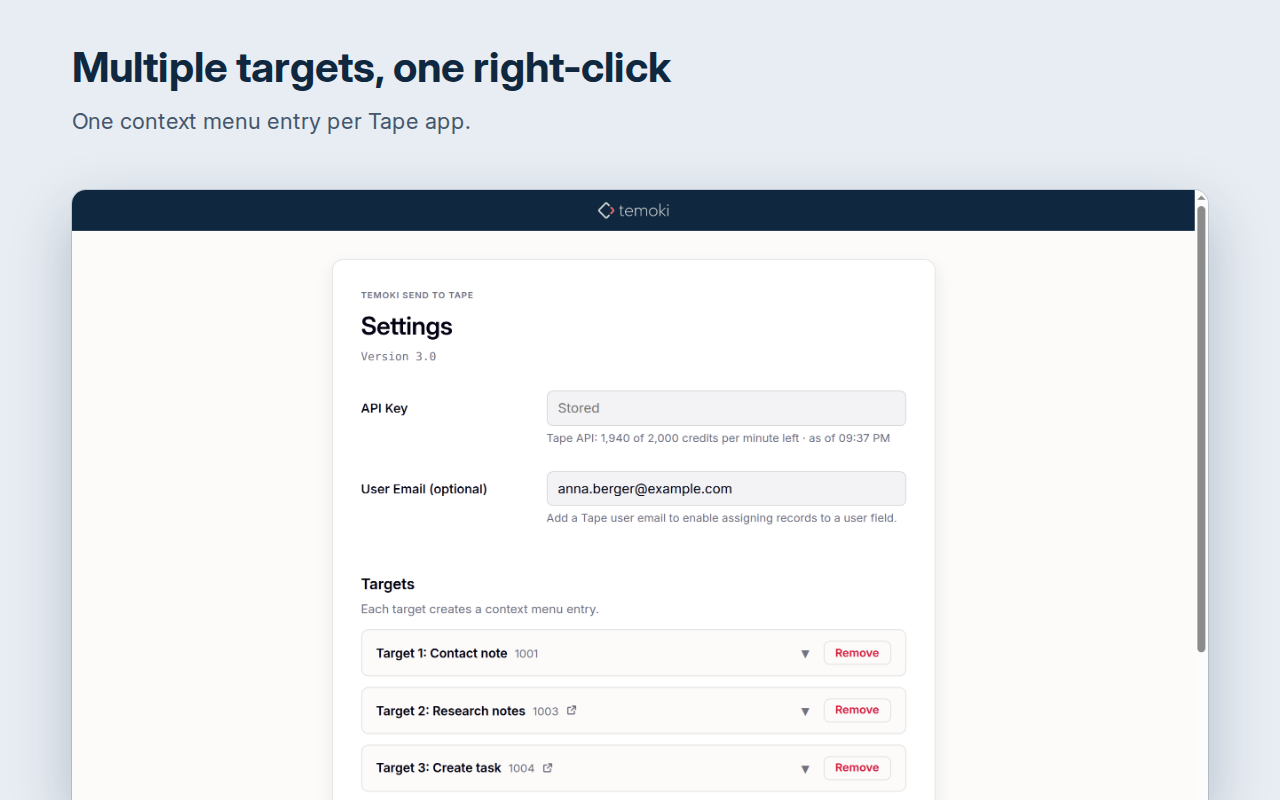
The goal hasn’t changed, but now it’s finally right: make it easy for a whole team to capture structured data - setup is easier than ever - a new “target” in Tape can quickly be added - without copying and pasting IDs.

What’s new in 3.0

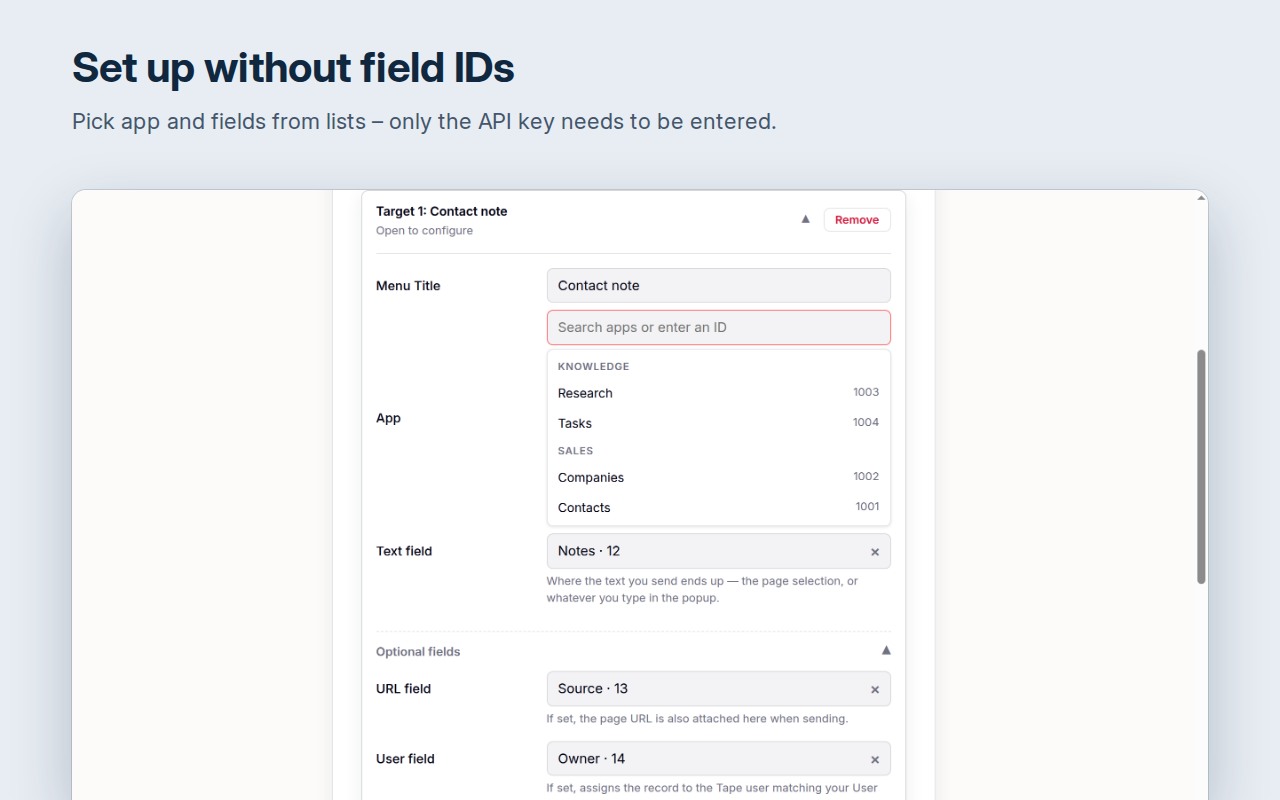
  • Setup without field IDs. Enter your API key once. Apps and fields are picked from lists, so there’s no more copying IDs.
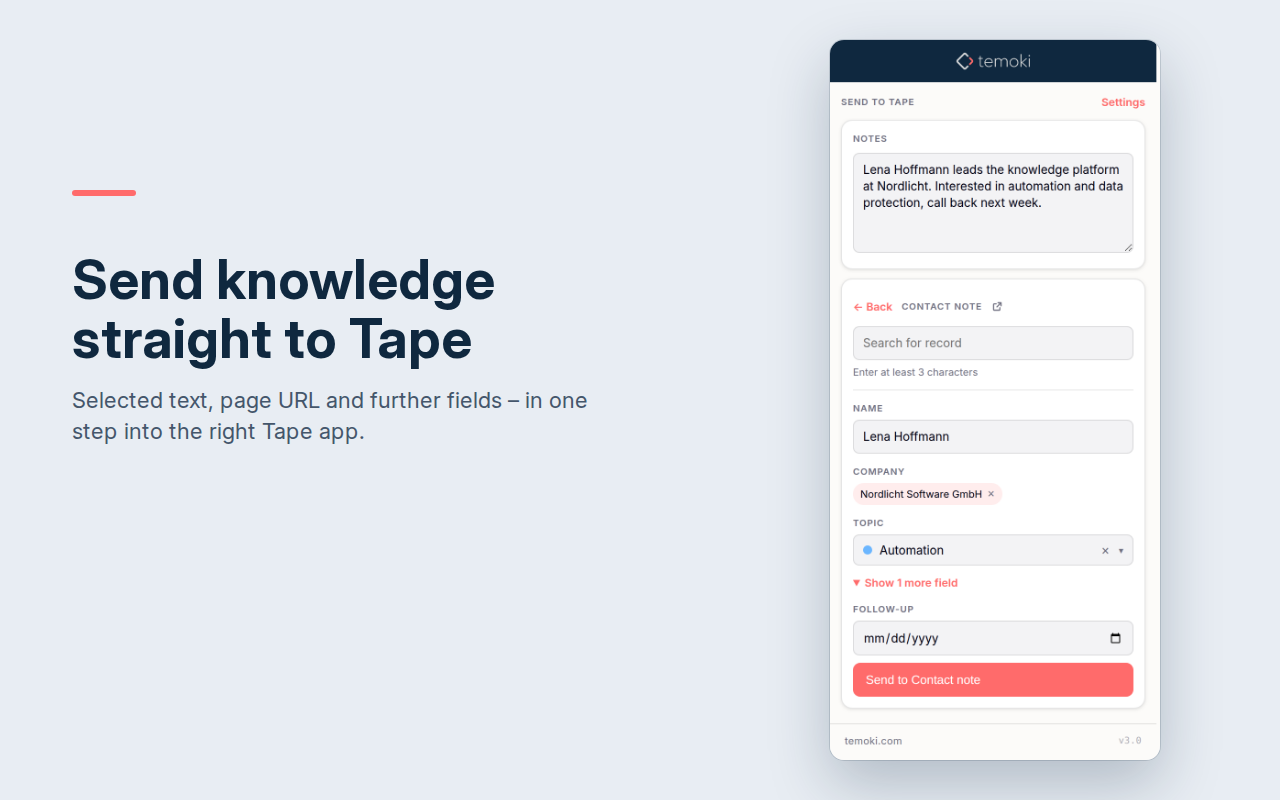
  • Review before you send. The context menu opens the form with text, URL and extra fields ready, and you can adjust everything first.
  • Avoid duplicates. Search for an existing record and append your data instead of creating a second one.
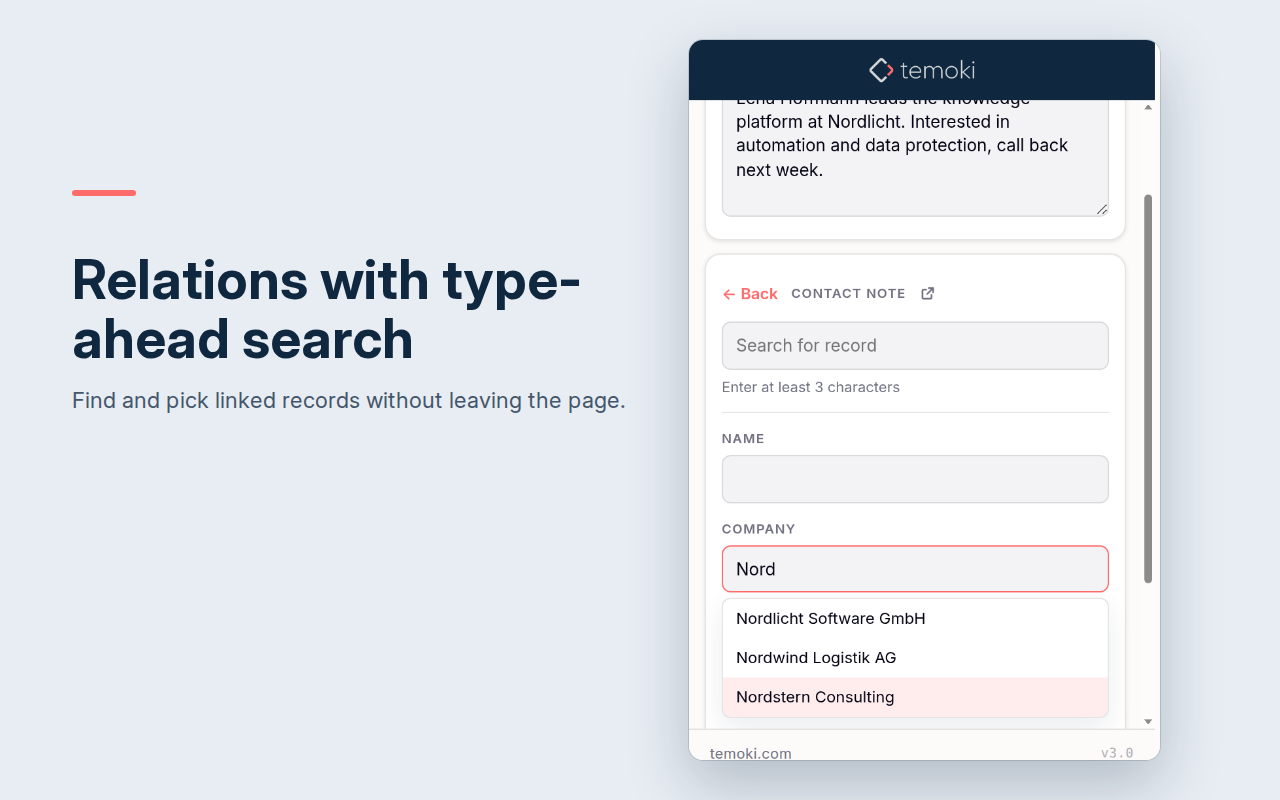
  • Many more field types. Categories and status, date and time ranges, members, and relations with type-ahead search. Required fields are marked.
  • Your rules per target.
    • Use drag and drop to order the fields.
    • Set your own category order.
    • Preselect default values.
    • Same color and icons as defined in the Tape App.
    • Skip the text field if a target only needs URL or other fields.
  • Team-ready. Export your targets and share them. Colleagues import them in seconds and can choose to update, add only what’s new, or replace.
  • Straight back to Tape. A link to the new record appears right after sending, and each target links to its app.
  • Browsers and languages. Chrome, Edge, Firefox and Safari. English and German.

Upgrading: your existing targets are migrated automatically. If you use several devices, update all of them, because older versions won’t see the new target format.

Privacy: your API key stays local in your browser. Data goes only to the Tape API. There’s no tracking.

Cost: still free. It’s independent, not made by Tape. You need a Tape account and an API key.

:point_right: Update or install - Chrome and Firefox already approved - Edge may still take some time:
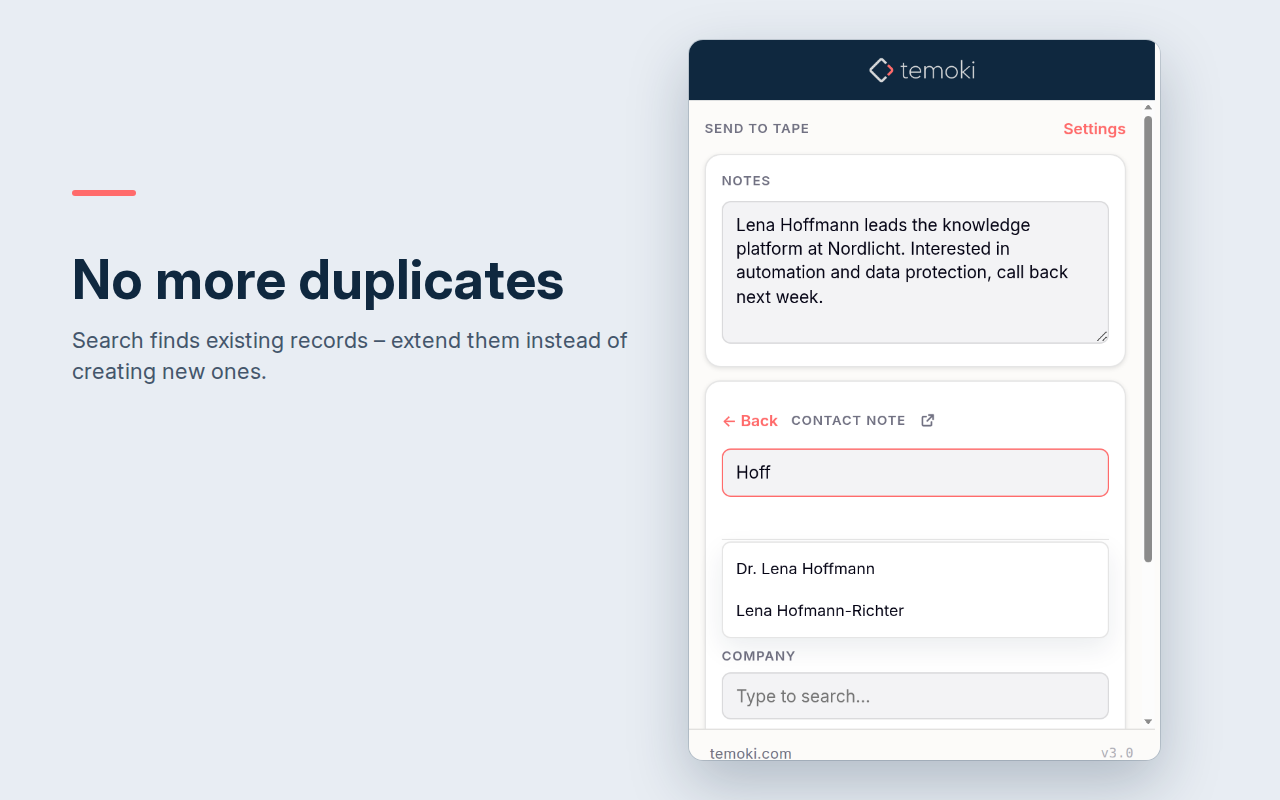
What function do you miss? We’d love to hear how you use it.

Dirk, twentyZEN

1 Like