I have a workspace, where I need a form to allow people to create a new record (as they don’t see all records - only shared). But the form doesn’t show up - no matter the rights I share this app with.
Are your users part of the private forms beta?
1 Like
Hi Dirk,
thanks a lot for reporting this.
This is a core use case for Forms, so it’s unexpected that the form doesn’t show up in your setup.
Just to clarify the available options, using Podio as a reference point:
-
Public sharing (via app Publish): Similar to Podio webforms, any Form App in Tape can be shared publicly. This allows external users to create new records without seeing existing ones.
-
In addition, internal form access (via app Share): Beyond the classic public sharing known from Podio, Tape also allows you to make Form Apps available internally within your organization. In this case, users can create records via a form for apps they don’t have access to, and you can control what access they get to the created records afterward.
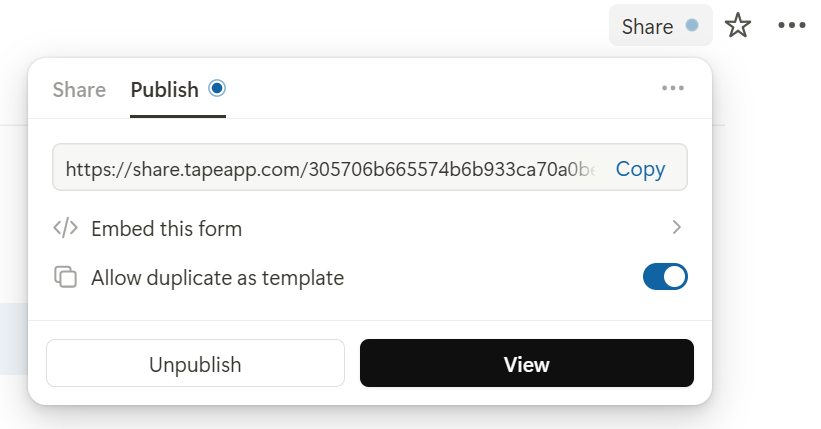
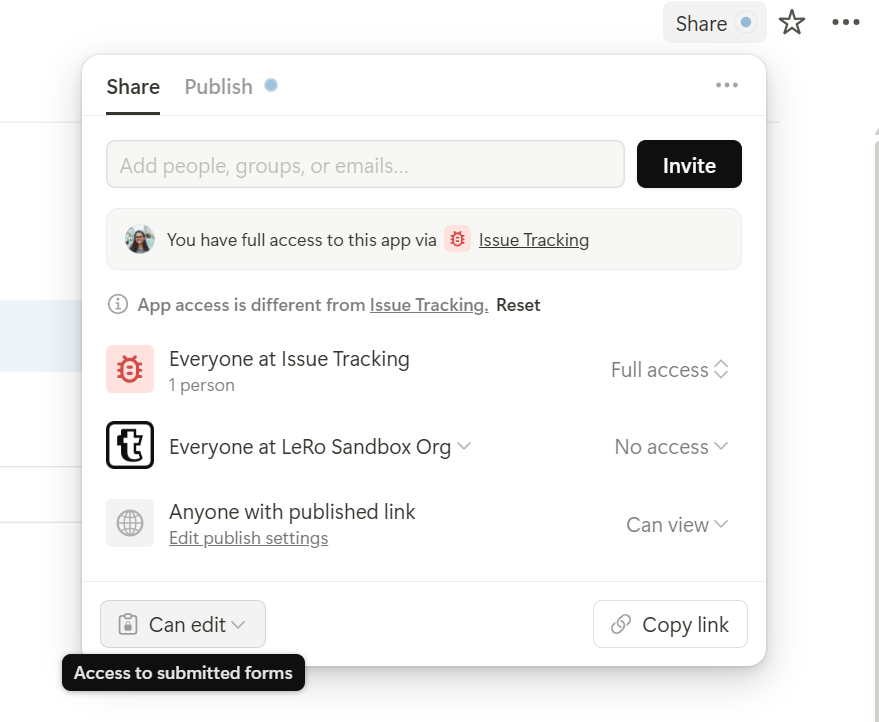
If the form still isn’t visible for you, it would help a lot if you could share a screenshot of your sharing settings or a short screen recording. That should allow us to quickly understand where the setup might differ.
Best regards,
Leo
@1F2Ns Yes I’m in 
@Leo Settings to the form sharing, which allows to create a new Urlaubsrecord, which will be shared with the user in the next step.
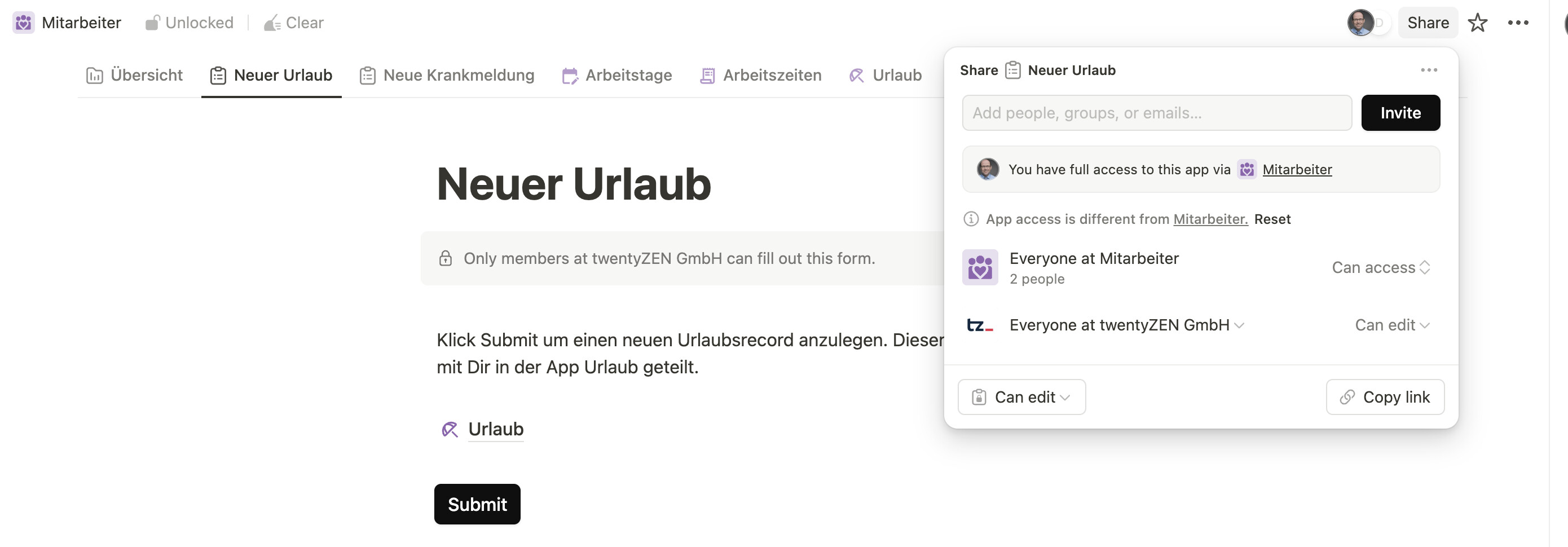
The user is not a member of “mitarbeiter workspace” and shouldn’t be.
It shows up empty for this user (member of twentyZEN GmbH):
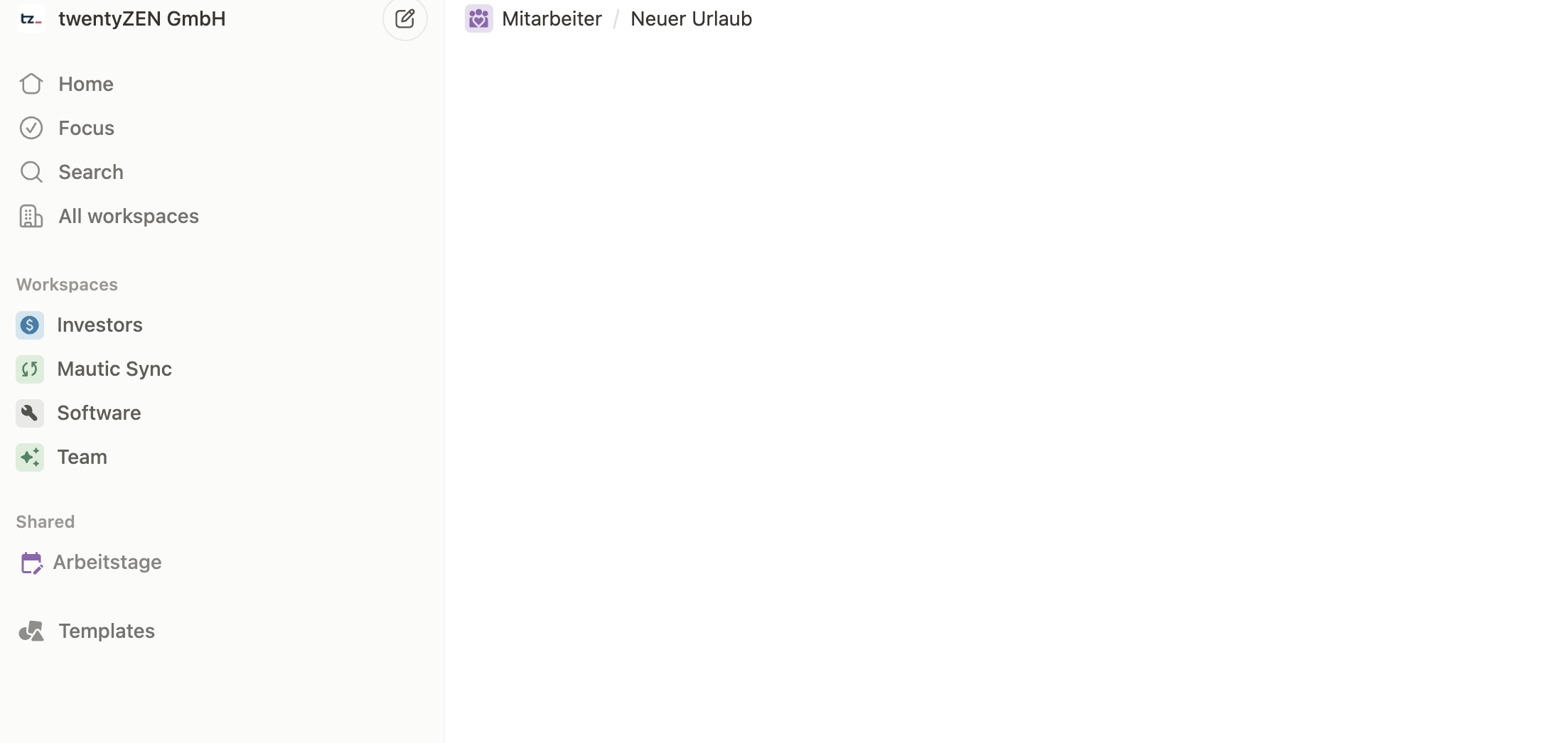
1 Like
Hi @dirk_s,
thanks a lot for the update! This makes it very clear what’s going on 
It looks like you’re still seeing the limited share menu. The new share menu with the tab logic (where you can also publish apps) is not enabled for you here yet.
We’ll check why you don’t have access to the more powerful share menu, try to fix this right away, and get back to you as soon as the fix is live.
Thanks again for your help and the detailed explanation!
Best regards,
Leo
2 Likes
Hi @dirk_s,
great news, it was indeed what we suspected: a feature flag issue
This should now be fixed. After a quick refresh, you should see the correct share menu and be able to publish and share your form publicly as expected.
Could you please give it a try and let me know if everything is working as intended now?
Best regards,
Leo
1 Like
Hi @Leo …
I think its something else. The form only showed up, once there was actually a first shared record in the related app.
I think the form should be there already when there is no shared record yet in the app? Because otherwise I need to create placeholder records for each expected user so they can see the shared form.
When I deleted the shared record from the application, the form was gone again.
1 Like
Hi @dirk_s,
thanks a lot for the clarification, I’ve already taken a closer look, and you’re absolutely right.
It seems to be a permission issue when creating a draft if no record exists yet. I can also see the corresponding error in the console. We’re in the process of fixing this today, but I wanted to confirm that this is exactly what you’re running into.
So from our side, this indeed turns out to be two separate issues.
Just to confirm as well: the Publish tab in the share overlay is now visible to you, right?
Thanks again for the insights!
Best regards,
Leo
Hi @dirk_s,
good news We’ve fixed the issue and the fix is now live!
After a quick refresh, the form should now work even if no record exists yet. This was indeed a bug on our side, just as we suspected. I also tested the same scenario myself, and it’s working well now.
By the way, really nice use case with the vacation requests. That’s actually a very typical reason why we built form sharing inside the org with configurable permissions after submission.
You probably already know this, but for this use case it’s often a great fit to enable the app permission “Anyone with shared content” (instead of invite only ). This way, users can manage their own vacation requests in the table after submitting the first one, without seeing requests from other users. The user can still be a member of the workspace where the app is, the key point is that general access to the app is restricted, so they only see their own records.
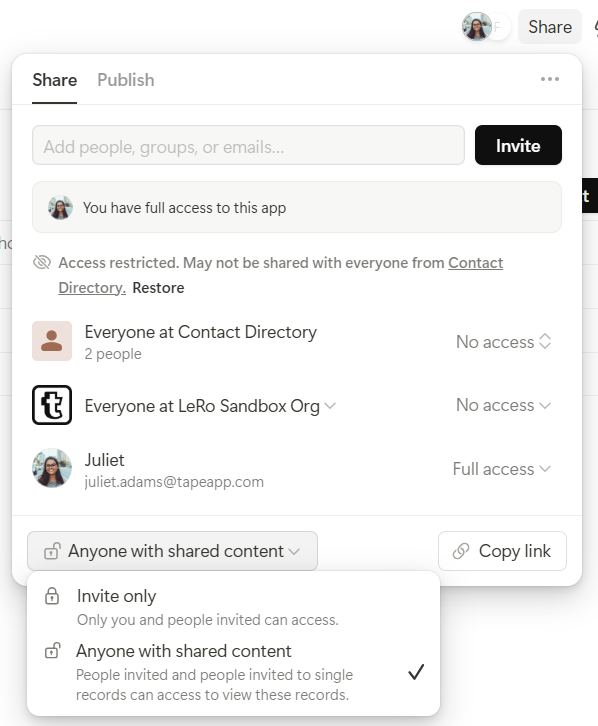
You can even put a small dashboard as home to give users an overview of their vacation requests. That usually rounds out the use case very nicely, but chances are you already thought about this 
Thanks again for the great feedback and collab!
Best regards,
Leo
2 Likes
@Leo yes its working - thanks for the quick fix!
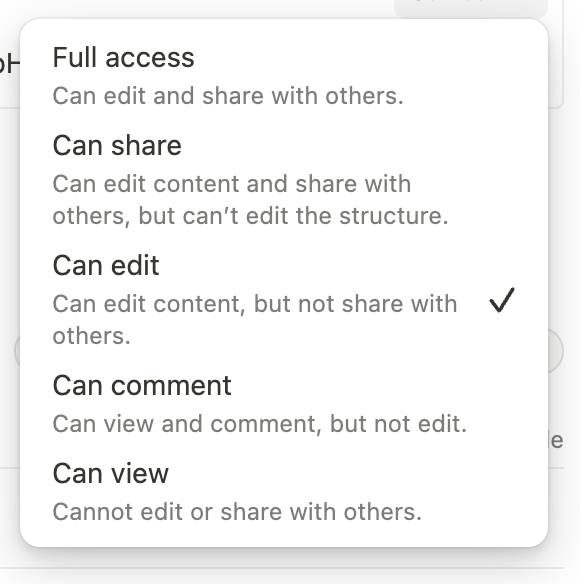
Adding the users as member enables the workspace UI (vs shared Apps). One idea for improvement: If you allow to add the member with default “no access”, I wouldn’t need to override in each application to “no access”.
Currently the lowest level on workspace is “can view”. Couldn’t there be also “no access”? This would add them technically to the workspace - even if they don’t see anything unless shared. This would also fix this issue, I guess: Can add tape user via API, but not via UI in this scenario
For the holiday and sick records I’m looking forward when you enable date fields to be used in forms as well
1 Like